News
How Do Gloves Affect Capacitive Touchscreen? A Technical Guide to Glove-Touch Optimization
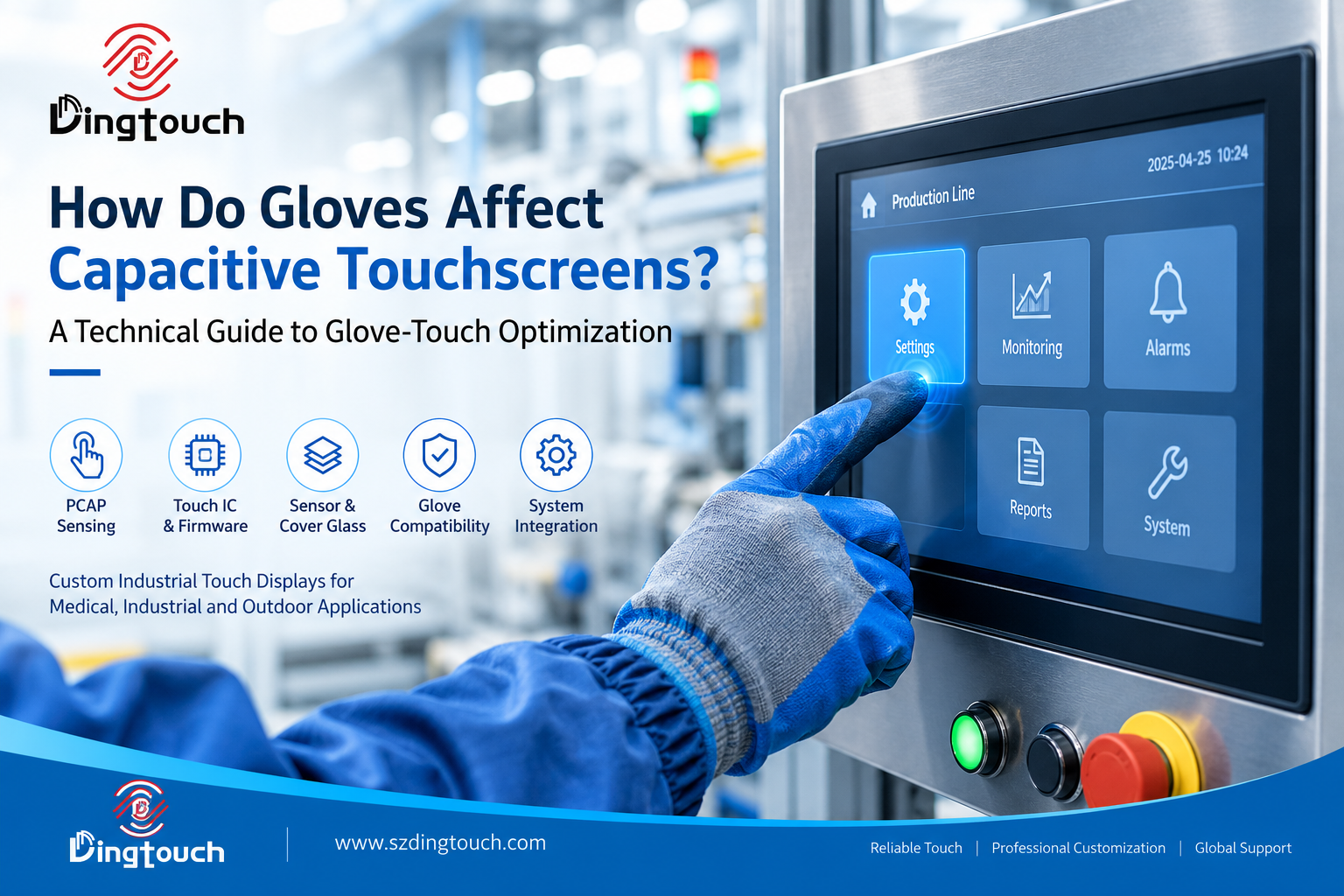 How Do Gloves Affect Capacitive touchscreen? A Technical Guide to Glove-Touch Optimization
Why Does a Capacitive touchscreen Stop Responding When You Wear Gloves?
Projected capacitive (PCAP) touchscreen are widely used in industrial human-machine interfaces (HMIs), medical equipment, outdoor terminals, and other electronic systems that require reliable touch input. Under normal conditions, these screens provide accurate, responsive, and intuitive operation. However, performance can change significantly when users wear gloves.
Common symptoms include missed touches, delayed responses, inaccurate coordinates, and intermittent touch detection. These issues can affect usability and operational efficiency, particularly when protective gloves are mandatory.
The underlying challenge is electrical rather than simply mechanical. A PCAP touchscreen detects changes in capacitance around its sensing electrodes. A glove changes the electrical coupling between the user's finger and the sensor, potentially weakening or altering the signal available to the touch controller.
Not every application requires a specially optimized touchscreen. In some cases, selecting a compatible glove is sufficient. In others, the touchscreen itself must be engineered to accommodate specific glove materials, thicknesses, operating conditions, and system-level electrical characteristics.
For custom touch display projects, the key question is not simply whether a touchscreen supports glove operation. It is whether the complete touch system can reliably recognize the intended glove under real operating conditions.

1. How Does a Capacitive touchscreen Detect a Gloved Finger?
Understanding the PCAP Sensing Principle
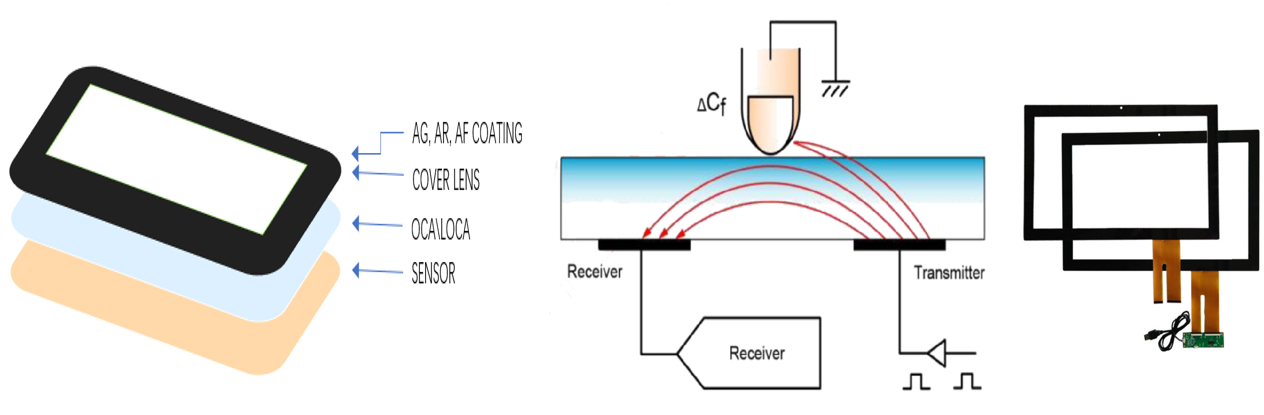
A projected capacitive touchscreen contains a grid of conductive sensing electrodes. When a finger approaches or touches the cover surface, it changes the local electrical field and capacitance. The touch controller measures these changes and calculates the touch position.
With a bare finger, the electrical coupling is generally sufficient for the controller to identify the touch. A glove introduces an additional dielectric layer between the finger and the sensing structure, changing the effective coupling and the signal characteristics.
The resulting touch signal depends on several interacting factors:
-
The thickness and dielectric properties of the glove
-
The contact area between the glove and the cover glass
-
The touch sensor's electrode structure
-
The thickness and material of the cover glass
-
The controller's sensing capability and firmware parameters
-
Grounding, electromagnetic interference, and the surrounding electronics
The result is that a touchscreen optimized for bare-finger operation may not provide the same performance when used with protective gloves.
Why Glove Compatibility Is a System-Level Requirement
Glove touch is not determined by the controller alone. It depends on the complete sensing chain, from the physical touch interface to the final touch coordinates reported to the host system.
A simplified signal path is:
Gloved finger → Cover glass → PCAP sensor → Touch controller → Firmware processing → Host system
If the signal is too weak, inconsistent, or difficult to distinguish from electrical noise, the controller may fail to recognize the intended input. A reliable solution therefore requires coordinated consideration of the sensor, controller, firmware, mechanical stack-up, and system integration.
2. Which Glove Characteristics Affect Touch Performance?
Different gloves can produce substantially different results on the same capacitive touchscreen. The term “glove-compatible” alone does not define a complete engineering requirement.
| Factor | Potential effect | Engineering consideration |
|---|---|---|
| Glove thickness | Greater separation may weaken electrical coupling | Validate the actual glove thickness and construction |
| Glove material | Different dielectric properties influence sensing | Test the specific material rather than relying on its name |
| Conductive properties | Some materials improve capacitive coupling | Consider touchscreen-compatible gloves where practical |
| Glove fit | Changes the contact area and consistency | Evaluate loose-fitting and tightly fitted gloves separately |
| Moisture | May alter the electrical characteristics of the interface | Test dry and wet conditions independently |
| Cover glass | Adds another dielectric layer to the touch structure | Optimize glass thickness and the complete stack-up |
| Touch controller | Determines how sensing signals are measured and processed | Select a controller suitable for the required operating conditions |
| Firmware tuning | Influences detection thresholds and noise rejection | Balance weak-signal recognition with false-touch suppression |
| Grounding and EMI | Electrical noise may reduce the effective signal-to-noise ratio | Validate the fully integrated product |
Does a Thicker Glove Always Perform Worse?
Not necessarily, although increased thickness can make touch detection more challenging.
Two gloves with similar thicknesses may behave differently because their materials, internal structures, fit, and electrical properties are different. A thin insulating glove may be harder to detect than a thicker glove designed specifically for touchscreen operation.
For this reason, glove compatibility should be evaluated using the actual glove intended for production, not estimated from thickness alone.
3. Can Increasing Touch Sensitivity Solve Glove-Touch Problems?
Increasing touch sensitivity can help the controller recognize weaker signals, but it is not a universal solution.
A capacitive touchscreen must distinguish an intended finger input from unwanted electrical disturbances. If sensitivity is increased without considering the operating environment, the system may become more vulnerable to false touches or unstable detection.
Depending on the design, excessive sensitivity can complicate:
-
False-touch rejection
-
Water and moisture tolerance
-
Electromagnetic interference (EMI) immunity
-
Touch stability around the screen edges
-
Reliable operation in electrically noisy environments
The objective is not to achieve the highest possible sensitivity. It is to establish a sufficient detection margin for the intended glove while maintaining reliable rejection of noise and unintended inputs.
This balance becomes particularly important in industrial equipment, where a touchscreen may need to support bare fingers, protective gloves, moisture exposure, and electromagnetic disturbances within the same installation.
4. What Role Do the Touch IC, Sensor, and Firmware Play?
Reliable glove-touch performance usually requires a coordinated design rather than a single component upgrade.
Touch Controller Selection
The touch controller, or Touch IC, provides the sensing and signal-processing capabilities needed to detect changes in capacitance. Different controllers have different sensing architectures, configuration options, and capabilities.
A suitable controller may improve the system's ability to recognize weak or altered touch signals. However, selecting a controller based only on a general claim of “high sensitivity” is insufficient.
The controller must be evaluated alongside the sensor design, cover glass, required touch functions, and electrical environment.
Touch Sensor and Cover Glass Design
The sensor electrode structure affects the signal generated by a gloved finger. Cover glass thickness, material, and the overall mechanical stack-up also influence the electrical coupling between the finger and sensor.
For customized PCAP touchscreen, these factors should be evaluated together rather than optimized independently.
Firmware and Parameter Tuning
Firmware configuration can affect detection thresholds, filtering, noise rejection, and the handling of unstable signals.
The appropriate settings depend on the intended glove and application. Parameters that improve weak-signal detection in one environment may not perform equally well in another.
System Integration and EMI Control
A touchscreen that performs well on a laboratory bench may behave differently after installation in the final product.
Display electronics, power supplies, grounding, cables, mounting structures, and nearby electronic components can affect touch performance. For demanding industrial applications, testing should therefore include the complete display assembly and the target host system.
Engineering principle: Reliable glove operation comes from matching the sensor, Touch IC, firmware, cover structure, and electrical environment—not simply choosing a more sensitive controller.
5. Glove-Touch Requirements for Medical, Industrial, and Outdoor Displays
The right approach depends on the user's workflow, protective equipment, and operating environment.
Medical Equipment and Healthcare Interfaces
Medical equipment frequently requires operation while personnel wear examination gloves or other task-specific protective gloves.
In these applications, glove compatibility can improve workflow efficiency and reduce the need for users to change their operating procedures.
The touchscreen should be evaluated using the actual glove types, cleaning procedures, and operating conditions expected in the medical environment. If the equipment also needs to tolerate disinfectants or frequent surface cleaning, these requirements should be assessed alongside touch performance.
Industrial HMI and Automation Equipment
Industrial operators may wear cut-resistant, chemical-resistant, insulating, or other protective gloves. Some are available in touchscreen-compatible versions, while others are selected primarily for safety and cannot easily be replaced.
If a particular glove is mandatory, the display design should accommodate that glove rather than assume operators can change their protective equipment.
Industrial projects may also require wide-temperature operation, water tolerance, EMI resistance, and stable performance in the presence of electrical noise.
Outdoor and Cold-Weather Equipment
Outdoor terminals, vehicle interfaces, marine equipment, and other exposed systems may need to remain operable when users wear winter or waterproof gloves.
These gloves can introduce additional challenges because their materials and thicknesses vary considerably.
In such applications, glove-touch requirements should be considered together with sunlight readability, temperature range, moisture exposure, cover glass durability, and the final enclosure design.
Consumer and General-Purpose Devices
For devices where users can remove their gloves or select touchscreen-compatible alternatives, dedicated glove-touch optimization may not be necessary.
The most appropriate solution depends on the required user experience, the cost of customization, and the consequences of missed or false touches.
6. When Is Custom Glove-Touch Optimization Worth the Investment?
For OEM and equipment manufacturers, this is both a technical and a commercial decision.
Before modifying the touchscreen, determine whether the glove itself can be changed.
If the application permits touchscreen-compatible gloves, specifying a suitable glove may be the simplest and most economical solution.
Display-side customization becomes more valuable when:
-
Protective gloves are mandatory for safety or hygiene.
-
The glove type is fixed by the application or operating procedure.
-
Equipment must be operated continuously while users wear gloves.
-
Missed touches can interrupt important workflows.
-
Operators work in cold, wet, or electrically noisy environments.
-
Standard touchscreens cannot meet the required performance criteria.
A useful rule for custom display development is:
If the glove can be changed, evaluate the glove first. If the glove cannot be changed, design the touchscreen around the actual glove.
This approach helps avoid unnecessary customization while ensuring that genuine operating requirements are addressed during product development.
7. How Should Glove-Touch Performance Be Tested?
A reliable validation process should reproduce the conditions in which the finished equipment will be used.
Testing a single touch with one generic glove is not sufficient to establish robust performance.
Recommended Glove-Touch Validation Checklist
| Test item | What to verify |
|---|---|
| Bare-finger operation | Confirm normal touch performance without gloves |
| Intended glove | Verify detection using the actual production glove |
| Different contact positions | Test the center, edges, and corners of the active area |
| Repeated touch input | Check consistency across repeated operations |
| Light and normal contact | Evaluate the expected range of user contact |
| Multi-touch functions | Confirm that required gestures and simultaneous touches work correctly |
| Dry and wet conditions | Test separately where moisture exposure is relevant |
| EMI and grounding | Validate operation in the target electrical environment |
| Integrated assembly | Repeat tests with the final cover glass, display, cables, and host system |
| Environmental conditions | Check the specified temperature and other relevant operating conditions |
Define Measurable Acceptance Criteria
Before testing begins, the engineering team should agree on measurable acceptance criteria. These may include touch recognition rate, missed-touch frequency, false-touch frequency, coordinate accuracy, response time, and multi-touch reliability.
The required thresholds should reflect the application rather than rely on a universal standard for all glove-compatible touchscreens.
For OEM projects, recording the glove model, material, thickness, moisture condition, test configuration, and firmware version also makes results easier to reproduce during production validation.
8. How DINGTouch Supports Custom Glove-Compatible Touch Display Projects
DINGTouch develops customized industrial capacitive touchscreen and touch display modules for applications that require specific mechanical, optical, electrical, and environmental characteristics.
For projects involving glove operation, the engineering process can begin with the actual glove and the requirements of the final equipment.
Depending on the application, design considerations may include:
-
PCAP sensor customization: Evaluating the touch structure for the intended glove and operating conditions.
-
Touch controller selection: Matching the controller to the required sensing performance and system architecture.
-
Firmware tuning: Balancing weak-signal detection, noise rejection, and stable touch operation.
-
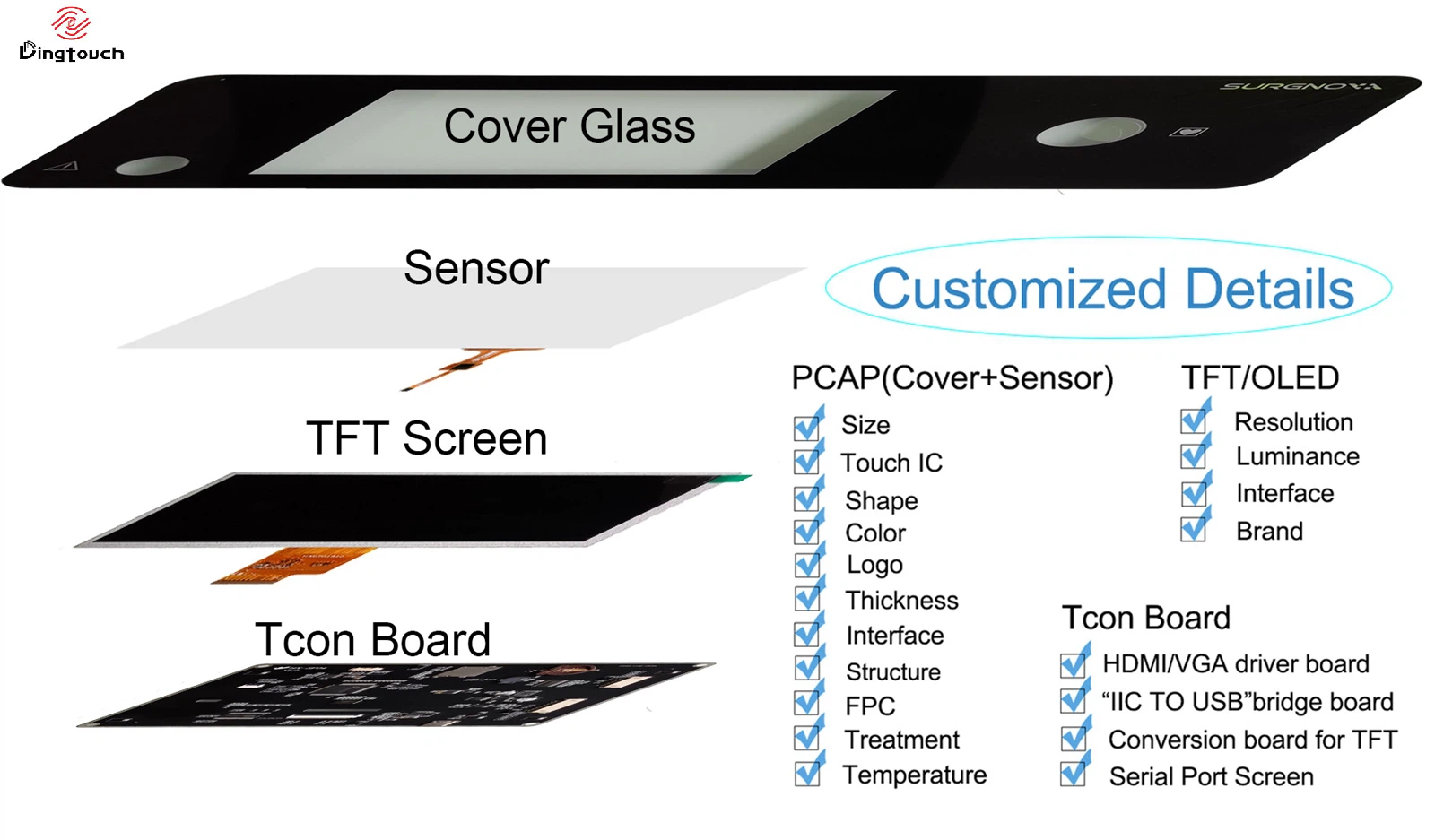
Cover glass and bonding: Considering glass thickness, surface treatment, and the complete display stack-up.
-
Industrial integration: Assessing grounding, EMI, interfaces, and interaction with the host electronics.
-
Application-specific validation: Testing the proposed configuration against defined operating conditions and acceptance criteria.
DINGTouch supports OEM and ODM customers developing industrial HMI, medical interfaces, outdoor terminals, and other customized touch display products.
The most effective starting point is to establish the actual operating requirements before selecting the sensor and controller configuration. This helps the engineering team evaluate the appropriate solution without adding unnecessary complexity or cost.
For more information about customized PCAP touchscreen and industrial touch display solutions, visit www.szdingtouch.com.
Frequently Asked Questions About Capacitive Touchscreens and Gloves
1. Why does my capacitive touchscreen work with a bare finger but not with gloves?
A glove changes the electrical coupling between the finger and the touch sensor. Depending on its material, thickness, fit, and electrical properties, the resulting signal may be too weak or inconsistent for the touchscreen's current configuration.
2. Can a standard capacitive touchscreen support glove operation?
Yes, some standard PCAP touchscreen can recognize certain gloves without additional customization. Performance depends on the glove, cover glass, sensor design, controller, and operating environment. Actual testing is needed to confirm compatibility.
3. Do thicker gloves always reduce touchscreen sensitivity?
Not always. Greater thickness can make detection more difficult, but material properties, conductive characteristics, fit, and sensor design also influence performance. Glove thickness alone cannot reliably predict compatibility.
4. Can regular rubber or medical gloves work with a capacitive touchscreen?
Some rubber and medical gloves can work with appropriately designed capacitive touchscreens, but compatibility varies by formulation, construction, thickness, and touchscreen configuration. The specific glove should be tested rather than assumed compatible based on its category.
5. Does a high-sensitivity Touch IC guarantee reliable glove touch?
No. The Touch IC is only one component of the complete sensing system. Sensor design, firmware, cover glass, grounding, EMI, and glove characteristics all affect the final result.
6. Can glove-touch performance be customized for industrial equipment?
Yes. Customization may involve sensor design, controller selection, firmware configuration, cover glass, and system-level integration. The appropriate changes depend on the required glove, operating environment, and acceptance criteria.
7. Should glove compatibility be tested before or after display integration?
Both stages can be useful. Preliminary testing helps evaluate the touch design, while final validation should use the integrated display and target host system because grounding, EMI, mounting, and surrounding electronics can change performance.
8. What information should an OEM provide when requesting a glove-compatible touchscreen?
Useful information includes the glove model or sample, material, thickness, dry or wet operating conditions, required touch functions, cover glass specifications, operating temperature, host interface, and relevant EMI or environmental requirements. Providing this information early helps establish a realistic engineering and validation plan.
Conclusion: Design for the Glove, Not Just the Touchscreen
Gloves affect capacitive touchscreen performance by changing the electrical relationship between the user's finger and the sensing electrodes. The resulting behavior depends on glove characteristics, sensor structure, controller capabilities, firmware, cover glass, and the electrical environment of the finished product.
Increasing sensitivity or selecting a different Touch IC may help, but neither guarantees reliable operation. Successful glove-touch optimization requires a system-level approach and validation against the actual glove and intended operating conditions.
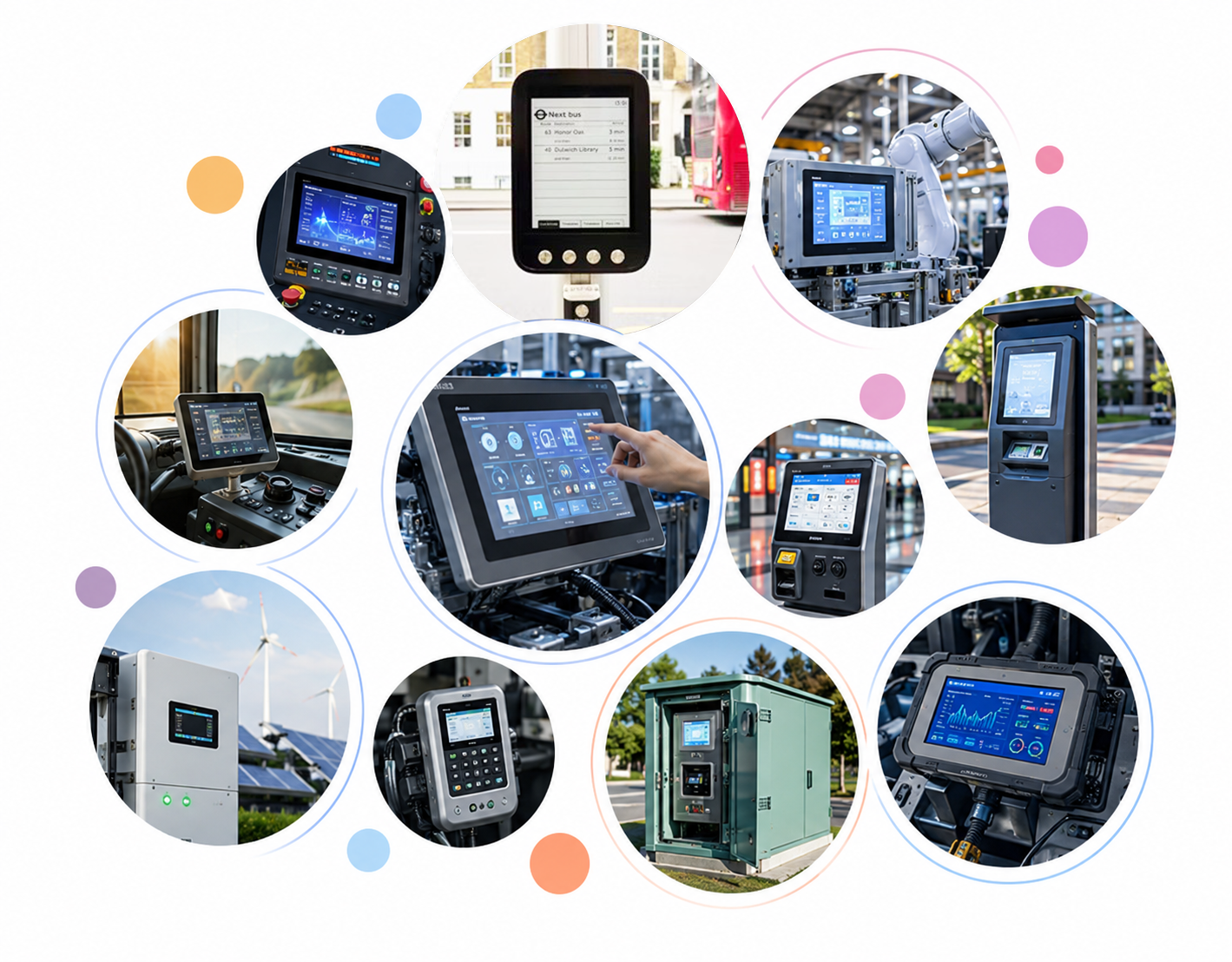
For medical equipment, industrial HMI, outdoor terminals, and other applications where protective gloves are essential, customized PCAP touch display solutions can help meet specific operational requirements.
For OEM and ODM projects, DINGTouch recommends starting with one practical question:
What glove will the user actually wear, and what performance must the touchscreen deliver in the final product?
The answer provides the foundation for selecting the right touch technology, defining validation criteria, and developing a reliable customized display solution.



Ready to Build Your Outdoor Display Solution?
Get in touch with us at sales@szdingtouch.com. Our expert engineers will help you design a cost-effective, tailored solution to meet your project’s exact specifications.
DINGTouch:Committed to continuous innovation and improvement of product quality to meet customers' high requirements and expectations.
DINGTouch is a manufacturer that provides high quality touch screen panels. Focus on the design, manufacturing and sales of touch screen panels, and are committed to providing customized solutions that satisfy customers.
DINGTouch: In the process of customizing touch screen panels, we focus on close cooperation and communication with customers. Understanding customers' needs and providing customized solutions will meet customers' individual needs. The company's products are favored by customers for their high quality and reliability, and provide them with the best Touchscreen panel solutions.
DINGTouch:Committed to continuous innovation and improvement of product quality to meet customers' high requirements and expectations.
DINGTouch is a manufacturer that provides high quality touch screen panels. Focus on the design, manufacturing and sales of touch screen panels, and are committed to providing customized solutions that satisfy customers.
DINGTouch: In the process of customizing touch screen panels, we focus on close cooperation and communication with customers. Understanding customers' needs and providing customized solutions will meet customers' individual needs. The company's products are favored by customers for their high quality and reliability, and provide them with the best Touchscreen panel solutions.
At DINGTOUCH, we are the world's leading touchscreen manufacturer, helping businesses around the world take advantage of this exciting technology. For more information, please visit the home page now.

DINGTouch is a company specializing in the R&D and production of touch screen technology, headquartered in Shenzhen, China. As a professional touch screen supplier, DINGTouch is committed to providing high-quality, stable and reliable touch screen products to meet the diverse needs of customers. We continue to carry out technological innovation and product optimization to ensure that its touch screen products have good sensitivity, accuracy and durability.
In addition to the products themselves, we also focus on cooperation and communication with customers, and are committed to providing customized solutions and excellent after-sales services. Through continuous efforts to improve product quality and customer satisfaction, we have established a good reputation in the touchscreen industry and won widespread market recognition.
In addition to the products themselves, we also focus on cooperation and communication with customers, and are committed to providing customized solutions and excellent after-sales services. Through continuous efforts to improve product quality and customer satisfaction, we have established a good reputation in the touchscreen industry and won widespread market recognition.
What DINGTOUCH can do:
• PCAP maximum size 65”
• Multi-touch (Touch screen can be customized to your needs.)
• Optical bonding service/air bonding
• LCD interface: HDMI/RGB/MIPI/LVDS/EDP, etc.
• PCAP interface: IIC/USB interface
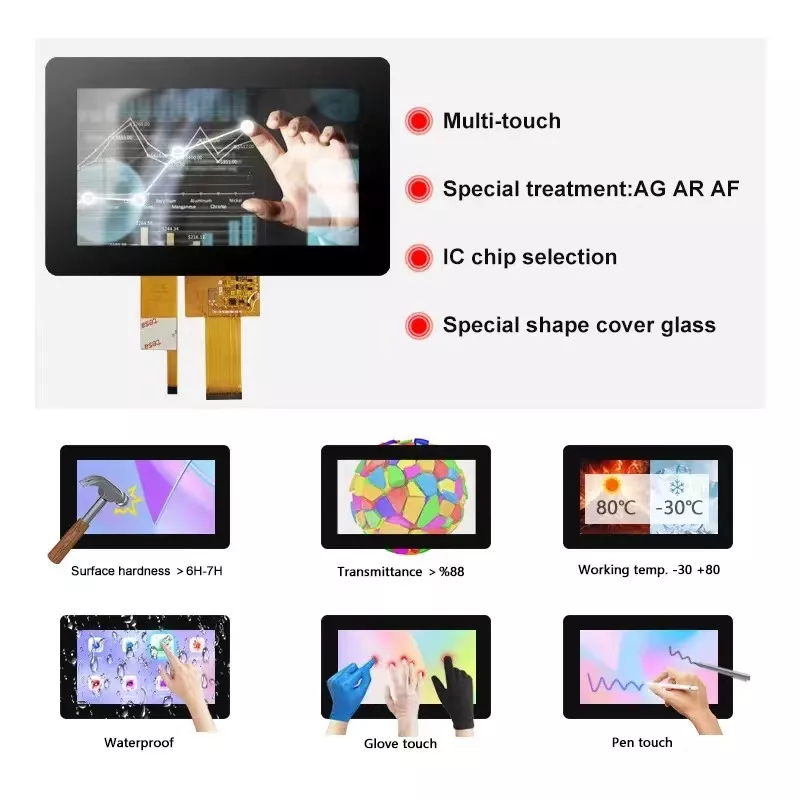
• CTP can customize the cover glass surface treatment process AG (anti-glare), AR (anti-reflection), AF (anti-fingerprint), waterproof, and glove touch
• Supports 0.55 mm-12 mm coverslip touch.
• Support operating temperature: -40℃-90℃.
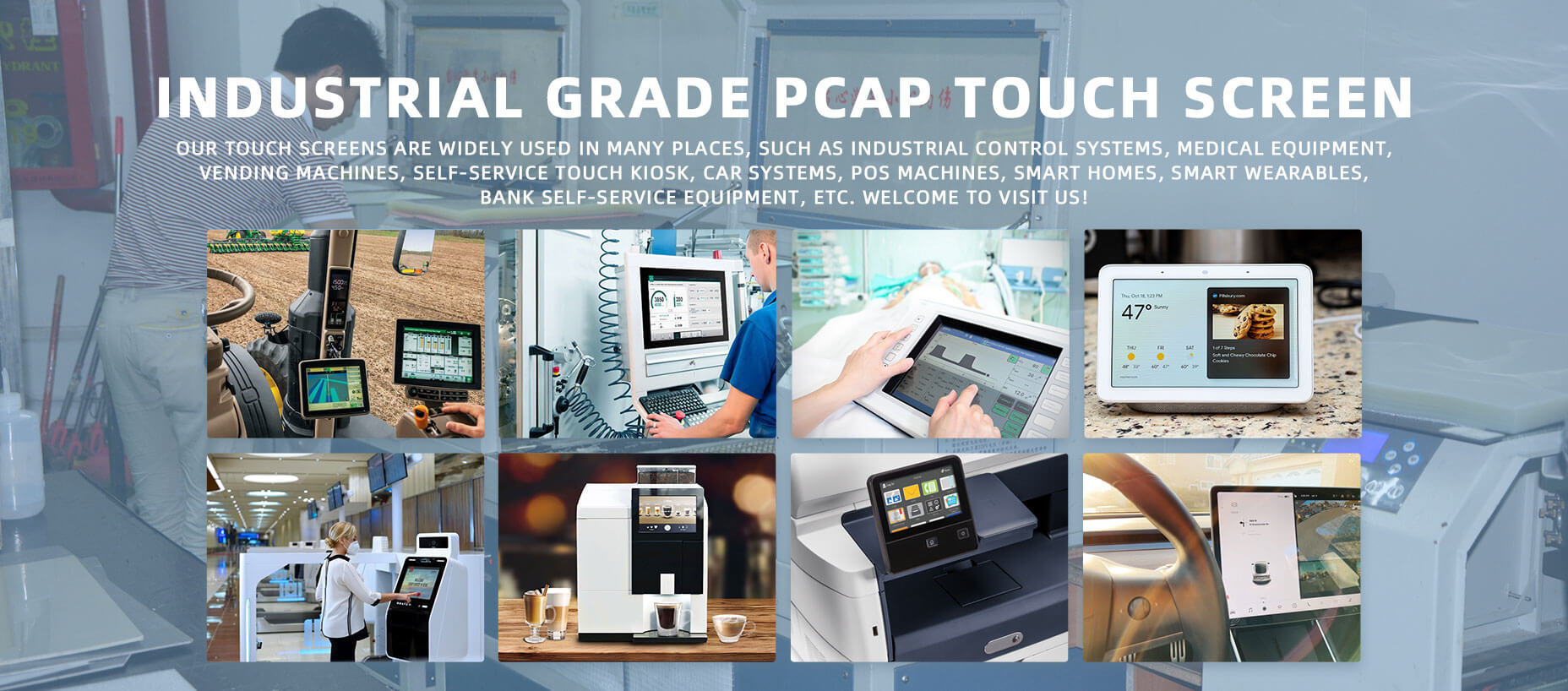
Dingtouch Industrial capacitive touch screen Manufacturer
In conclusion, Dingtouch as a professional touch screen manufacturer with more than 10 years touch screen experience.We have many capacitive touch screen. Such as 5 inch touch screen,7 inch touch screen,10.1inch touch screen,15 inch touch screen,15.6 inch touch screen,17 inch touch screen,18.5 inch touch screen,19 inch touch screen,21.5 inch touch screen,32 inch touch screen, However, we also welcome to customize your own touch screen . Contact our team today to learn what capacitive touch screen are best for our retail business needs.
Contact us NOW! sales@szdingtouch.com
#Medicaltouchscreencalibration, #capacitivetouchcalibrationguide, #IEC60601touchscreen, #DINGTouchmedicaldisplay, #touchscreenaccuracy, #touchscreen driftfix, #medicalequipmenttouchsolutions, #IP65touchpanel, #IK10medicaltouchscreen, #glove touch medical monitor,#ILITEKTouchControllerICSelectionGuide ,#OCAtoOCR #GT911,#CustomizedWideTemperatureTouchScreenSolutions,#Waterproof Touchscreen,
#highbrightnessLCD, #sunlightreadabledisplay,#industrialLCDbacklight, #outdoor displaymodule, #customLCDsolution, #1000–2000nitsdisplay, #DINGTouchtouchscreen.
DINGTouch — Custom Touch Display Solutions Expert
Every touch, clear and precise, ready for any environment.
Every touch, clear and precise, ready for any environment.
CATEGORIES
CONTACT US
Contact: Dingtouch
Phone: +8615815536116
Tel: +8615815536116
Email: sales@szdingtouch.com
Add: Building A, Bailu Plaza, No. 48, Gonghe Industrial Road, Gongle Community, Xixiang Street, Baoan District, Shenzhen,China. 518126
 Dingtouch