News
Display Serial Interfaces Explained: SPI vs LVDS vs MIPI DSI vs eDP for Industrial Displays
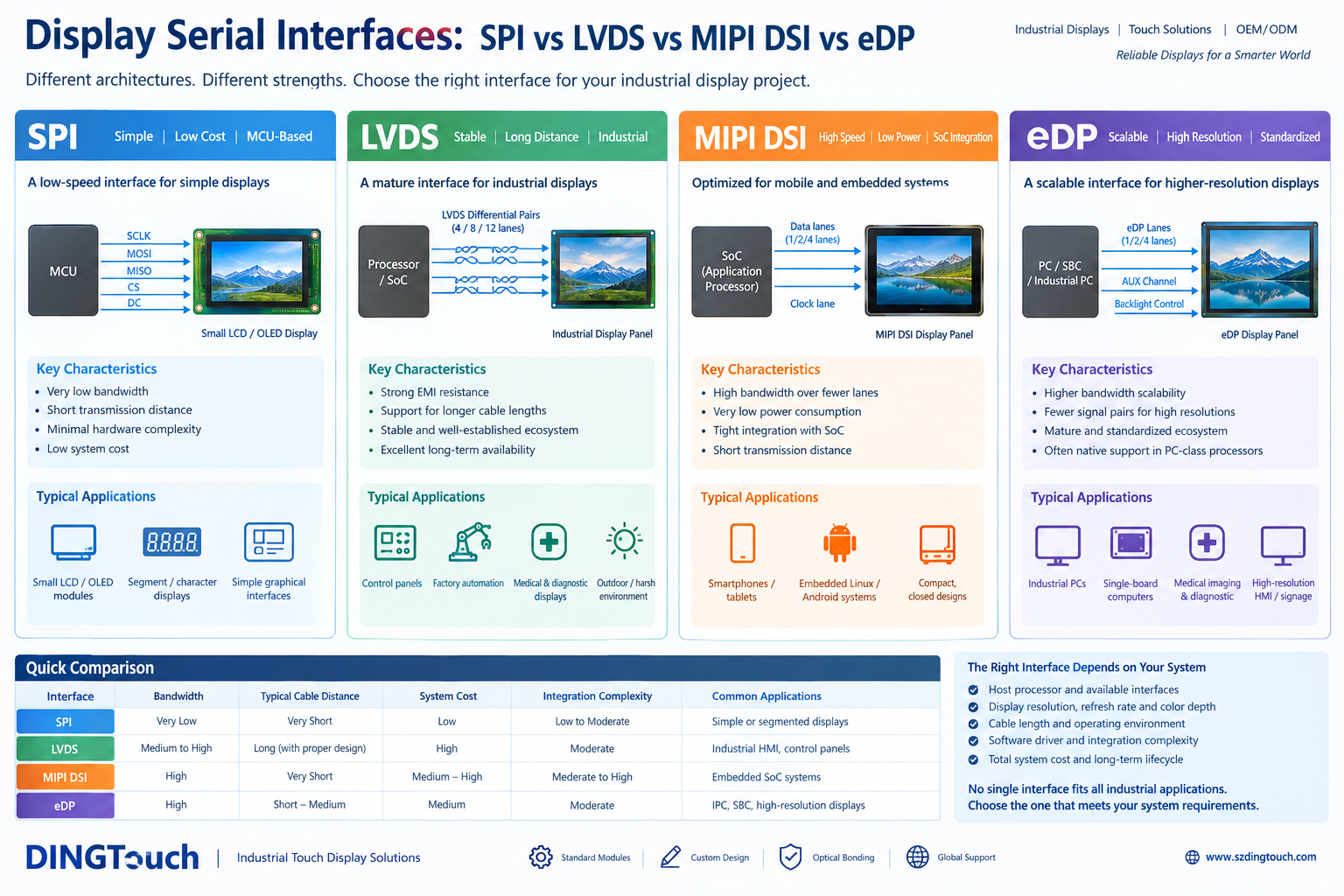 Display Serial Interfaces Explained: SPI vs LVDS vs MIPI DSI vs eDP for Industrial Displays
Why Display Interface Selection Matters
When developing an industrial touchscreen, embedded HMI, medical device, or industrial PC, selecting the right display interface is just as important as choosing the display size, resolution, and brightness.
A display interface determines how image data travels from the host processor to the display panel. It directly influences bandwidth, signal integrity, power consumption, PCB complexity, cable design, system cost, and long-term product reliability.
For OEM engineers and system integrators, choosing an unsuitable interface can lead to unnecessary bridge ICs, difficult driver development, EMI issues, or costly hardware redesigns.
Four interfaces are frequently considered in modern embedded and industrial display applications:
-
SPI (Serial Peripheral Interface)
-
LVDS (Low-Voltage Differential Signaling)
-
MIPI DSI (Mobile Industry Processor Interface Display Serial Interface)
-
eDP (Embedded DisplayPort)
Although these interfaces all transmit display data, they serve different architectural requirements. There is no universal best choice. The most suitable interface depends on the processor, display resolution, refresh rate, transmission distance, operating environment, and expected product lifecycle.
This guide explains the differences between SPI, LVDS, MIPI DSI, and eDP, helping engineers select a practical display architecture for industrial and embedded applications.

1. What Is a Display Serial Interface?
A display interface defines the electrical signaling, communication protocol, and data transmission method used between a host system and a display module.
The host may be:
-
An MCU in a compact embedded device
-
An application processor or SoC running Linux or Android
-
An industrial PC or single-board computer
-
A dedicated display controller
The interface must transmit sufficient image data to support the required resolution, color depth, and refresh rate while maintaining reliable operation.
For example, a 7-inch display used in a simple control terminal may require relatively modest bandwidth. A 15.6-inch Full HD industrial touchscreen, however, may require a substantially higher data rate and a more capable display controller.
Interface selection also affects the touch system. A touchscreen may use MIPI DSI, LVDS, or eDP for display data while using a separate USB or I2C connection for capacitive touch input.
Understanding this distinction helps avoid confusion when specifying a complete touch display module.
2. SPI: A Simple Display Interface for MCU-Based Systems
SPI is a synchronous serial communication interface widely used in microcontrollers and embedded electronics.
It is commonly found in small LCD and OLED modules where low hardware complexity and straightforward control are more important than high-resolution video performance.
Key Characteristics of SPI
-
Relatively simple hardware architecture
-
Low pin count compared with many parallel interfaces
-
Convenient integration with MCU-based systems
-
Typically short transmission distances
-
Limited bandwidth compared with high-speed display interfaces
SPI display modules often include an internal display controller and frame memory. The host processor sends commands and pixel data to update the screen.
This architecture works well for simple graphical interfaces, status displays, measurement instruments, and compact embedded terminals.
When Should Engineers Choose SPI?
SPI is suitable when:
-
The display is small or relatively low resolution
-
The screen updates occasionally rather than continuously
-
The host system is based on an MCU
-
Development simplicity and low component cost are priorities
However, SPI is generally not the preferred choice for high-resolution displays requiring continuous video streaming or high refresh rates.
For a larger industrial touchscreen, engineers should evaluate whether the available SPI bandwidth can support the actual image data requirements before committing to the architecture.
3. LVDS: A Proven Interface for Industrial Display Reliability
LVDS has been widely used in industrial LCD modules, embedded displays, and commercial display systems.
It transmits data using low-voltage differential signaling, which helps reduce electromagnetic emissions and improve resistance to common-mode noise when the system is properly designed.
Why LVDS Remains Relevant in Industrial Applications
LVDS offers several practical advantages:
-
Mature and well-established display ecosystem
-
Reliable high-speed differential transmission
-
Good signal integrity when PCB routing and cabling are properly implemented
-
Broad availability of industrial display modules
-
Established integration experience across long-lifecycle products
LVDS is commonly used in industrial control panels, factory automation equipment, medical instruments, and embedded systems that require predictable operation over many years.
LVDS and Industrial EMC Requirements
Industrial equipment may operate near motors, switching power supplies, inverters, and other sources of electromagnetic interference.
LVDS can be a suitable interface in these environments, but it does not automatically guarantee EMC compliance.
Actual performance depends on the complete system, including:
-
PCB differential-pair routing
-
Connector selection
-
Cable shielding and grounding
-
Power supply design
-
touchscreen controller and display timing
-
Enclosure structure and EMC testing
For applications requiring long cable connections, the supported cable length must be verified against the display timing, signal quality, and system design. LVDS is not unlimited-distance transmission.
When Should Engineers Choose LVDS?
LVDS is a strong candidate when:
-
The processor or display controller already supports LVDS
-
An established industrial display module is available
-
Long-term product stability is important
-
The application requires a proven integration architecture
-
Existing hardware designs or supply chains already use LVDS
For many industrial OEM projects, LVDS remains a practical option even when newer interfaces are available.
4. MIPI DSI: High-Speed Display Integration for Embedded SoCs
MIPI DSI is designed for efficient high-speed display communication, particularly in compact mobile and embedded systems.
It is widely supported by application processors and SoCs used in Linux, Android, and other embedded platforms.
Key Advantages of MIPI DSI
-
High bandwidth using a relatively small number of differential lanes
-
Efficient integration with supported SoC display controllers
-
Compact PCB and connector design
-
Low-power operating modes supported by the interface architecture
-
Suitable for high-resolution displays in space-constrained products
MIPI DSI is particularly attractive for embedded systems where the display is located close to the processor.
Important MIPI DSI Design Considerations
Despite its bandwidth advantages, MIPI DSI requires careful system integration.
Engineers should verify:
-
Native MIPI DSI support in the selected processor
-
Supported lane count and data rates
-
Display resolution and refresh-rate compatibility
-
Panel timing and initialization sequences
-
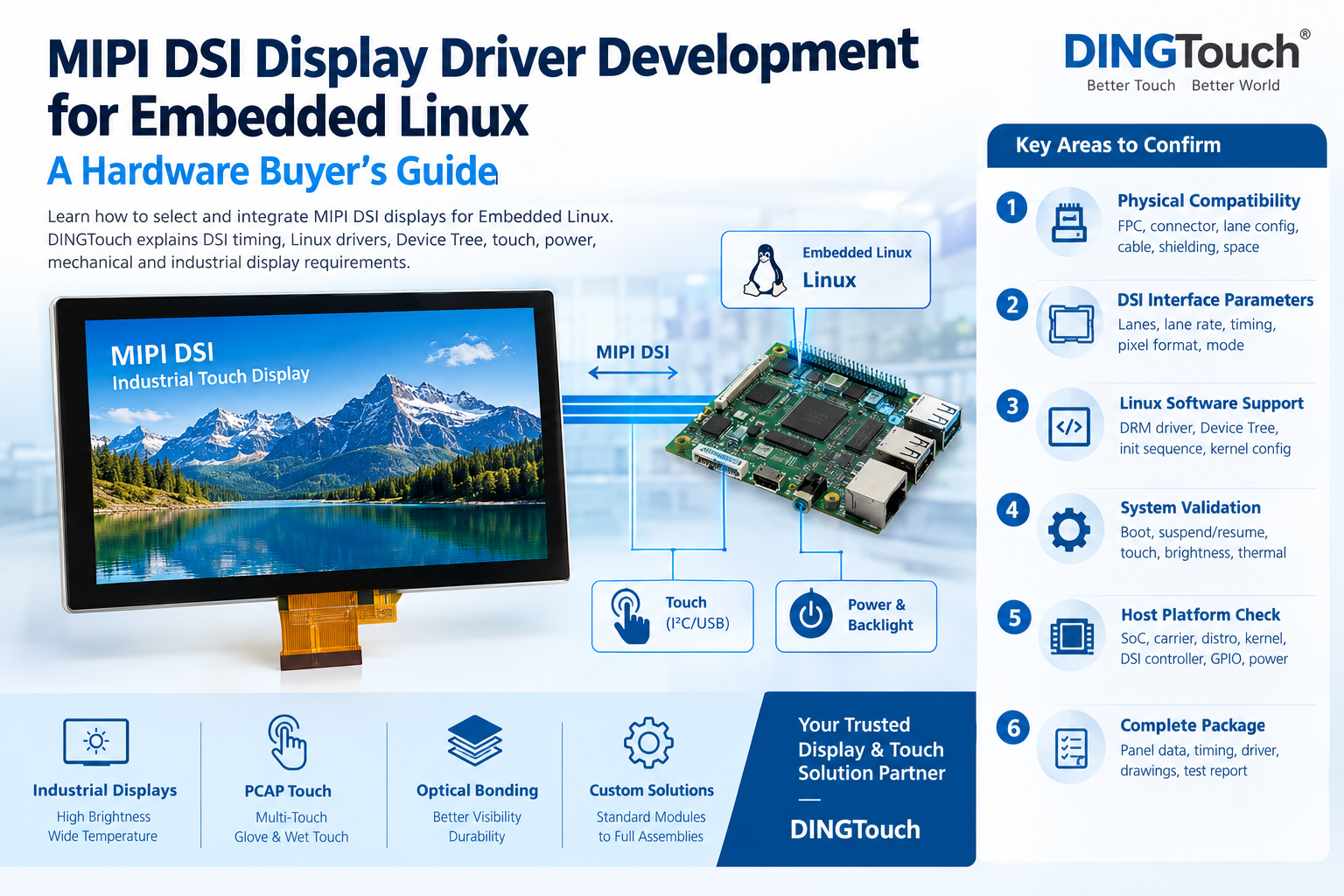
Linux or Android driver availability
-
PCB routing and signal integrity
-
Display and touch controller compatibility
MIPI DSI is generally intended for relatively short connections within an integrated device. It should not be assumed to support the same cable distances as a properly designed industrial LVDS system.
When Should Engineers Choose MIPI DSI?
MIPI DSI is often suitable for:
-
Embedded Linux and Android devices
-
Compact industrial terminals
-
Handheld instruments
-
Space-constrained control interfaces
-
Custom display systems built around a compatible SoC
For OEM projects, the availability of a compatible display module and a working software platform can significantly reduce development risk.
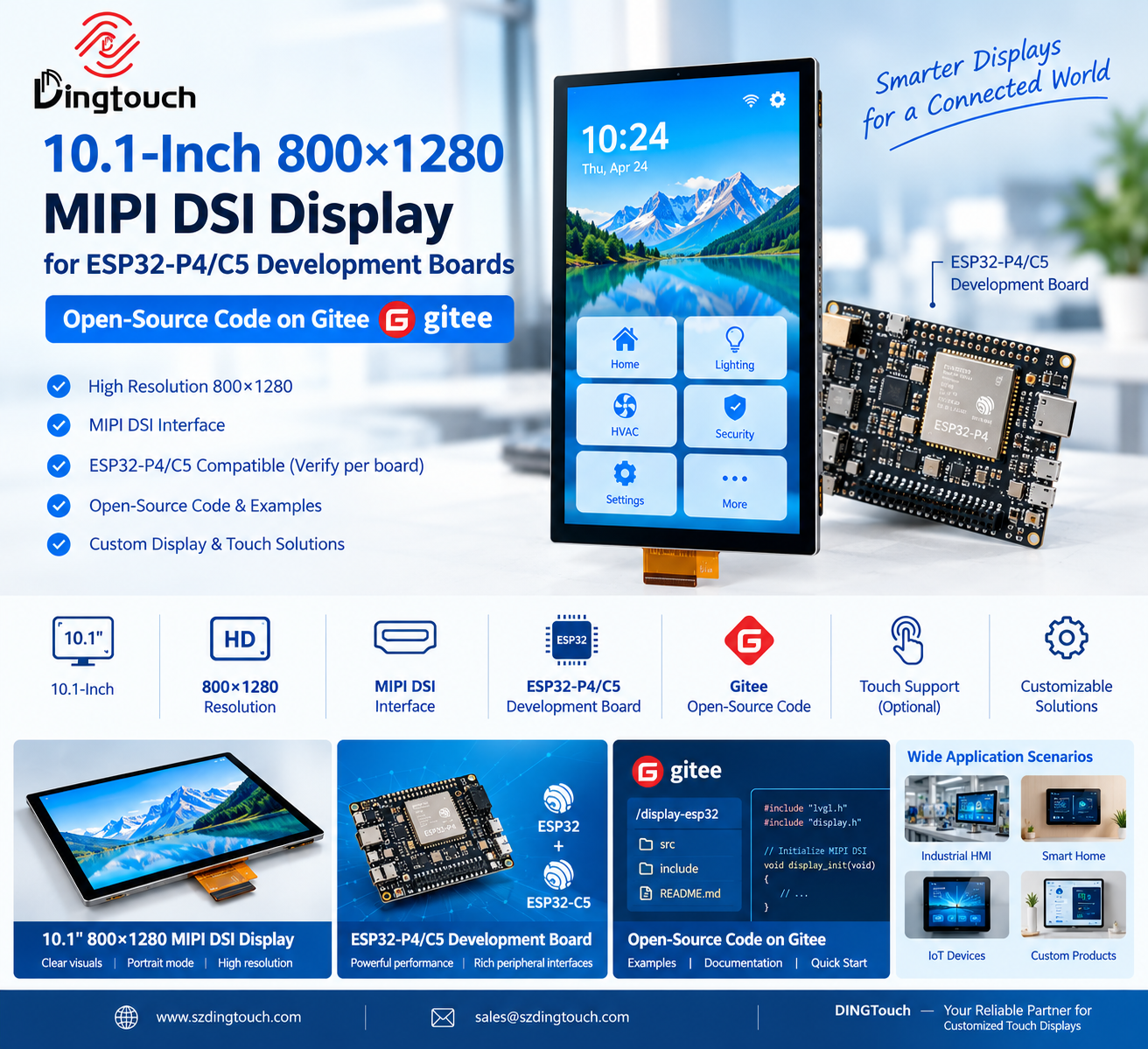
DINGTouch can evaluate MIPI DSI display options according to the customer's processor, display dimensions, resolution, brightness, and touchscreen requirements.
5. eDP: A Scalable Display Interface for Industrial PCs and High-Resolution Systems
eDP, or Embedded DisplayPort, is derived from the DisplayPort standard and is widely used in notebook computers, industrial PCs, single-board computers, and other embedded computing platforms.
It is particularly attractive for systems requiring higher display resolutions and scalable bandwidth.
Why eDP Is Increasingly Used in Industrial Displays
eDP offers several benefits:
-
High bandwidth for high-resolution displays
-
Scalable data rates and lane configurations
-
A standardized interface ecosystem
-
Integration with many PC-class processors and graphics systems
-
Reduced need for external display bridge ICs when native support is available
Depending on the processor and panel configuration, eDP can simplify the display architecture for HD, Full HD, and higher-resolution industrial display applications.
eDP Integration Considerations
Before selecting an eDP display, engineers should verify:
-
Native eDP output from the host system
-
Supported resolution, refresh rate, and color depth
-
Lane count and link configuration
-
Panel power sequencing
-
AUX channel and backlight control requirements
-
Cable and connector compatibility
-
Operating temperature and lifecycle requirements
An eDP panel is not automatically compatible with every DisplayPort source. Panel configuration, timing, firmware, and electrical requirements must be checked.
When Should Engineers Choose eDP?
eDP is often a strong option for:
-
Industrial PCs
-
Single-board computers
-
High-resolution industrial HMI systems
-
Medical imaging and diagnostic equipment
-
Embedded systems requiring scalable display performance
For PC-based platforms, eDP may provide a more straightforward architecture than MIPI DSI, particularly when the processor already includes native eDP support.
6. SPI vs LVDS vs MIPI DSI vs eDP: Engineering Comparison
The following table summarizes the typical characteristics of these four display interfaces.
| Interface | Bandwidth | Typical Connection | Integration Complexity | Common Applications |
|---|---|---|---|
| SPI | Low | Short | Low to moderate | Small MCU displays |
| LVDS | Medium to high, depending on configuration | Short to longer cable connections when properly designed | Moderate | Industrial HMI and embedded displays |
| MIPI DSI | High | Typically short, integrated connections | Moderate to high | Embedded SoC and compact devices |
| eDP | High and scalable | Typically short to medium, depending on system design | Moderate | Industrial PCs and high-resolution displays |
These are general comparisons rather than absolute specifications. Actual bandwidth, cable distance, cost, and compatibility depend on the implementation.
How Interface Selection Affects System Cost
Display interface cost should not be evaluated by the panel price alone.
The complete system cost may include:
-
Display module and touchscreen
-
Connector and cable assembly
-
Display bridge ICs
-
PCB routing and layer requirements
-
Software driver development
-
EMC validation
-
Engineering time and production testing
For example, an eDP display may be cost-effective when the host processor already supports eDP natively. If the processor only provides MIPI DSI, however, an eDP panel may require an additional bridge IC and more integration work.
Similarly, LVDS may have a higher cabling or connector cost in some configurations, but it can be economical when an existing industrial platform already supports it.
The lowest-cost interface is therefore the one that meets the requirements with the least overall integration effort and acceptable lifecycle risk.
7. How to Choose the Right Display Interface for Your Industrial Project
Interface selection should begin with the host platform and system requirements rather than the display size alone.
Step 1: Confirm the Processor Interface
Identify which display outputs are supported by the MCU, SoC, or industrial PC.
Check whether the processor provides native SPI, LVDS, MIPI DSI, or eDP support. Also verify the maximum supported resolution, refresh rate, lane configuration, and software compatibility.
Step 2: Define Display Performance Requirements
Determine:
-
Display size and resolution
-
Required refresh rate
-
Color depth
-
Brightness and viewing conditions
-
touchscreen functionality
-
Operating temperature
-
Cable length and mounting arrangement
These requirements help establish the necessary bandwidth and electrical architecture.
Step 3: Evaluate the Operating Environment
Industrial displays may be exposed to vibration, temperature fluctuations, moisture, electrical noise, and physical impact.
If the application requires outdoor readability, waterproofing, or strong impact resistance, interface selection should be evaluated alongside the complete display module design.
A high-speed interface alone does not make a display suitable for harsh environments.
Step 4: Review Software and Integration Risk
Confirm that the display driver, panel initialization sequence, timing configuration, and touch controller are compatible with the intended platform.
For embedded Linux projects, engineers should verify the display subsystem, device tree configuration, and available driver support before finalizing the hardware.
Step 5: Consider Long-Term Supply and Lifecycle
Industrial products often require extended production lifecycles.
Before selecting a display module, evaluate panel availability, processor compatibility, replacement options, and the feasibility of future revisions.
An interface that works well today should also support the product's expected maintenance and production requirements.
8. DINGTouch Industrial Display Interface Solutions
At DINGTouch, display interface selection is evaluated as part of the complete industrial display solution.
As a manufacturer of industrial capacitive touchscreens and custom touch display modules, DINGTouch supports OEM and ODM projects requiring display integration, touchscreen customization, and optical bonding.
Depending on the application and processor platform, available solutions may include:
-
SPI display modules for compact embedded applications
-
LVDS TFT LCD modules for industrial HMI systems
-
MIPI DSI displays for embedded Linux and Android platforms
-
eDP displays for industrial PCs and high-resolution systems
-
Capacitive touchscreens with USB or I2C touch interfaces
-
Custom cover glass, FPC, and connector configurations
-
Optical bonding and full-lamination solutions
DINGTouch works with customers to evaluate standard display modules before considering customized hardware.
When a standard display meets the project requirements, it can help reduce tooling costs, shorten development time, and improve supply-chain predictability.
For projects requiring specific dimensions, brightness, temperature range, touch performance, or mechanical integration, customized display and touchscreen solutions can be evaluated according to the application.
The objective is to select a display architecture that meets the system requirements while balancing performance, cost, integration effort, and long-term reliability.
Conclusion: Select the Interface That Fits Your System Architecture
SPI, LVDS, MIPI DSI, and eDP each serve a different purpose in modern display systems.
SPI remains suitable for simple, low-bandwidth embedded displays. LVDS continues to provide a proven option for industrial applications requiring mature integration and dependable operation. MIPI DSI is well suited to compact SoC-based systems, while eDP offers scalable bandwidth and a standardized ecosystem for industrial PCs and higher-resolution displays.
The right interface is not necessarily the newest or fastest one.
For industrial OEM, the best choice is the interface that works reliably with the processor, meets the display performance requirements, minimizes unnecessary integration costs, and supports the product's expected lifecycle.
By evaluating the complete system architecture early, engineers can avoid costly redesigns and develop more reliable industrial display solutions.
DINGTouch supports industrial display and capacitive touchscreen projects with interface evaluation, display module selection, touch integration, and optical bonding.
For your next industrial display project, contact DINGTouch to discuss the appropriate display interface, panel specifications, and customization requirements.
Website: www.szdingtouch.com
Email: sales@szdingtouch.com
Frequently Asked Questions
1. What is the difference between SPI and MIPI DSI for display applications?
SPI is a relatively simple interface commonly used for small displays and MCU-based systems with modest image update requirements.
MIPI DSI is designed for higher-bandwidth display transmission and is commonly integrated into application processors and embedded SoCs. It is more suitable for higher-resolution displays and continuous image updates when the host supports it.
2. Is LVDS better than MIPI DSI for industrial displays?
Not universally.
LVDS may be a better choice when the project requires an established industrial display architecture, existing processor compatibility, or longer cable connections.
MIPI DSI may be more suitable for compact systems with native SoC support, limited space, and high bandwidth requirements.
The final decision should consider the complete system design, including signal integrity, cable length, EMI, and software support.
3. Is eDP suitable for industrial touchscreen displays?
Yes. eDP is widely used in industrial PC, embedded computing platforms, and high-resolution display systems.
A touchscreen module can use eDP for image transmission and a separate USB or I2C interface for touch input.
However, engineers should verify the panel's operating temperature, mechanical design, touch performance, and host compatibility before selecting it for industrial use.
4. Which display interface supports the longest cable distance?
The supported distance depends on the interface implementation, data rate, cable construction, connectors, and signal integrity design.
LVDS is often considered for industrial applications requiring longer display connections than compact MIPI DSI designs.
However, no interface should be assigned a guaranteed cable distance without validating the specific hardware configuration.
5. Can I convert MIPI DSI to LVDS or eDP?
In some cases, yes. A suitable bridge IC may convert one display interface to another.
However, the bridge must support the required resolution, refresh rate, color depth, timing, and electrical characteristics.
Conversion may also introduce additional PCB complexity, component cost, power consumption, and software configuration requirements.
Native processor support is generally preferable when it meets the project requirements.
6. Which display interface is best for a 7-inch or 10.1-inch industrial touchscreen?
Display size alone does not determine the correct interface.
A 7-inch display may use SPI, LVDS, or MIPI DSI depending on resolution and host processor support.
A 10.1-inch industrial display may use LVDS, MIPI DSI, or eDP depending on the panel specification and system architecture.
For a suitable recommendation, engineers should provide the display resolution, processor model, required brightness, operating temperature, and touchscreen requirements.
7. Does DINGTouch support customized display interfaces?
DINGTouch can evaluate display module and touchscreen solutions based on the customer's processor platform and project requirements.
Customization may include display selection, interface and connector configuration, touch controller integration, FPC design, cover glass, and optical bonding.
The feasibility of a specific interface depends on the selected panel, host processor, and electrical requirements.



Ready to Build Your Outdoor Display Solution?
Get in touch with us at sales@szdingtouch.com. Our expert engineers will help you design a cost-effective, tailored solution to meet your project’s exact specifications.
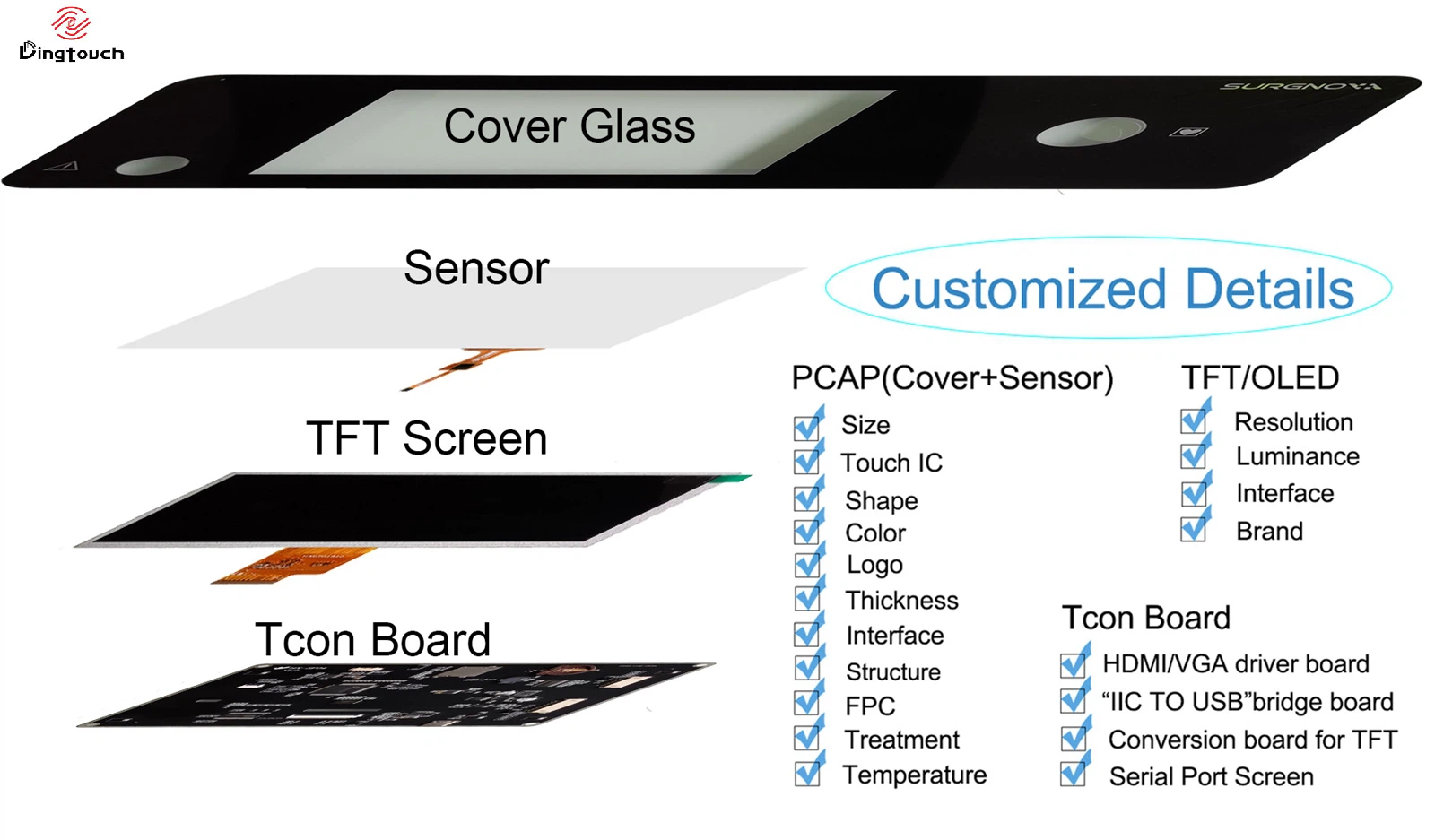
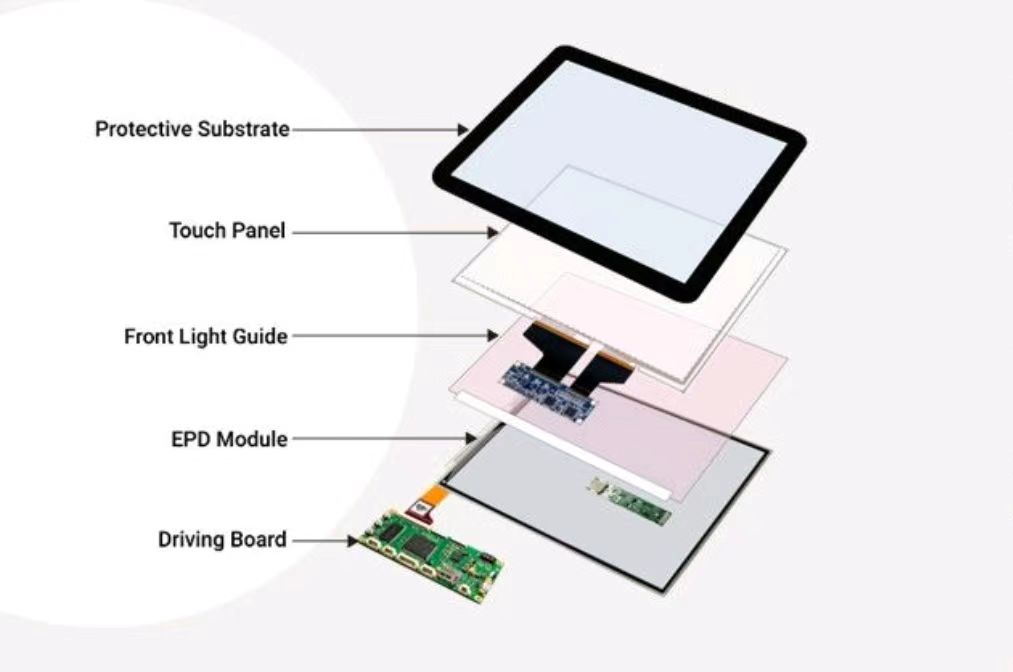
DINGTouch:Committed to continuous innovation and improvement of product quality to meet customers' high requirements and expectations.
DINGTouch is a manufacturer that provides high quality touch screen panels. Focus on the design, manufacturing and sales of touch screen panels, and are committed to providing customized solutions that satisfy customers.
DINGTouch: In the process of customizing touch screen panels, we focus on close cooperation and communication with customers. Understanding customers' needs and providing customized solutions will meet customers' individual needs. The company's products are favored by customers for their high quality and reliability, and provide them with the best touchscreen panel solutions.
DINGTouch:Committed to continuous innovation and improvement of product quality to meet customers' high requirements and expectations.
DINGTouch is a manufacturer that provides high quality touch screen panels. Focus on the design, manufacturing and sales of touch screen panels, and are committed to providing customized solutions that satisfy customers.
DINGTouch: In the process of customizing touch screen panels, we focus on close cooperation and communication with customers. Understanding customers' needs and providing customized solutions will meet customers' individual needs. The company's products are favored by customers for their high quality and reliability, and provide them with the best touchscreen panel solutions.
At DINGTOUCH, we are the world's leading touchscreen manufacturer, helping businesses around the world take advantage of this exciting technology. For more information, please visit the home page now.

DINGTouch is a company specializing in the R&D and production of touch screen technology, headquartered in Shenzhen, China. As a professional touch screen supplier, DINGTouch is committed to providing high-quality, stable and reliable touch screen products to meet the diverse needs of customers. We continue to carry out technological innovation and product optimization to ensure that its touch screen products have good sensitivity, accuracy and durability.
In addition to the products themselves, we also focus on cooperation and communication with customers, and are committed to providing customized solutions and excellent after-sales services. Through continuous efforts to improve product quality and customer satisfaction, we have established a good reputation in the touchscreen industry and won widespread market recognition.
In addition to the products themselves, we also focus on cooperation and communication with customers, and are committed to providing customized solutions and excellent after-sales services. Through continuous efforts to improve product quality and customer satisfaction, we have established a good reputation in the touchscreen industry and won widespread market recognition.
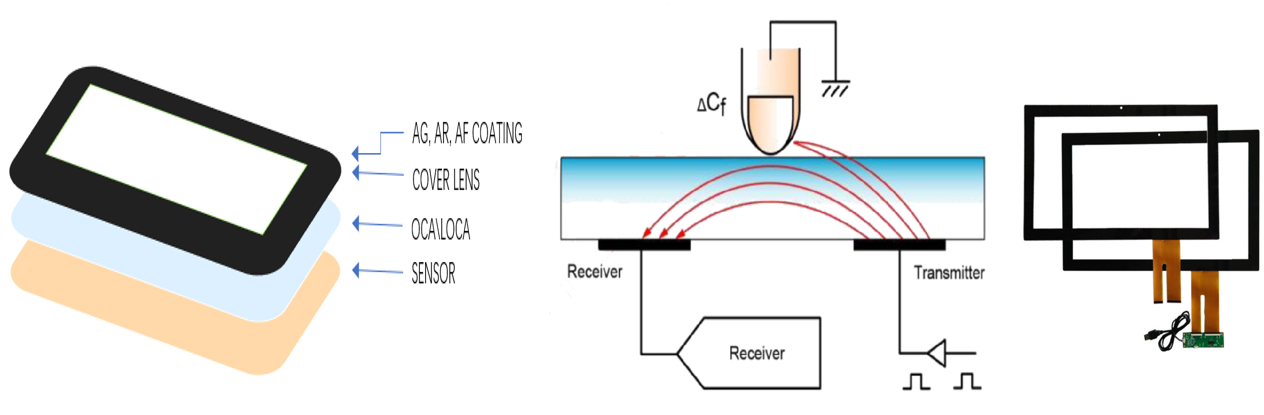
What DINGTOUCH can do:
• PCAP maximum size 65”
• Multi-touch (Touch screen can be customized to your needs.)
• Optical bonding service/air bonding
• LCD interface: HDMI/RGB/MIPI/LVDS/EDP, etc.
• PCAP interface: IIC/USB interface
• CTP can customize the cover glass surface treatment process AG (anti-glare), AR (anti-reflection), AF (anti-fingerprint), waterproof, and glove touch
• Supports 0.55 mm-12 mm coverslip touch.
• Support operating temperature: -40℃-90℃.
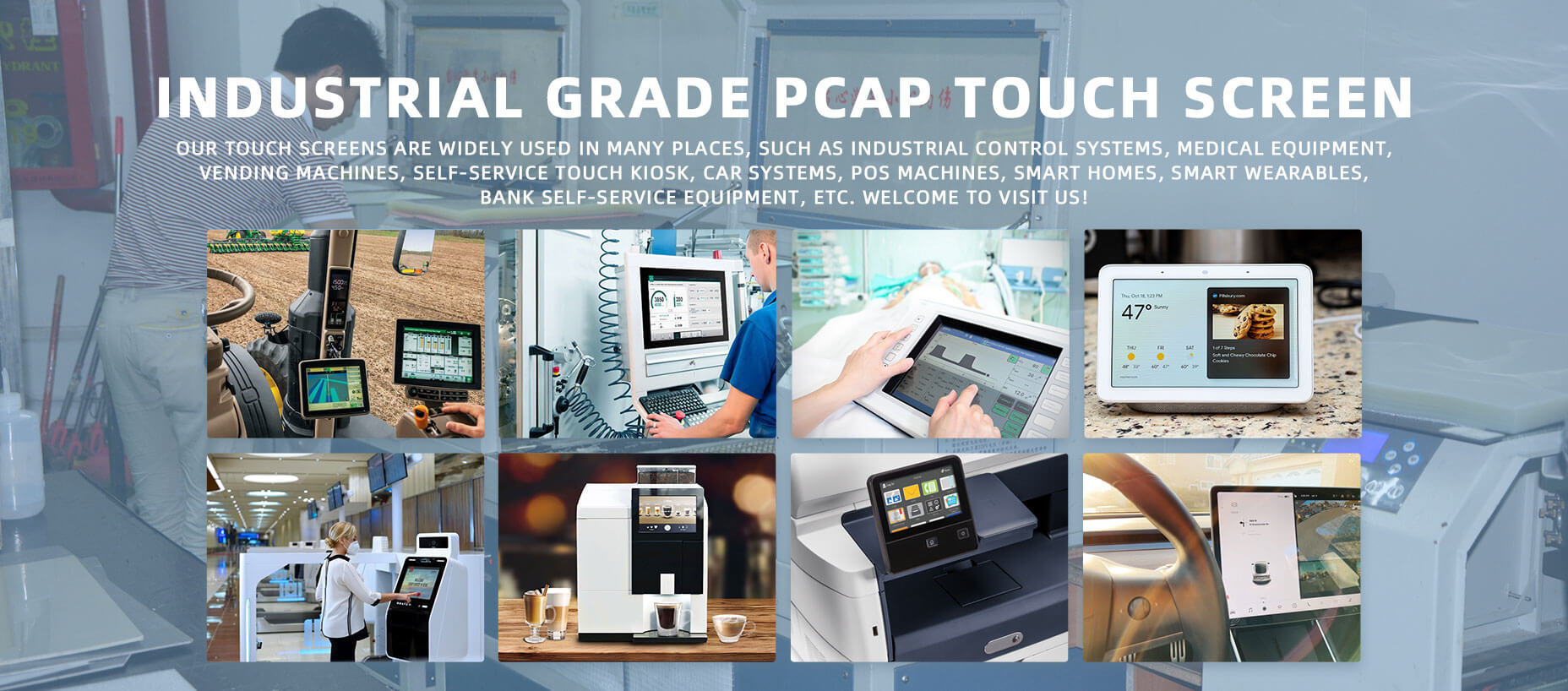
Dingtouch Industrial capacitive touch screen Manufacturer
In conclusion, Dingtouch as a professional touch screen manufacturer with more than 10 years touch screen experience.We have many capacitive touch screen. Such as 5 inch touch screen,7 inch touch screen,10.1inch touch screen,15 inch touch screen,15.6 inch touch screen,17 inch touch screen,18.5 inch touch screen,19 inch touch screen,21.5 inch touch screen,PREVIOUS:Capacitive Touchscreen EMI/EMC Optimization: Improving Touch Stability in Industrial ApplicationsNo next
CATEGORIES
CONTACT US
Contact: Dingtouch
Phone: +8615815536116
Tel: +8615815536116
Email: sales@szdingtouch.com
Add: Building A, Bailu Plaza, No. 48, Gonghe Industrial Road, Gongle Community, Xixiang Street, Baoan District, Shenzhen,China. 518126
 Dingtouch