News
Rugged Industrial Touchscreen Displays: Reliable Display Solutions for Harsh Environments
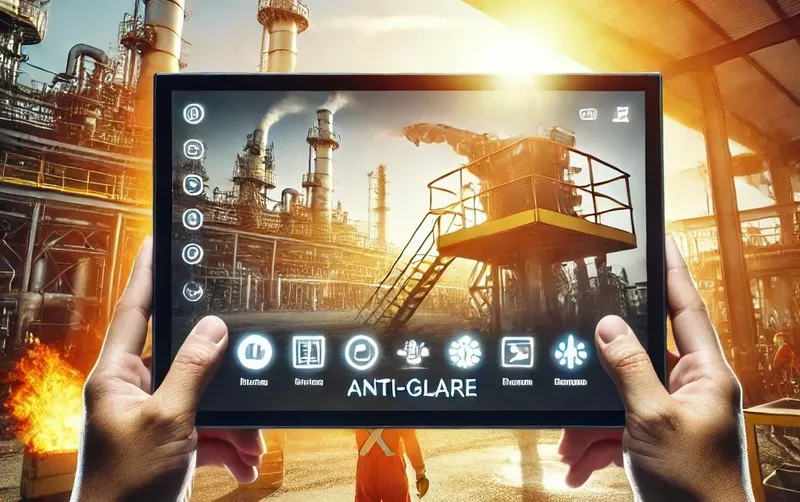
Rugged Industrial touchscreen Display: Reliable Display Solutions for Harsh Environments
In industrial automation, outdoor equipment, transportation, and medical devices, displays often need to operate under demanding conditions, including vibration, dust, moisture, temperature fluctuations, physical impact, and direct sunlight.
Under these conditions, standard displays may experience touch failures, excessive reflections, display abnormalities, structural damage, or reduced service life. As a result, more OEM equipment manufacturers are turning to rugged industrial touchscreen displays designed to maintain reliable visual performance and touch functionality in challenging environments.
However, a truly rugged touchscreen display is not simply a display with thicker glass, a brighter LCD, or a higher IP rating.
It requires the coordinated integration of the LCD panel, touch sensor, cover glass, optical bonding, mechanical structure, touch controller, and sealing design to ensure that the complete display assembly can withstand its intended operating conditions.
Ruggedness is not a single specification. It is the combined result of display performance, touch reliability, mechanical protection, and environmental adaptability.
So, how do you choose the right rugged touchscreen display for an industrial application? This article explores the key technologies, environmental requirements, touch solutions, and practical considerations involved in selecting a reliable industrial display.
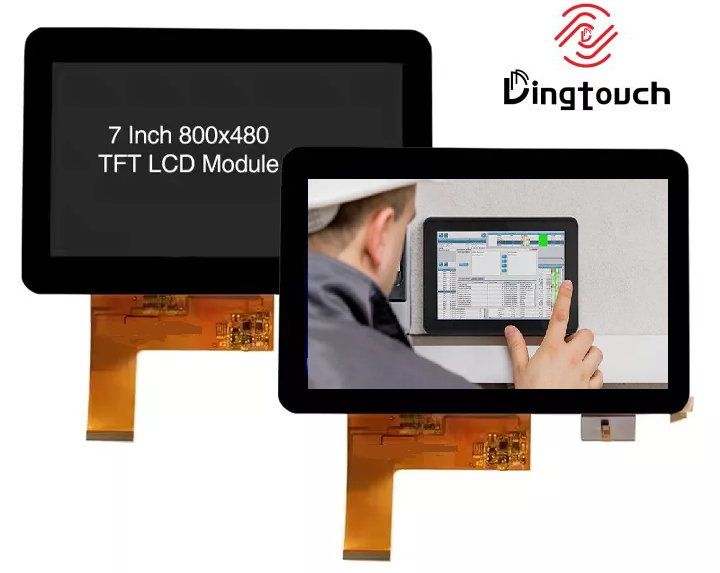
1. What Is a Rugged Industrial touchscreen Display?
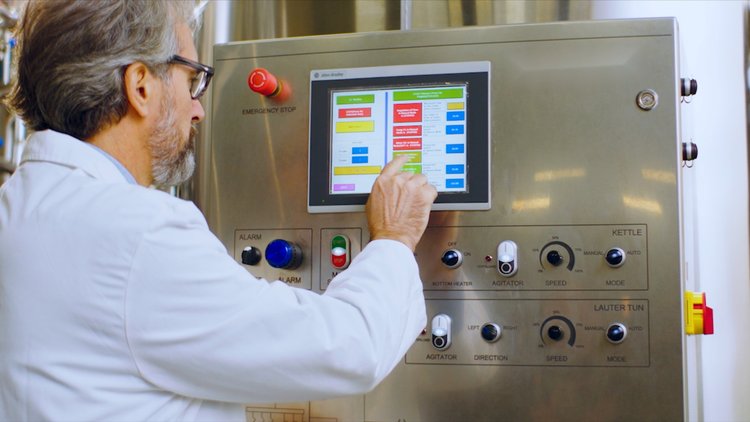
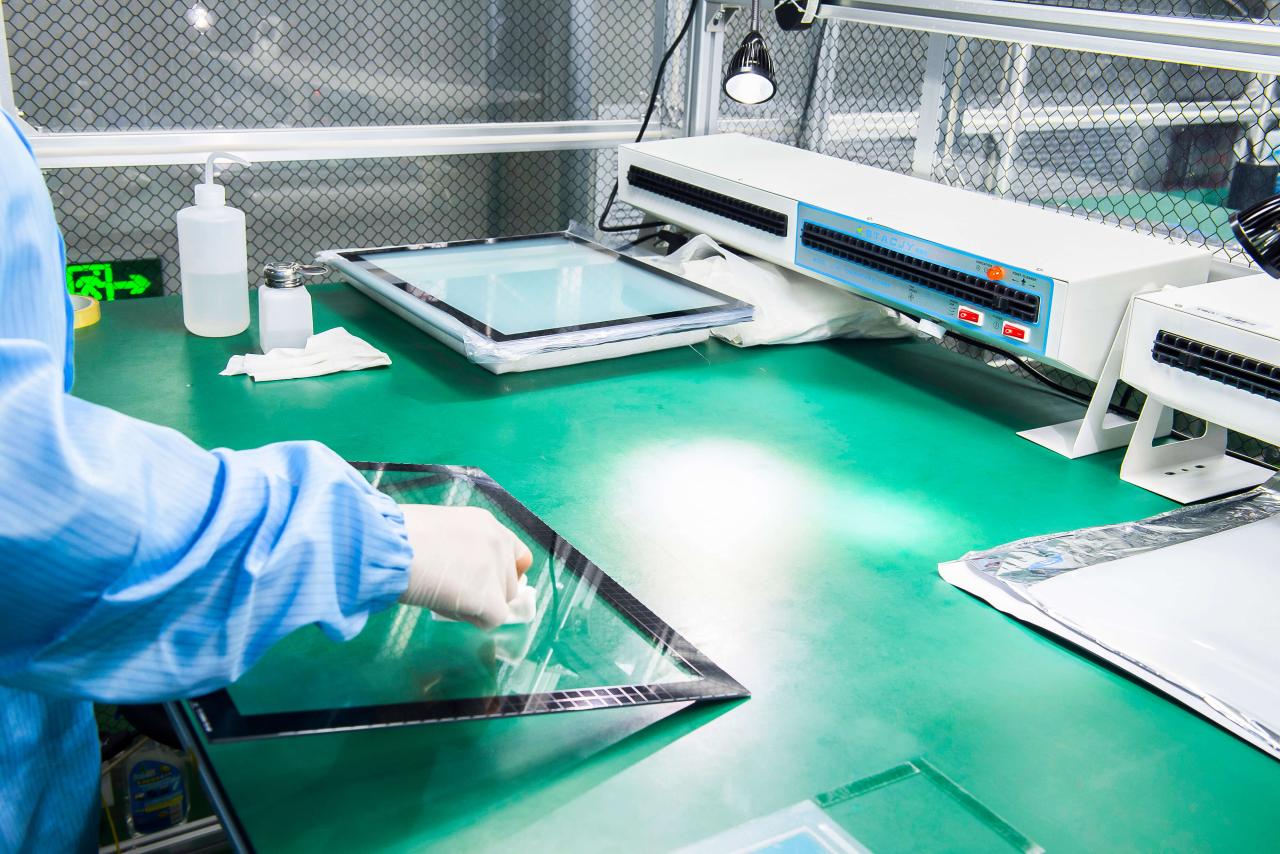
A rugged industrial touchscreen display is a display assembly engineered and optimized for demanding operating environments. Its purpose is to maintain consistent visual performance, responsive touch functionality, and mechanical reliability under challenging conditions.
Compared with standard display modules, rugged displays may incorporate additional features or engineering optimizations based on the application, including:
-
Reinforced cover glass: Appropriate glass thickness, chemical strengthening, or other mechanical protection to improve resistance to impact and scratching.
-
High-brightness LCD: Improved readability in outdoor or high-ambient-light environments.
-
Anti-glare (AG) or anti-reflective (AR) treatments: Reduced surface reflections and improved visibility under different lighting conditions.
-
Industrial touch technology: Resistive touch or application-optimized PCAP capacitive touch.
-
Optical bonding: Transparent adhesive used to fill air gaps between display layers, improving contrast and outdoor readability.
-
Reinforced mechanical structures: Optimized frames, support structures, connectors, and mounting arrangements to improve reliability under vibration and mechanical stress.
-
Sealing and protection: Appropriate enclosure and sealing designs to achieve the required dust and water resistance.
-
Wide-temperature design: LCD panels, backlights, touch controllers, adhesives, and other electronic components selected for the target operating temperature range.
Not every industrial application requires all these features.
For example, a display installed in an indoor industrial control cabinet may prioritize vibration resistance, stable operation, and glove-friendly touch performance. An outdoor self-service kiosk, by contrast, may require higher brightness, optical bonding, water protection, and impact-resistant cover glass.
Rugged display design should therefore begin with the actual operating environment rather than simply pursuing the highest specifications.
2. Key Technologies and Performance Requirements for Rugged Industrial touchscreen Display
Different industrial environments place different demands on display systems. Selecting the right solution requires matching environmental conditions with the appropriate engineering approach.
| Environmental or operational requirement | Primary design considerations |
|---|---|
| Impact and vibration | Reinforced cover glass, mechanical support, connector retention, and optimized mounting structures |
| Dust and water | Sealing design, appropriate IP-rated enclosure, and system-level validation |
| Outdoor visibility | High-brightness LCD, AG/AR surface treatments, optical bonding, and thermal management |
| Extreme temperatures | Industrial-grade components and a validated operating temperature range |
| Glove operation | Resistive touch or PCAP touch specifically designed and tuned for glove input |
| Water and moisture | Touch sensor design, controller tuning, drainage, and sealing |
| Electromagnetic interference | Grounding, shielding, sensor routing, and touch controller optimization |
| Long-term operation | Backlight lifetime, thermal management, mechanical reliability, and component selection |
These performance characteristics should not be evaluated independently.
For example, increasing LCD backlight brightness can improve outdoor visibility, but it also increases power consumption and heat generation, creating additional thermal management requirements.
Increasing cover glass thickness may improve mechanical protection, but it can also increase the distance between the finger and the PCAP touch sensor, potentially affecting touch sensitivity.
Rugged industrial touchscreen development therefore requires an engineering assessment of the complete display assembly and its integration into the target equipment.
3. Rugged touchscreen Displays vs. Standard Industrial Displays
Standard industrial displays are generally designed for defined industrial operating conditions, while rugged industrial touchscreen displays receive additional engineering optimization for more demanding mechanical, environmental, or operational requirements.
| Comparison | Standard industrial display | Rugged industrial touchscreen display |
|---|---|---|
| Mechanical structure | Designed for conventional equipment installation | Optimized for impact, vibration, and mechanical stress |
| Environmental protection | Configured according to application requirements | May require more demanding sealing and environmental validation |
| Outdoor visibility | May require additional configuration | Can integrate high-brightness LCDs, optical bonding, and surface treatments |
| Touch operation | Conventional finger input | Can be optimized for gloves, wet touch, or specific input tools |
| Temperature adaptability | Defined by the standard industrial product series | Components can be selected or customized for a wider or more demanding operating range |
| Mechanical integration | Conventional dimensions and mounting interfaces | May involve customized cover glass, frames, interfaces, and structures |
| Engineering validation | Conducted according to project requirements | May require more comprehensive environmental, mechanical, and touch performance testing |
It is important to understand that ruggedness does not mean every specification must exceed that of a standard industrial display.
For example, an indoor factory control cabinet may require reliable touch response and vibration resistance, while an outdoor vehicle display may need to address direct sunlight, temperature fluctuations, installation constraints, and continuous vibration simultaneously.
The right rugged display should meet the actual application requirements rather than blindly pursuing maximum brightness, the highest IP rating, or the thickest cover glass.
4. Major Environmental Challenges for Industrial touchscreen Displays
4.1 Impact and Vibration: From the LCD Panel to the Complete Mechanical Structure
Industrial machinery, vehicles, and portable equipment may generate continuous vibration, sudden impact, or accidental drops during operation.
These mechanical stresses can affect not only the LCD panel but also the cover glass, touch sensor, bonding materials, connectors, and mounting structure.
When evaluating the mechanical reliability of a rugged touchscreen display, consider:
-
Cover glass material, thickness, and structural design.
-
Support and mounting arrangements between the LCD and touch assembly.
-
Stress relief for FPCs, connectors, and cables.
-
Mounting interfaces between the display assembly and equipment enclosure.
-
Whether the assembled product meets the required impact and vibration test conditions.
For equipment exposed to significant vibration, simply increasing glass strength will not solve every problem. Mechanical support, connector retention, and overall mounting design are equally important.
4.2 Dust and Water: How Should You Choose Between IP65 and IP67?
Industrial equipment may be exposed to dust, rain, cleaning liquids, or other fluids over extended periods.
In these applications, IP ratings are important indicators of an enclosure's resistance to dust and water ingress.
Two commonly specified ratings, IP65 and IP67, have different test requirements:
-
IP65: Dust-protected design with protection against water jets under specified test conditions.
-
IP67: Dust-tight design with protection against temporary immersion under specified test conditions.
These ratings do not represent identical protection capabilities. IP67 should not automatically be interpreted as providing superior protection under every water-jet, continuous immersion, or high-pressure washing condition.
For industrial touchscreen displays, it is also essential to identify which component the IP rating applies to.
An LCD module, touchscreen assembly, and complete equipment enclosure may have different protection capabilities. Even when a display assembly incorporates sealing materials, the complete device cannot automatically be considered IP65 or IP67 rated.
If a project requires a specific IP rating, the sealing components, connectors, mounting interfaces, enclosure structure, and final assembled configuration should be evaluated and validated accordingly.
4.3 Extreme Temperatures: System-Level Design for Wide-Temperature Displays
Displays installed outdoors, inside vehicles, or near industrial machinery may need to operate across a wide temperature range.
Temperature fluctuations can affect:
-
LCD response characteristics.
-
Backlight brightness and startup performance.
-
Touch controller operation.
-
Optical adhesives and structural materials.
-
Electronic component reliability.
-
Thermal expansion and mechanical stress between components.
For example, low temperatures can slow LCD response or cause startup abnormalities, while high temperatures can affect backlight lifetime, bonding materials, and the long-term stability of electronic components.
Wide-temperature display design must therefore consider the operating temperature range of the complete display assembly, not just the LCD panel itself.
For equipment exposed to repeated temperature cycling, rapid temperature changes, or extended outdoor operation, additional temperature testing and system-level validation may be necessary.
4.4 Direct Sunlight: How Do High-Brightness LCDs and Optical Design Work Together?
Outdoor display readability depends not only on LCD brightness but also on surface reflections, optical losses, cover glass, and thermal management.
Under direct sunlight, a standard indoor display may appear washed out, with reduced contrast and poor readability.
Improving outdoor visibility generally requires a combination of:
-
High-brightness LCD: Increasing display luminance to improve readability under strong ambient light.
-
Anti-glare (AG) treatment: Reducing interference from specular reflections, although it may affect image sharpness and surface appearance.
-
Anti-reflective (AR) treatment: Reducing reflections from the cover glass and improving effective light transmission.
-
Optical bonding: Reducing air gaps and interface reflections between display layers.
-
Cover glass design: Optimizing glass thickness, surface treatment, and touch sensor structure.
-
Thermal management: Managing the additional heat generated by high-brightness backlights and direct solar exposure.
It is important to remember that high brightness alone does not guarantee clear visibility in sunlight.
If the cover glass has excessive reflectance or the optical bonding, surface treatment, and thermal management are poorly designed, even a high-brightness LCD may fail to deliver the expected outdoor performance.
5. Which Touch Technology Is Best for Rugged Industrial Displays?
Touch technology directly affects the user experience in challenging environments. Resistive touch and projected capacitive (PCAP) touch are two common options for industrial applications.
5.1 Resistive Touch: Suitable for Gloves and Touch Tools
Resistive touchscreen detect touch input through pressure-induced changes between conductive layers.
Because their operating principle does not depend on capacitive coupling between the user's finger and the sensor, resistive touch can support input through:
-
Standard gloves.
-
Thick industrial gloves.
-
Styluses.
-
Other compatible tools capable of applying sufficient pressure.
This makes resistive touch suitable for industrial control panels, measurement instruments, and equipment operated with gloves or tools.
Its main characteristics include:
-
A relatively straightforward touch input method.
-
Good adaptability to gloves and compatible styluses.
-
No dependence on bare-finger capacitive coupling.
-
Typically less sophisticated multi-touch interaction than PCAP.
-
Optical performance and touch feel that depend on the specific structure.
For modern HMIs requiring complex graphical interaction, scrolling, and multi-touch gestures, resistive touch may not be the most suitable option.
5.2 PCAP Capacitive Touch: Suitable for Modern Industrial HMI
Projected capacitive touch (PCAP) detects changes in an electric field caused by touch input. It can provide responsive touch performance and multi-touch functionality.
PCAP is generally a suitable choice when the device requires:
-
Smooth finger interaction.
-
Multi-touch and gesture support.
-
A flat glass surface.
-
High optical clarity.
-
A modern graphical user interface.
However, standard consumer-grade PCAP solutions are not necessarily suitable for every industrial environment.
In demanding applications, PCAP performance can be affected by:
-
Cover glass thickness.
-
Glove material and thickness.
-
Water droplets or moisture on the screen.
-
Electromagnetic interference.
-
Equipment grounding and power supply noise.
-
Touch sensor structure.
-
Controller parameters and algorithm tuning.
Industrial PCAP touchscreen displays may therefore require evaluation and tuning using the final equipment's cover glass, enclosure, gloves, and electrical environment.
5.3 Resistive Touch vs. PCAP Touch in Industrial Applications
| Comparison | Resistive touch | PCAP capacitive touch |
|---|---|---|
| Bare-finger operation | Supported | Supported |
| Glove operation | Generally easier to implement | Requires appropriate design and tuning |
| Stylus or tool input | Supports compatible pressure-based tools | Requires compatible capacitive input devices |
| Multi-touch | Depends on the design; generally limited | Typically supports multi-touch |
| Touch method | Requires pressure | Light-touch operation |
| Optical performance | Depends on structure and materials | Glass-based designs generally offer good optical performance |
| Moisture | Less sensitive to capacitive changes caused by surface water films, but sealing and false touches still need consideration | Requires design considerations for water droplets, wet touch, and drainage |
| Modern HMI | Suitable for relatively simple interfaces | Suitable for multi-touch gestures and modern graphical interfaces |
Neither technology is universally superior.
For users operating machinery with thick gloves, resistive touch may be more practical. For industrial HMIs requiring multi-touch gestures, light-touch interaction, and high optical clarity, an appropriately optimized PCAP solution may be more suitable.
The final selection should be based on the equipment's operating method, mechanical structure, and environmental requirements rather than the technology name alone.
6. How Does Optical Bonding Improve Rugged Display Performance?
Optical bonding is a commonly used integration technology for industrial and outdoor touchscreen displays.
In a conventional display structure, air gaps may exist between the LCD, touch panel, and cover glass. Optical bonding fills these gaps with transparent adhesive, creating a more integrated optical structure.
Depending on the design, optical bonding can provide several benefits.
1. Reduced interface reflections
Air gaps and optical interfaces between different materials can generate additional reflections. Proper optical bonding can reduce some of these reflections and improve display contrast.
2. Improved outdoor visibility
When combined with a high-brightness LCD, cover glass, and suitable surface treatments, optical bonding can help improve readability under sunlight.
3. Reduced parallax
Reducing air gaps between display layers can minimize visual parallax, making the relationship between touch input and displayed content more intuitive.
4. Improved structural stability
A properly designed bonding structure can provide additional support to the display assembly and reduce relative movement between display layers.
5. Better protection of the optical stack
Reducing internal air gaps can help lower the risk of dust or moisture entering certain parts of the optical stack.
However, optical bonding does not automatically mean that every display will achieve higher mechanical protection or a specific IP rating.
The adhesive type, thickness, curing process, thermal expansion characteristics, and compatibility with the touch sensor must all be evaluated during project development.
For industrial equipment using thick cover glass, irregularly shaped glass, or specialized PCAP structures, optical bonding should be designed together with the LCD, touch sensor, and controller to achieve the expected display and touch performance.
7. How to Select the Right Rugged Industrial touchscreen Display
For OEM and equipment manufacturers, selecting a rugged touchscreen display should begin with the actual operating conditions rather than a single specification.
Step 1: Define the Operating Environment
First, determine where the display will be installed and what conditions it may encounter during operation.
Key factors include:
-
Indoor, outdoor, or in-vehicle installation.
-
Actual operating temperature.
-
Exposure to humidity, rain, or other liquids.
-
Dust, oil, and cleaning agents.
-
Impact, vibration, or drop risks.
-
Direct sunlight and high ambient light.
-
Continuous operating hours.
-
Maintenance and cleaning methods.
For example, a factory control cabinet and an outdoor transportation terminal may both require rugged displays, but their protection, optical, and touch requirements may be completely different.
Step 2: Determine the Actual Touch Input Method
Touch technology should be selected based on how operators interact with the equipment during normal operation.
If users frequently wear thick gloves or operate the device with touch tools, resistive touch may be a practical option.
If the device requires multi-touch gestures, scrolling, and light-touch interaction, PCAP is generally more suitable.
For industrial PCAP applications, testing should ideally use the actual cover glass, gloves, grounding arrangement, and mechanical structure intended for the final equipment.
Step 3: Evaluate Outdoor Readability
If the device will operate outdoors, do not select a display based solely on LCD brightness.
Evaluate the complete optical system, including:
-
LCD brightness.
-
Cover glass reflection characteristics.
-
AG or AR surface treatments.
-
Optical bonding structure.
-
Display contrast.
-
Viewing angle requirements.
-
Backlight power consumption and thermal management.
-
Actual equipment temperature.
For devices exposed to direct sunlight over extended periods, the coordinated design of high-brightness LCD, optical bonding, surface treatments, and thermal management is particularly important.
Step 4: Define Mechanical and Environmental Protection Requirements
If the equipment must meet specific IP ratings, impact requirements, or vibration standards, first identify the test object and applicable validation criteria.
For example:
-
Does the IP65 or IP67 requirement apply to the final enclosure or the complete assembled product?
-
Is impact testing performed on the display assembly or the complete equipment?
-
Does vibration testing cover the actual mounting structure?
-
Does the cover glass require a specific thickness, shape, or mechanical strengthening?
-
Are connectors and cables adequately secured and protected?
Clarifying these requirements helps prevent the overall product performance from being incorrectly inferred from the specifications of an LCD or touch module alone.
Step 5: Consider Mechanical Integration and Customization
Rugged displays are often integrated into equipment with limited space, complex structures, or specialized mounting requirements.
During project development, the following parameters may be equally important:
-
Display size and active area.
-
Overall module dimensions.
-
Mechanical mounting method.
-
Cover glass shape and thickness.
-
FPC and connector positions.
-
Touch and display interfaces.
-
Cable routing and retention.
-
Optical bonding requirements.
-
Bezel, enclosure, and sealing structures.
For customized industrial display projects, mechanical integration and touch performance can be just as important as resolution, brightness, and other electrical specifications.
8. Typical Applications of Rugged Industrial touchscreen Display
8.1 Industrial Automation and Factory Control
Factory equipment and industrial control systems may operate under vibration, dust, temperature fluctuations, and continuous-use conditions.
Typical applications include:
-
Industrial HMI systems.
-
Machine control panels.
-
CNC equipment.
-
Process control systems.
-
Measurement and inspection instruments.
These applications generally prioritize stable touch response, reliable mechanical structures, appropriate protection, and long-term operating performance.
For equipment requiring glove operation, the compatibility between the touch technology and the actual operating method should also be carefully evaluated.
8.2 Outdoor Self-Service Kiosks
Outdoor self-service kiosks face multiple challenges, including direct sunlight, rain, temperature fluctuations, and frequent user interaction.
Typical design requirements include:
-
High-brightness LCD.
-
Optical bonding.
-
Dust and water protection.
-
Impact-resistant cover glass.
-
Reliable touch response.
-
AG or AR surface treatment.
-
Appropriate cooling and thermal management.
The specific solution also depends on whether the equipment is installed in a sheltered area or directly exposed to wind and rain.
8.3 Transportation and Vehicle Equipment
Displays used in transportation and vehicle applications may encounter continuous vibration, temperature fluctuations, sunlight, and limited installation space.
In these projects, the display needs to be designed in coordination with the equipment's mechanical structure, power supply, and thermal management system.
Touch operation must also remain stable during vehicle movement, avoiding touch abnormalities caused by electrical noise, mechanical vibration, or environmental changes.
8.4 Medical Equipment
Medical equipment may require a flat glass surface, easy-to-clean construction, reliable touch input, and good optical performance.
Depending on the device type and validation requirements, designers may need to consider:
-
Cleaning agent compatibility.
-
Glove operation.
-
Surface sealing.
-
Optical bonding.
-
Continuous operation.
-
Mechanical integration.
-
Relevant electromagnetic compatibility and safety requirements.
Ruggedness and protection requirements for medical equipment should be determined by the intended use, cleaning procedures, and applicable validation standards rather than assuming that every medical display requires the same reinforcement.
9. Why Ruggedness Does Not Mean Maximizing Every Specification
One common mistake when selecting rugged industrial touchscreen displays is reducing all performance requirements to a single number.
For example:
-
Does higher brightness always mean better outdoor visibility?
-
Does thicker cover glass always make a display assembly more reliable?
-
Does a higher IP rating guarantee better performance in every environment?
-
Does a wider operating temperature range automatically make a display suitable for every industrial device?
In reality, display performance depends on how well the complete assembly is matched.
High-brightness LCD require appropriate thermal management. Thick cover glass requires a compatible touch sensor and controller. IP protection requires complete sealing and mechanical integration. Wide-temperature designs require all critical components to meet the target operating temperature range.
A truly reliable rugged touchscreen display is not the product with the highest individual specification. It is the display assembly that has been properly designed and validated for its actual operating environment.
10. DINGTouch Rugged Industrial touchscreen Display Solutions
For industrial equipment manufacturers, developing a rugged touchscreen display often involves coordinated engineering across LCD, touch sensors, cover glass, optical bonding, interfaces, and mechanical structures.
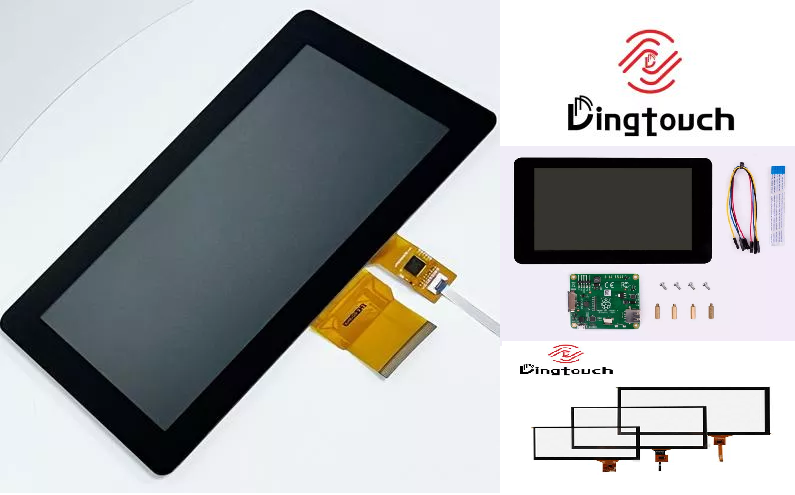
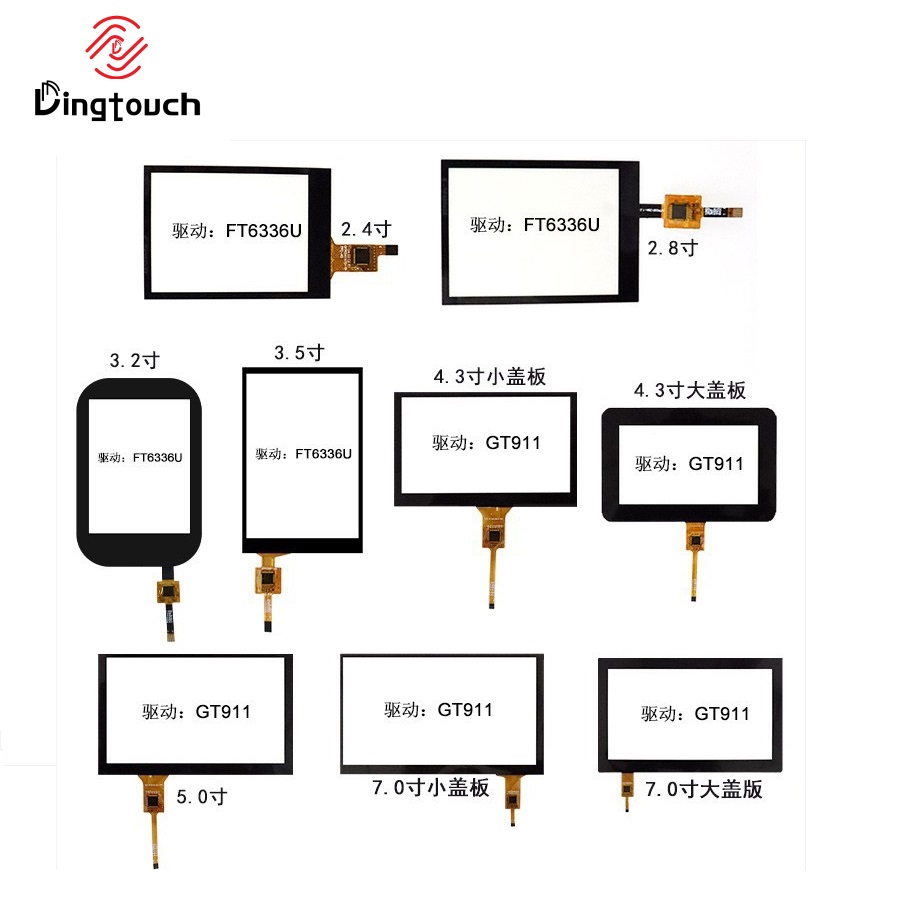
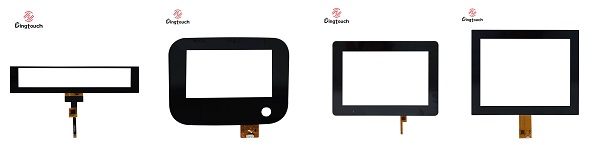
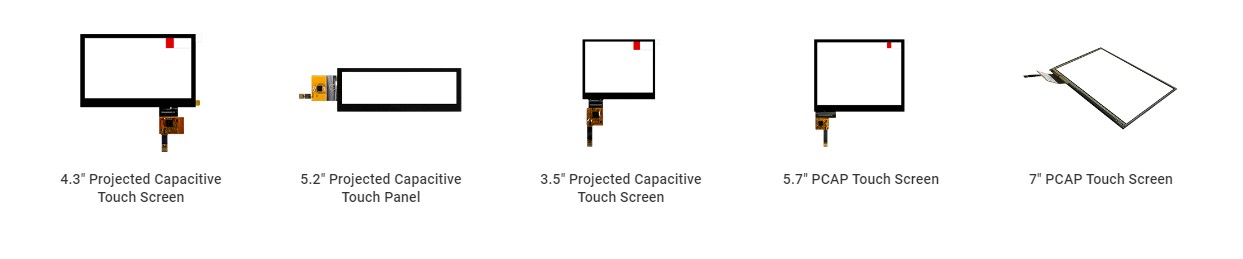
DINGTouch specializes in industrial touchscreen displays and customized display solutions, providing display and touch integration options based on project environmental requirements and equipment structures.
Depending on the project, customization may include:
-
Industrial LCD selection.
-
PCAP capacitive or resistive touch solutions.
-
High-brightness displays and outdoor visibility optimization.
-
Customized cover glass dimensions, shapes, and surface treatments.
-
Optical bonding and touch sensor integration.
-
Display and touch interface configuration.
-
FPC, connector, and mechanical dimension customization.
-
Touch tuning for gloves, moisture, or electromagnetic environments.
-
Integration assessment for customer enclosures and equipment structures.
During the initial project stage, DINGTouch can evaluate standard display modules or customized display assemblies based on the customer's display size, interface, operating temperature, touch method, and mechanical mounting requirements.
For projects requiring specific IP ratings, impact resistance, or vibration performance, the validation object, test conditions, and complete equipment structure should be clearly defined to establish appropriate technical requirements during the design stage.
Conclusion: Choosing a Rugged Industrial Touchscreen Display for the Actual Operating Environment
A rugged industrial touchscreen display is not defined by a particular panel technology, glass thickness, or IP rating alone.
Its reliability depends on whether the LCD panel, touch sensor, cover glass, optical bonding, mechanical structure, sealing design, and electronic components work together to meet the intended operating conditions.
For industrial and outdoor applications, the most important considerations include:
-
Mechanical protection against impact and vibration.
-
Dust and water protection based on the final equipment's IP requirements.
-
High-brightness display performance and outdoor optical visibility.
-
Touch performance under gloves, moisture, or other special input conditions.
-
Adaptability to the actual operating temperature range.
-
Mechanical, electrical, and thermal integration with the final equipment.
The right rugged display is therefore not necessarily the product with the strongest protection or the highest specifications. It is the solution that meets the actual application requirements while balancing reliability, cost, and integration complexity.
For OEM projects requiring customized rugged industrial touchscreen displays, DINGTouch can help evaluate and integrate LCD, touchscreens, cover glass, optical bonding, and other display components according to the equipment's mechanical structure, environmental conditions, and operating requirements.

R
Frequently Asked Questions (FAQ)
R
Q1: Can rugged industrial touchscreen displays be customized?
Yes. Industrial touchscreen displays can be customized according to project requirements, including display size, resolution, brightness, cover glass, touch technology, optical bonding, interfaces, mechanical dimensions, and mounting methods.
The appropriate configuration depends on the equipment's operating environment and integration requirements.
Q2: What IP rating should a rugged touchscreen display have?
Not every rugged display requires the same IP rating. The appropriate level depends on the equipment's exposure to dust, water, or other liquids, as well as whether the display assembly is installed inside a sealed enclosure.
IP65, IP66, and IP67 represent different protection test requirements. The target rating should be determined according to the final equipment's operating conditions and mechanical structure.
Q3: Are rugged industrial touchscreen display suitable for glove operation?
Yes, but the performance depends on the touch technology and configuration.
Resistive touch is generally suitable for gloves and compatible touch tools. PCAP capacitive touch can also support glove operation, but its performance depends on glove material, cover glass thickness, sensor structure, controller tuning, and grounding design.
For industrial PCAP projects, validation using the actual gloves and cover glass intended for the final equipment is recommended.
Q4: Can rugged touchscreen displays be used outdoors in direct sunlight?
Yes. Outdoor display solutions can incorporate high-brightness LCD, optical bonding, and AG or AR surface treatments to improve readability.
However, outdoor visibility depends not only on brightness but also on cover glass reflectance, display contrast, optical losses, and thermal management.
Q5: Does optical bonding improve the durability of industrial touchscreen display?
Optical bonding can reduce air gaps between display layers, improve certain optical interface reflections, and enhance structural stability when properly designed.
However, optical bonding alone does not guarantee a specific IP rating or impact test result for the complete equipment. Overall durability still depends on cover glass, mechanical structure, sealing design, touch components, and final equipment integration.
Q6: How do you choose the right rugged display for industrial equipment?
Start by defining the equipment's operating temperature, exposure to dust and water, impact and vibration requirements, outdoor visibility needs, and actual touch input method.
Then determine the appropriate LCD brightness, touch technology, cover glass, optical bonding, mechanical mounting, and environmental protection requirements.
For projects involving demanding environments or customized mechanical structures, evaluating the display assembly and complete equipment integration early in the development process can help reduce later design changes and improve product development efficiency.
PREVIOUS:IP65 vs. IP67 Industrial Displays: How to Choose the Right Waterproof Enclosure for Your ApplicationNo next
CATEGORIES
CONTACT US
Contact: Dingtouch
Phone: +8615815536116
Tel: +8615815536116
Email: sales@szdingtouch.com
Add: Building A, Bailu Plaza, No. 48, Gonghe Industrial Road, Gongle Community, Xixiang Street, Baoan District, Shenzhen,China. 518126
 Dingtouch