News
TFT LCD Refresh Rate: What Does It Mean and How to Choose the Right Refresh Rate?
 TFT LCD Refresh Rate: What Does It Mean and How to Choose the Right Refresh Rate?
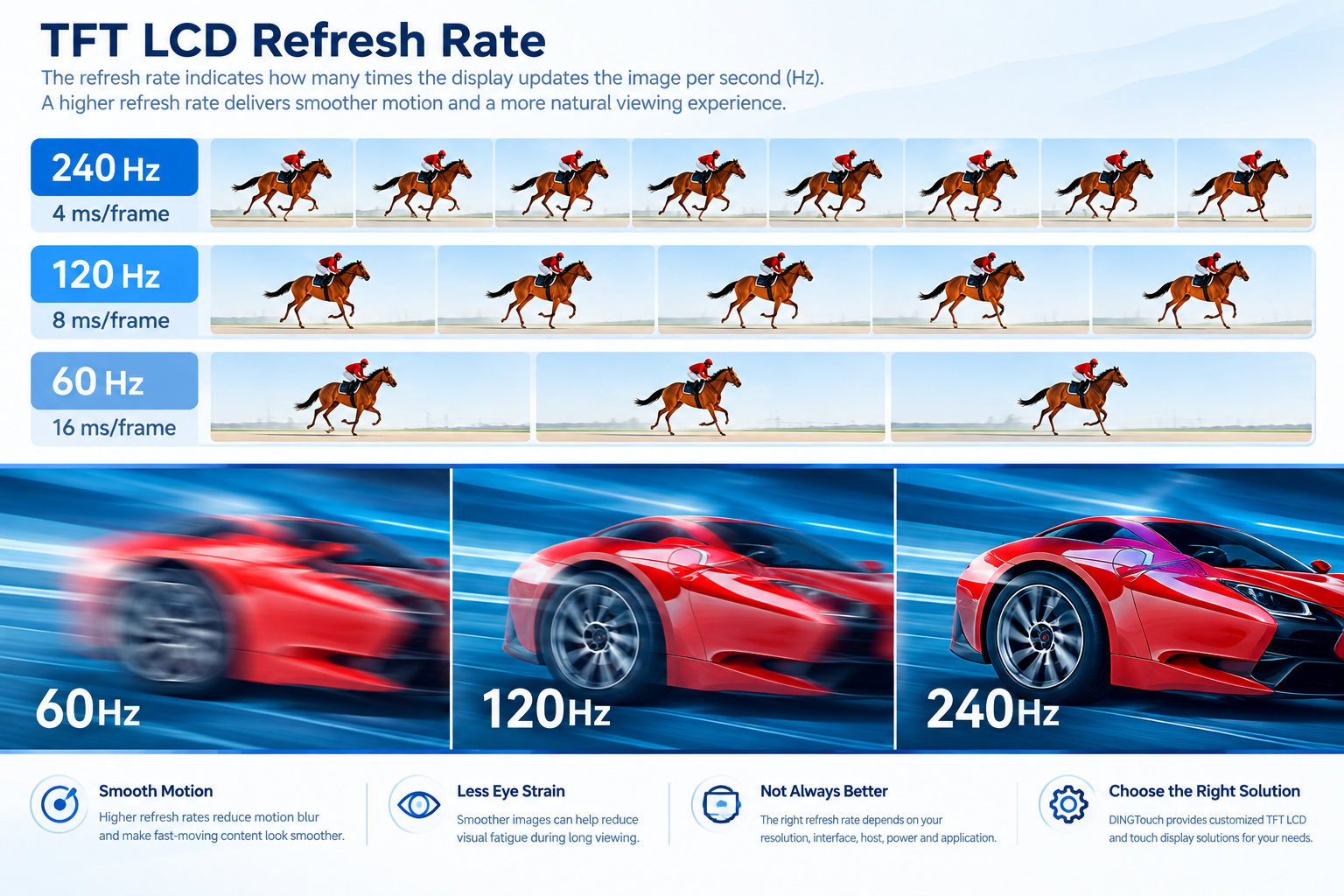
The refresh rate is an important performance specification of a TFT LCD display. Measured in Hertz (Hz), it indicates how many times the display can update the image in one second.
For example:
- 60Hz = 60 display updates per second
- 90Hz = 90 display updates per second
- 120Hz = 120 display updates per second
- 144Hz = 144 display updates per second
- 240Hz = 240 display updates per second
A higher refresh rate can provide smoother motion when displaying fast-moving content.
However, for industrial TFT LCD applications, a higher refresh rate does not automatically mean a better display. The appropriate refresh rate should be selected according to the resolution, interface bandwidth, host processor, power consumption, application requirements, and LCD timing specifications.

1. What Is the Refresh Rate of a TFT LCD?
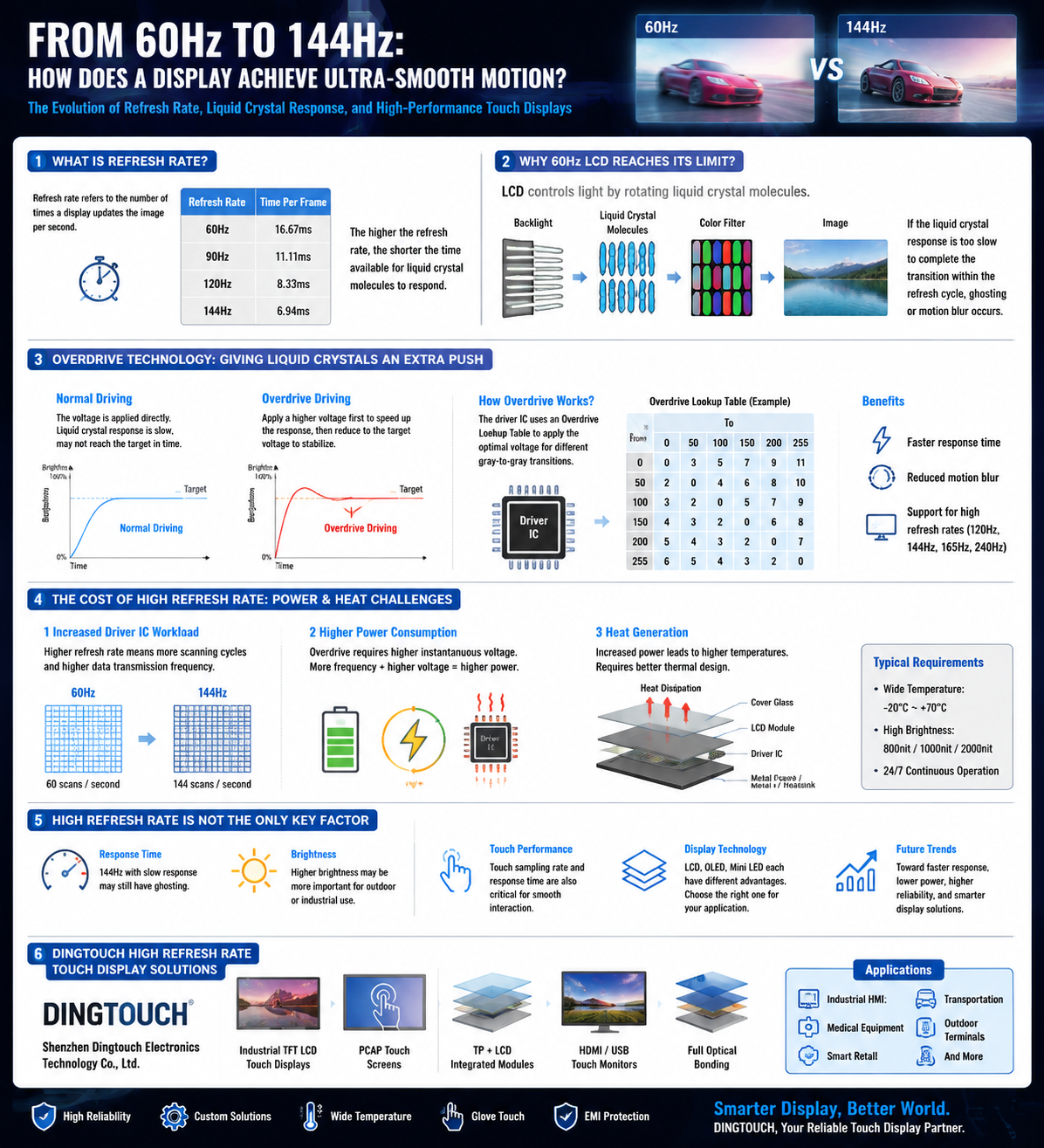
A TFT LCD displays images through an array of pixels. The display system continuously updates the image according to a specific timing sequence. The frequency of these updates is the refresh rate.
For example, with a 60Hz display:
1 second ÷ 60 ≈ 16.67 ms
This means one refresh cycle takes approximately 16.67 milliseconds.
It is important to distinguish refresh rate from response time.
Refresh Rate ≠ Response Time
Refresh rate describes how frequently the display system can update the image, while response time generally describes how quickly LCD pixels can transition from one state to another.
Therefore, a 60Hz TFT LCD can still provide good motion performance when its pixel response characteristics are appropriate. Conversely, a high-refresh-rate panel can still show motion artifacts if its pixel response is not fast enough.
2. What Is the Difference Between 60Hz, 90Hz, 120Hz, and 144Hz?
Different refresh rates mainly affect how smoothly the display presents moving images and how much temporal detail can be displayed.
| Refresh Rate | Refresh Period | Typical Applications |
|---|---|---|
| 30Hz | 33.33 ms | Certain low-power or specialized displays |
| 60Hz | 16.67 ms | Industrial equipment, HMI, office applications, standard video |
| 90Hz | 11.11 ms | Smart terminals and selected embedded systems |
| 120Hz | 8.33 ms | High-fluidity HMI, gaming, fast-moving content |
| 144Hz | 6.94 ms | High-refresh-rate displays and specialized applications |
| 240Hz | 4.17 ms | High-speed dynamic display and specific gaming applications |
For most industrial TFT LCD and embedded display applications, 60Hz is sufficient.
If a device needs to display fast-moving content, such as high-speed camera previews, gaming, VR, high-frame-rate video, or certain industrial vision applications, 90Hz, 120Hz, or higher may be worth considering.
3. Is a Higher TFT LCD Refresh Rate Always Better?
Not necessarily.
In engineering projects, it is not correct to assume:
Higher refresh rate = better display
A higher refresh rate may increase the requirements for:
- Interface bandwidth
- SoC/GPU processing performance
- Memory bandwidth
- Power consumption
- EMI design
- Display timing configuration
Therefore, industrial display projects normally need to balance refresh rate, resolution, power consumption, stability, and cost.
For example, if a 1024×600 industrial TFT LCD is primarily used for equipment control, menus, parameters, status information, and basic graphics, 60Hz is often sufficient.
For applications involving fast-moving images, 120Hz may provide a smoother visual experience.
4. What Is the Difference Between Refresh Rate and FPS?
Refresh rate and FPS are two different concepts that are often confused.
Refresh Rate
The refresh rate is a display hardware specification.
For example:
A 120Hz display can theoretically perform up to 120 display updates per second.
FPS
FPS stands for Frames Per Second. It describes how many image frames the GPU, processor, camera, or other image source generates per second.
For example:
60 FPS means the image source generates 60 frames per second.
Therefore:
Refresh Rate ≠ FPS
The two need to work together.
60Hz + 60 FPS
The display refresh rate and image source frame rate are well matched.
120Hz + 60 FPS
The display has a 120Hz refresh capability, but the image source only generates 60 frames per second. A higher refresh rate does not automatically create additional unique image frames.
60Hz + 120 FPS
The image source generates more frames than the display can refresh. Depending on the display architecture and synchronization method, some frames may not be displayed.
For this reason, TFT LCD selection should consider:
LCD Refresh Rate + Host Output Capability + Interface Bandwidth + Software Display Architecture


5. How Is TFT LCD Refresh Rate Related to MIPI and LVDS Interfaces?
For engineers, this is an important consideration when selecting an industrial TFT LCD.
A higher resolution and higher refresh rate generally require the display system to transfer more image data per second. Therefore, the interface bandwidth becomes increasingly important.
Common display interfaces include:
- RGB
- LVDS
- MIPI DSI
- eDP
- HDMI
When designing a high-resolution, high-refresh-rate display system, engineers typically need to consider factors such as:
Resolution × Refresh Rate × Color Depth
The actual interface bandwidth also depends on protocol overhead, blanking intervals, encoding efficiency, lane configuration, and other system parameters.
Therefore, simply telling an LCD supplier:
“We need a 120Hz display.”
is usually not enough to finalize a display solution.
The following information should also be confirmed:
- LCD size
- Resolution
- Color depth
- Refresh rate
- Interface type
- Host processor or SoC
- MIPI lane number
- LVDS channel configuration
- Operating temperature
- Brightness requirement
This information helps determine whether the display interface can operate reliably under the required conditions.
6. How Does a Higher Refresh Rate Affect Motion Display?
When the displayed content changes rapidly, a higher refresh rate allows the system to update the image more frequently.
For example:
30Hz → 60Hz → 120Hz
As the refresh rate increases, the time interval between successive display updates becomes shorter. This allows motion to be represented with greater temporal resolution.
Higher refresh rates can be beneficial for applications such as:
- Fast-moving HMI interfaces
- Gaming devices
- VR/AR equipment
- High-frame-rate video
- Industrial vision systems
- Certain medical imaging applications
- High-speed control interfaces
However:
A higher refresh rate does not automatically improve every aspect of image quality.
Resolution, color performance, brightness, contrast, and other image characteristics are separate specifications.
7. What Is the Relationship Between Refresh Rate and Screen Flicker?
The statement that “a higher refresh rate always eliminates flicker” is too broad for modern TFT LCD systems.
For TFT LCD, perceived flicker can also be affected by:
- Backlight driving method
- PWM dimming frequency
- LED driver design
- Display timing
- Power stability
- Ambient lighting
- Display content
Therefore, industrial and medical display projects that prioritize visual comfort or low-flicker performance should evaluate both the LCD refresh characteristics and backlight driving solution.
Refresh rate should not be considered in isolation.
8. Should an Industrial TFT LCD Use 60Hz or a Higher Refresh Rate?
The appropriate refresh rate depends on the actual application.
60Hz TFT LCD
60Hz is suitable for many applications, including:
- Industrial HMI
- PLC control terminals
- Automation equipment
- Industrial instruments
- Test equipment
- Medical equipment
- Data acquisition systems
- General embedded systems
If the device primarily displays parameters, menus, graphs, status information, and standard video, 60Hz is often sufficient.
90Hz / 120Hz TFT LCD
A higher refresh rate can be considered for:
- Fast-moving HMI
- High-speed equipment
- High-frame-rate video
- Smart terminals
- Advanced human-machine interfaces
- Selected vision applications
144Hz / 240Hz TFT LCD
These refresh rates are generally intended for specialized applications with higher dynamic-display requirements, such as:
- High-speed visual systems
- Gaming equipment
- VR/AR
- Fast-moving image display
- Specialized professional display systems
Industrial equipment does not necessarily require 144Hz or 240Hz simply because these specifications are available.
9. What Other Parameters Should Be Considered for a High-Refresh-Rate TFT LCD?
Refresh rate is only one part of TFT LCD selection.
For an OEM/ODM display project, engineers should also evaluate the following specifications.
9.1 Resolution
Typical resolutions include:
- 800×480
- 1024×600
- 1280×720
- 1280×800
- 1920×1080
At the same refresh rate, higher resolutions generally require more data bandwidth.
9.2 Display Interface
Common interfaces include:
- RGB
- LVDS
- MIPI DSI
- eDP
- HDMI
The interface must be compatible with the customer's host processor and system architecture.
9.3 Brightness
Brightness is particularly important for industrial and outdoor applications.
Typical requirements may include:
- 500 cd/m²
- 800 cd/m²
- 1000 cd/m²
- 1500 cd/m²
- 2000 cd/m²
The appropriate brightness depends on the ambient lighting conditions and optical design of the equipment.
9.4 Operating Temperature
Industrial TFT LCD applications may require wide-temperature operation, such as:
- -20°C to +70°C
- -30°C to +80°C
- -30°C to +85°C
The actual temperature specification should be evaluated for the LCD, backlight, touch panel, bonding structure, and complete device.
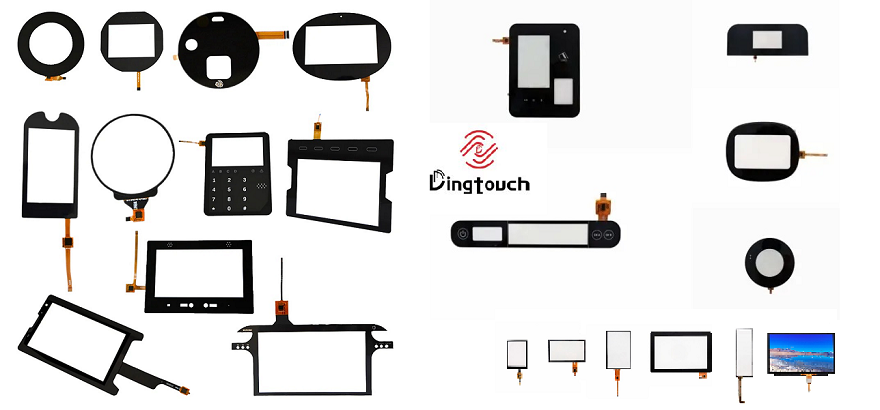
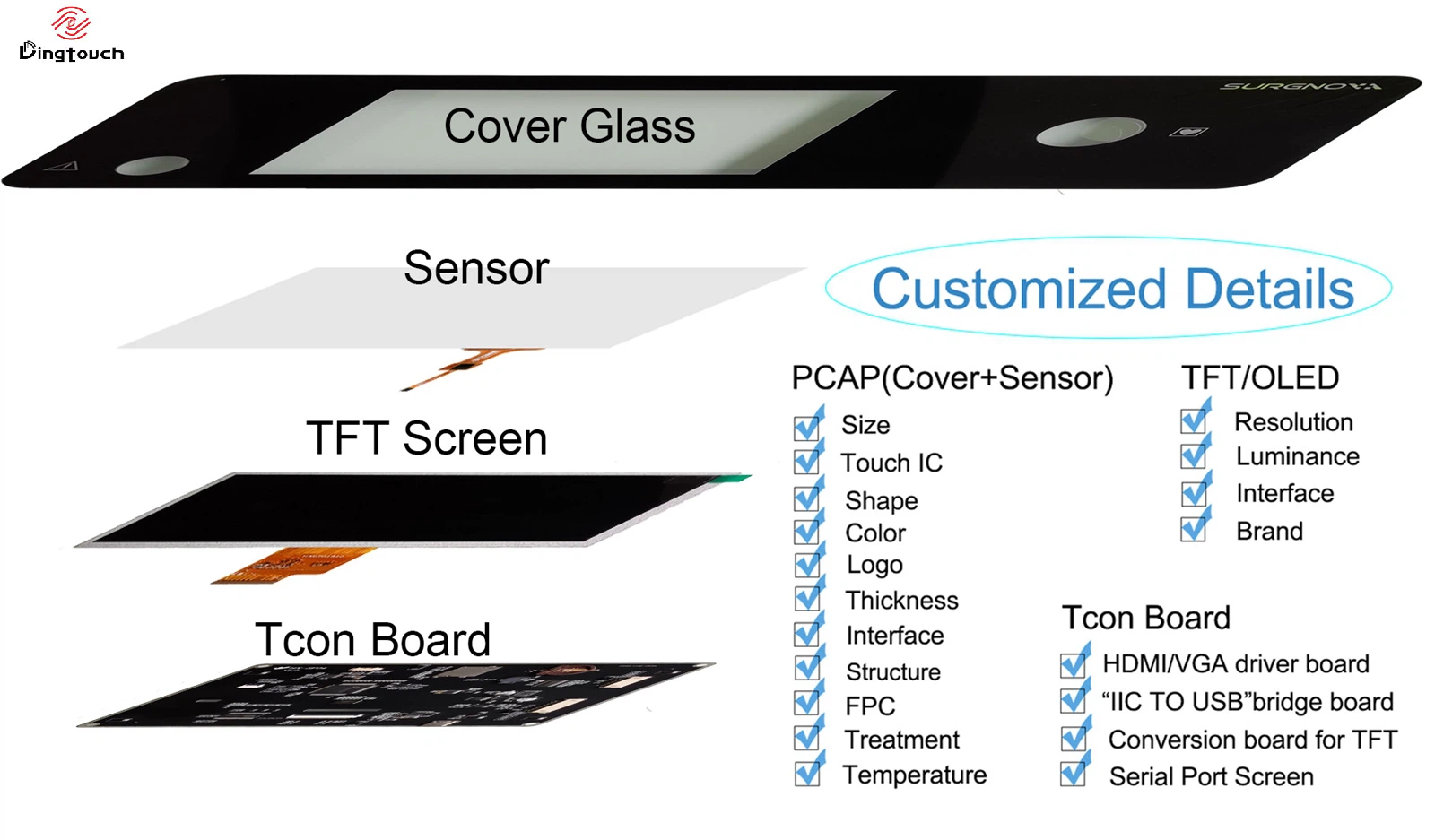
9.5 Capacitive touchscreen
For touch display applications, engineers may also need to specify:
- USB/I2C interface
- Touch controller IC
- Number of touch points
- Glove touch
- Wet-finger touch
- Waterproof performance
- Cover glass thickness
9.6 Optical Bonding
Depending on the application, the display may use:
- Air bonding
- OCA bonding
- Optical bonding
- Full lamination
Optical bonding can reduce reflections caused by the air gap and improve outdoor readability, making it particularly useful for high-brightness industrial displays.
10. How Does DINGTouch Select the Right TFT LCD Refresh Rate?
For OEM and ODM display projects, DINGTouch does not simply recommend the highest available refresh rate. Instead, the display solution is evaluated according to the requirements of the complete system.
Customers can provide:
Display Size + Resolution + Refresh Rate + Interface + Host Processor + Brightness + Operating Temperature + Touch Requirements
DINGTouch can then evaluate the complete solution, including:
TFT LCD + Touch Panel + Touch IC + Interface + Driver + Bonding
For industrial display projects using MIPI DSI, LVDS, RGB, eDP, or HDMI, the display interface and host platform need to be matched carefully.
For high-resolution, high-refresh-rate MIPI DSI displays, engineers may also need to confirm:
- MIPI lane number
- Lane speed
- Pixel clock
- Horizontal/vertical timing
- Frame rate
- Host compatibility
- Display driver
- Initialization sequence
This approach helps prevent interface bandwidth and driver compatibility issues during product development.
11. TFT LCD Refresh Rate Selection: Key Takeaways
TFT LCD refresh rate should not be evaluated as an isolated specification.
For most industrial display applications:
60Hz → A mature and widely applicable solution
For applications requiring smoother motion:
90Hz / 120Hz → Suitable for higher dynamic-display requirements
For specialized high-speed applications:
144Hz / 240Hz → Evaluate according to actual system requirements and interface bandwidth
A proper industrial TFT LCD selection should consider:
Refresh Rate + Resolution + Interface Bandwidth + Host Performance + Response Time + Brightness + Power Consumption + Operating Temperature + Touch Solution
Instead of asking only:
“What is the refresh rate of this TFT LCD?”
it is more useful to ask:
“Is the TFT LCD refresh rate compatible with my host processor, interface, resolution, and application requirements?”
For customized industrial display projects, DINGTouch can evaluate the TFT LCD, PCAP touchscreen, display interface, optical bonding, brightness, operating temperature, and touch requirements as an integrated solution.
DINGTouch — Custom TFT LCD & Industrial Touch Display Solutions for OEM/ODM Applications.




Ready to Build Your Outdoor Display Solution?
Get in touch with us at sales@szdingtouch.com. Our expert engineers will help you design a cost-effective, tailored solution to meet your project’s exact specifications.
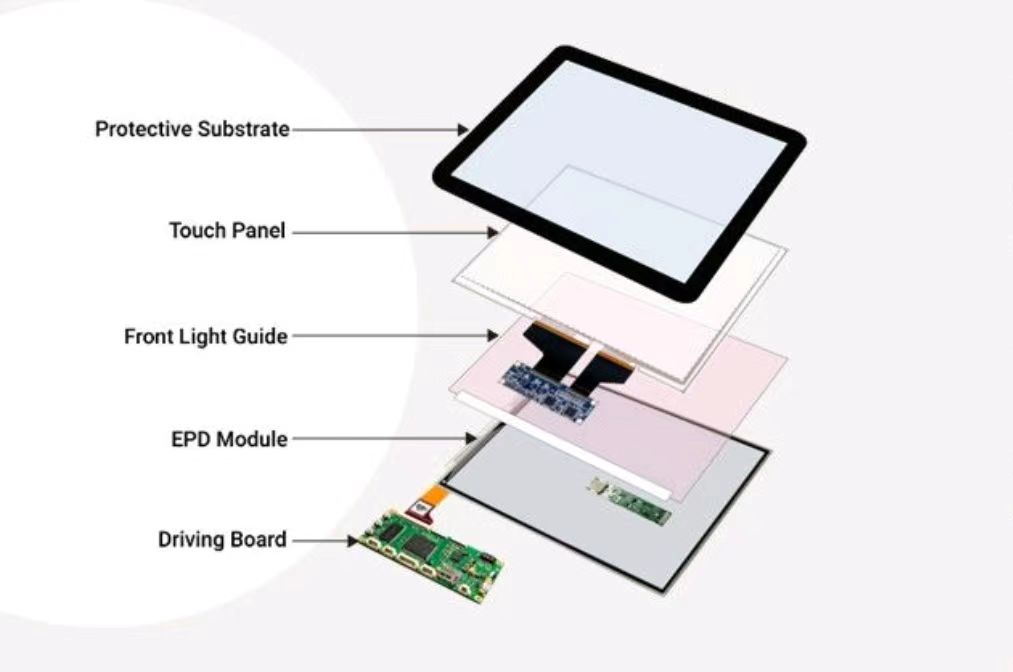
DINGTouch:Committed to continuous innovation and improvement of product quality to meet customers' high requirements and expectations.
DINGTouch is a manufacturer that provides high quality touch screen panels. Focus on the design, manufacturing and sales of touch screen panels, and are committed to providing customized solutions that satisfy customers.
DINGTouch: In the process of customizing touch screen panels, we focus on close cooperation and communication with customers. Understanding customers' needs and providing customized solutions will meet customers' individual needs. The company's products are favored by customers for their high quality and reliability, and provide them with the best touchscreen panel solutions.
DINGTouch:Committed to continuous innovation and improvement of product quality to meet customers' high requirements and expectations.
DINGTouch is a manufacturer that provides high quality touch screen panels. Focus on the design, manufacturing and sales of touch screen panels, and are committed to providing customized solutions that satisfy customers.
DINGTouch: In the process of customizing touch screen panels, we focus on close cooperation and communication with customers. Understanding customers' needs and providing customized solutions will meet customers' individual needs. The company's products are favored by customers for their high quality and reliability, and provide them with the best touchscreen panel solutions.
At DINGTOUCH, we are the world's leading touchscreen manufacturer, helping businesses around the world take advantage of this exciting technology. For more information, please visit the home page now.

DINGTouch is a company specializing in the R&D and production of touch screen technology, headquartered in Shenzhen, China. As a professional touch screen supplier, DINGTouch is committed to providing high-quality, stable and reliable touch screen products to meet the diverse needs of customers. We continue to carry out technological innovation and product optimization to ensure that its touch screen products have good sensitivity, accuracy and durability.
In addition to the products themselves, we also focus on cooperation and communication with customers, and are committed to providing customized solutions and excellent after-sales services. Through continuous efforts to improve product quality and customer satisfaction, we have established a good reputation in the touchscreen industry and won widespread market recognition.
In addition to the products themselves, we also focus on cooperation and communication with customers, and are committed to providing customized solutions and excellent after-sales services. Through continuous efforts to improve product quality and customer satisfaction, we have established a good reputation in the touchscreen industry and won widespread market recognition.
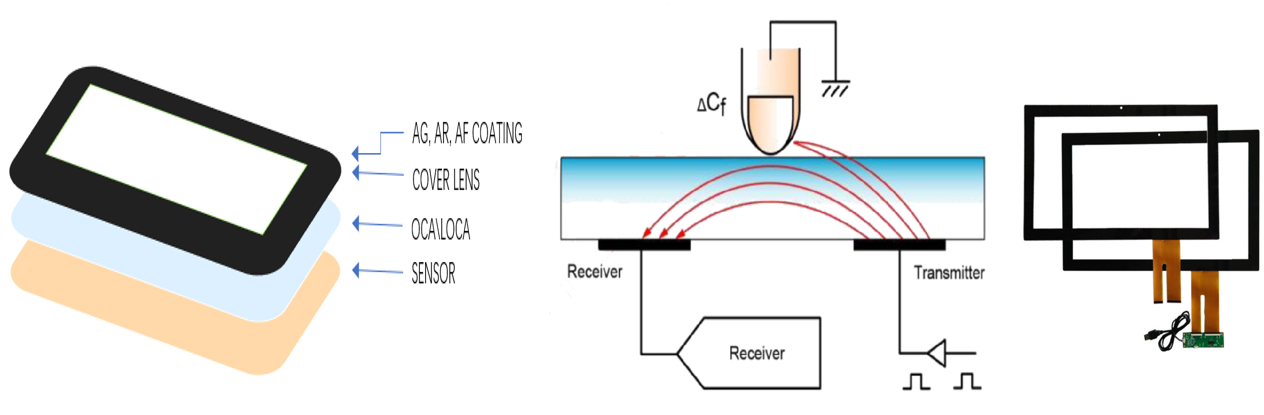
What DINGTOUCH can do:
• PCAP maximum size 65”
• Multi-touch (Touch screen can be customized to your needs.)
• Optical bonding service/air bonding
• LCD interface: HDMI/RGB/MIPI/LVDS/EDP, etc.
• PCAP interface: IIC/USB interface
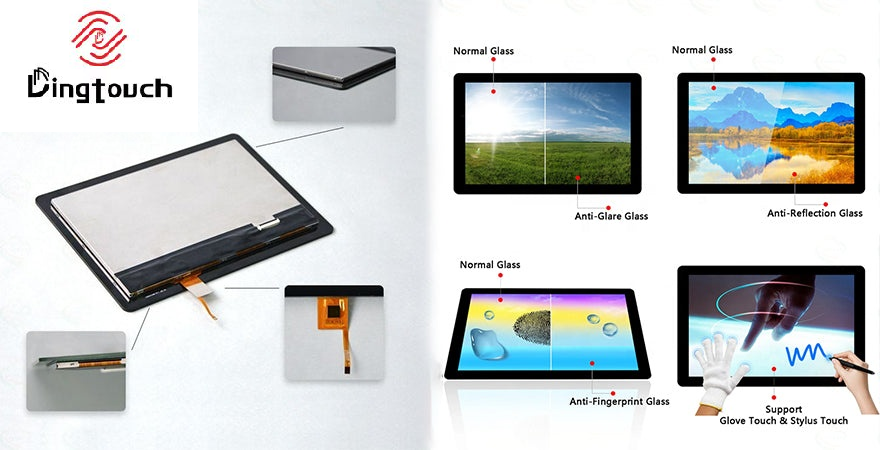
• CTP can customize the cover glass surface treatment process AG (anti-glare), AR (anti-reflection), AF (anti-fingerprint), waterproof, and glove touch
• Supports 0.55 mm-12 mm coverslip touch.
• Support operating temperature: -40℃-90℃.
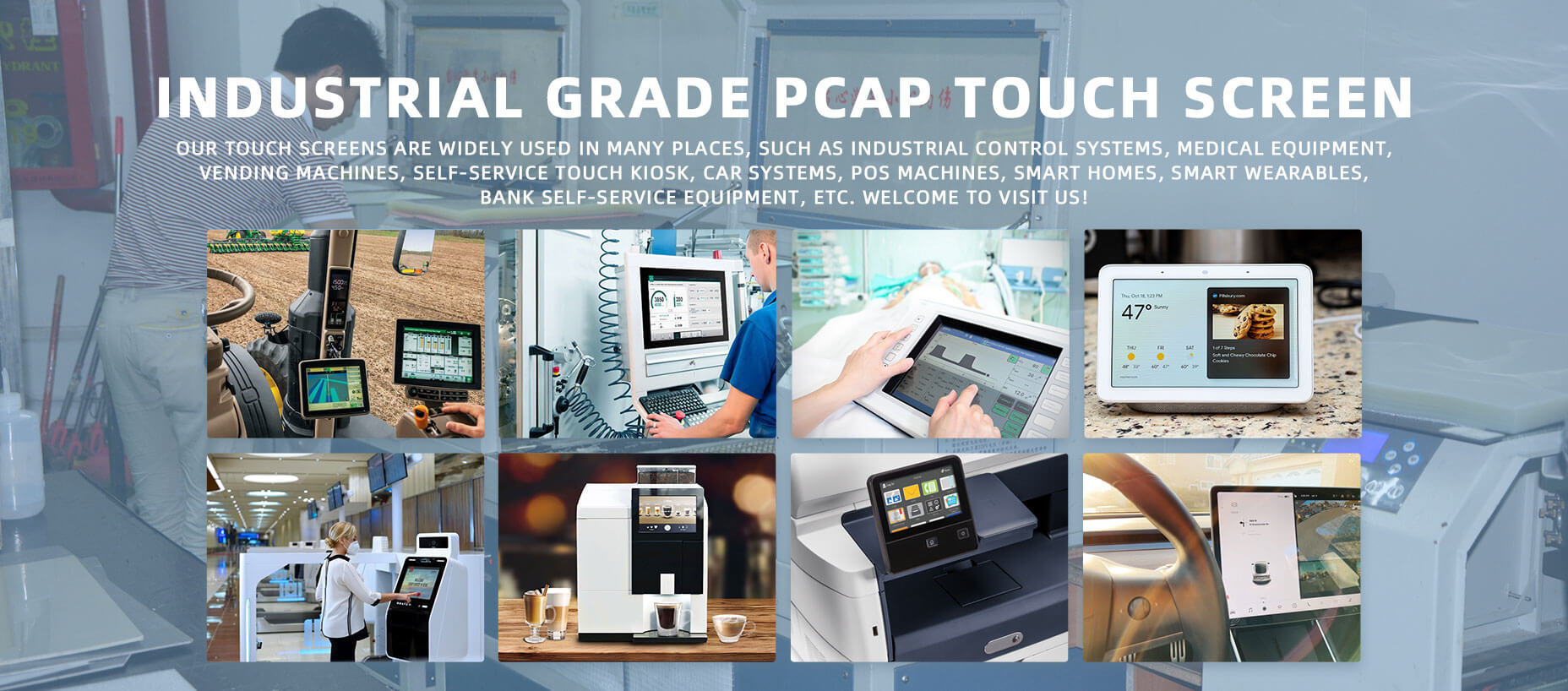
Dingtouch Industrial capacitive touch screen Manufacturer
In conclusion, Dingtouch as a professional touch screen manufacturer with more than 10 years touch screen experience.We have many capacitive touch screen . Such as 5 inch touch screen,7 inch touch screen,10.1inch touch screen,15 inch touch screen,15.6 inch touch screen,17 inch touch screen,18.5 inch touch screen,19 inch touch screen,21.5 inch touch screen,32 inch touch screen, However, we also welcome to customize your own touch screen . Contact our team today to learn what capacitive touch screen are best for our retail business needs.
Contact us NOW! sales@szdingtouch.com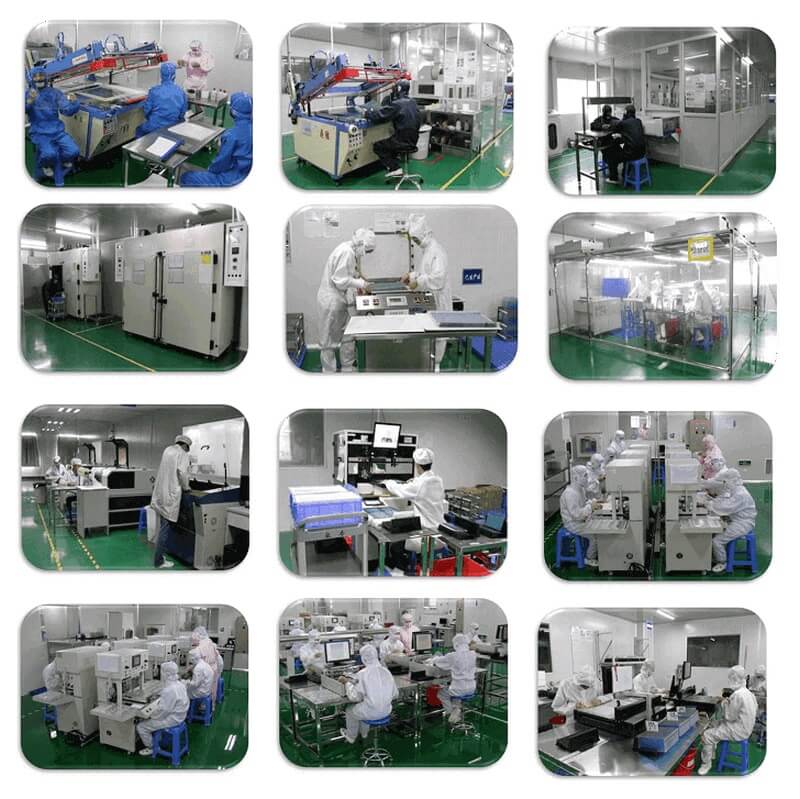
#Medicaltouchscreencalibration, #capacitivetouchcalibrationguide, #IEC60601touchscreen, #DINGTouchmedicaldisplay, #touchscreenaccuracy, #touchscreen driftfix, #medicalequipmenttouchsolutions, #IP65touchpanel, #IK10medicaltouchscreen, #glove touch medical monitor,#ILITEKTouchControllerICSelectionGuide ,#OCAtoOCR #GT911,#CustomizedWideTemperatureTouchScreenSolutions,#Waterproof Touchscreen,
#highbrightnessLCD, #sunlightreadabledisplay,#industrialLCDbacklight, #outdoor displaymodule, #customLCDsolution, #1000–2000nitsdisplay, #DINGTouchtouchscreen.
#capacitivetouchscreen, #EMI/EMCoptimization, #anti-interferencetechnology, #DINGTouch,#customtouchscreensolutions, #industrialtouchdisplay, #medicaltouch screen, #5Gtouchscreen, #AIanti-interferencealgorithm, #smarttouchdisplay,
DINGTouch — Custom Touch Display Solutions Expert
Every touch, clear and precise, ready for any environment.
CATEGORIES
CONTACT US
Contact: Dingtouch
Phone: +8615815536116
Tel: +8615815536116
Email: sales@szdingtouch.com
Add: Building A, Bailu Plaza, No. 48, Gonghe Industrial Road, Gongle Community, Xixiang Street, Baoan District, Shenzhen,China. 518126
 Dingtouch