News
How to Check AMOLED Display: A Complete Quality Inspection Guide for Better Visual Performance | DINGTouch
 How to Check AMOLED Display: A Complete Quality Inspection Guide for Better Visual Performance | DINGTouch
Table of Contents
- Introduction
- What Is an AMOLED Display?
- Why AMOLED Display Inspection Matters
- Key Methods to Check AMOLED Display Quality
- Common AMOLED Display Problems
- Practical Tips for Consumers Buying AMOLED Devices
- How DINGTouch Ensures AMOLED Display Quality
- Future Trends in AMOLED Display Testing
- Conclusion
- FAQ
In today's digital world, displays have become the center of user interaction. Whether on smartphones, smartwatches, tablets, televisions, automotive systems, or industrial devices, the display is often the first feature users notice and the component they interact with most frequently.
Among various display technologies, AMOLED (Active Matrix Organic Light Emitting Diode) screens have become increasingly popular due to their vibrant colors, true blacks, superior contrast ratios, and energy efficiency.
However, not all AMOLED panels provide the same performance. Variations in manufacturing quality, calibration, and component consistency can significantly impact user experience. For both consumers purchasing devices and businesses integrating display solutions, understanding how to inspect AMOLED displays is essential.
As a professional display solution provider, DINGTouch recognizes that accurate display testing is critical to delivering reliable products and exceptional visual experiences. This guide explores AMOLED technology, effective inspection methods, common issues, and quality control practices.
What Is an AMOLED Display?
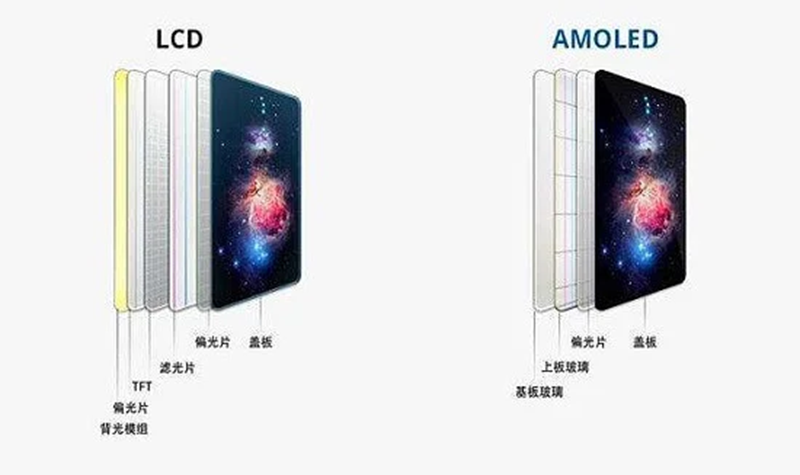
AMOLED stands for Active Matrix Organic Light Emitting Diode, a display technology where each pixel generates its own light independently.
Unlike conventional LCD screens that rely on a backlight source, AMOLED panels use organic compounds that illuminate when electrical current passes through them.
This enables several significant advantages:
True Black Levels
Pixels can be turned completely off, producing genuine black without backlight leakage.
Exceptional Contrast Ratio
The difference between bright and dark regions becomes much more pronounced, creating vivid images.
Lower Power Consumption
Dark images and user interfaces consume less power because inactive pixels require little or no energy.
Slim and Flexible Design
AMOLED technology allows ultra-thin, curved, and foldable display designs.
These advantages make AMOLED displays widely used in premium smartphones, wearable devices, automotive interfaces, medical equipment, and next-generation industrial systems.
Why AMOLED Display Inspection Matters
Even though many displays are labeled as AMOLED, quality levels can vary significantly between manufacturers and production batches.
Proper inspection helps ensure:
Superior Visual Performance
Users expect rich colors, deep blacks, and consistent brightness.
Defect Detection
Testing can identify:
- Dead pixels
- Bright pixels
- Color inconsistency
- Uneven brightness
- Display artifacts
Long-Term Reliability Assessment
Testing can reveal potential aging effects and performance degradation.
Authenticity Verification
Inspection helps determine whether the display is an original panel or a lower-quality replacement.
For manufacturers, comprehensive testing reduces product returns and improves customer satisfaction.
Key Methods to Check AMOLED Display Quality
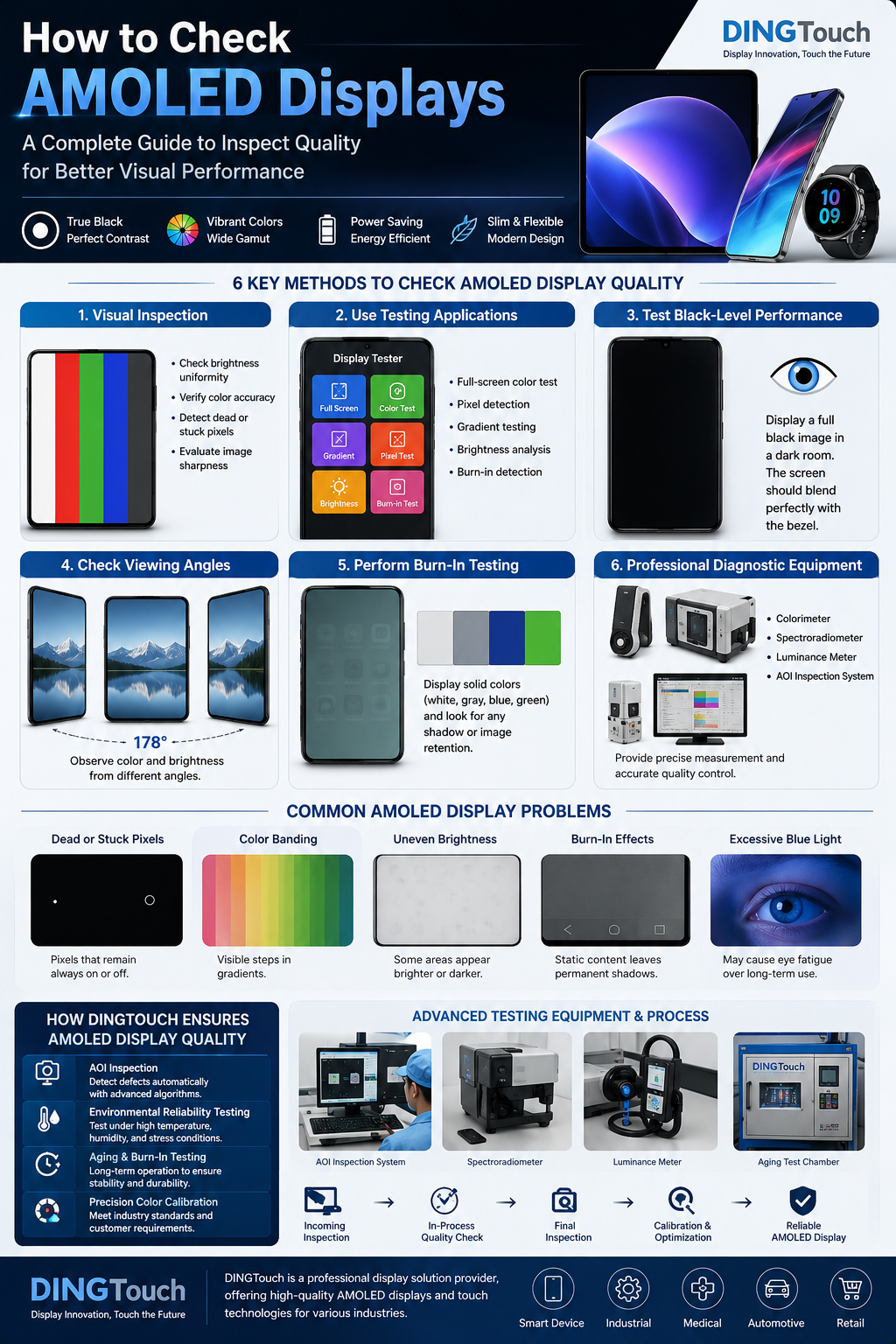
1. Visual Inspection
Visual inspection is the simplest yet highly effective evaluation method.
Check Brightness Uniformity
Display a pure white image and examine the panel carefully.
Look for:
- Dark patches
- Uneven illumination
- Mura effects
- Clouding
A high-quality AMOLED display should provide consistent brightness across the entire screen.
Verify Color Accuracy
Display solid color patterns such as:
- Red
- Green
- Blue
- White
- Gray
Observe whether colors remain uniform across all areas.
Signs of problems include:
- Color shifting
- Oversaturation
- Uneven color distribution
Detect Dead or Stuck Pixels
Display a full black screen and look for:
- Tiny bright dots
- Permanently lit pixels
- Pixels that fail to illuminate
Evaluate Image Sharpness
Zoom into fine text and high-detail images.
Check for:
- Blurred edges
- Pixel distortion
- Reduced detail clarity
2. Use Display Testing Applications
For smartphones and tablets, testing applications can simplify the process.
Common functions include:
- Full-screen color testing
- Pixel detection
- Gradient testing
- Brightness analysis
- Burn-in detection
These tools can reveal issues not immediately visible during casual use.
3. Test Black-Level Performance
True black is one of AMOLED greatest strengths.
To test:
- Enter a dark room
- Display a completely black image
- Observe the screen carefully
A quality AMOLED panel should blend almost seamlessly into the display bezel.
Potential issues include:
- Grayish backgrounds
- Uneven glow
- Light leakage effects
4. Check Viewing Angles
AMOLED display generally maintain image quality at wide viewing angles.
Tilt the device:
- Left and right
- Up and down
Watch for:
- Color shifting
- Brightness reduction
- Contrast degradation
Significant changes may indicate lower-quality panel construction.
5. Perform Burn-In Testing
Screen burn-in occurs when static images remain visible after long-term use.
Common causes include:
- Navigation bars
- App icons
- Status indicators
- Static menus
To inspect:
Display pure:
- White
- Gray
- Blue
- Green backgrounds
Look for faint image remnants.
Early detection helps avoid long-term display problems.
6. Professional Diagnostic Equipment
For manufacturers and quality-control environments, advanced tools provide precise measurements.
Common instruments include:
Colorimeters
Measure color accuracy and color gamut.
Spectroradiometers
Analyze spectral output and color performance.
Luminance Meters
Measure brightness consistency.
Automated Optical Inspection (AOI) Systems
Detect defects using cameras and intelligent software algorithms.
Professional equipment enables highly accurate production-level testing.
Common AMOLED Display Problems
During inspection, several issues may appear:
Dead or Stuck Pixels
Small points that remain constantly on or off.
Color Banding
Visible steps in gradients instead of smooth transitions.
Uneven Brightness
Certain screen regions appear brighter or darker.
Burn-In Effects
Static content leaves permanent image retention.
Excessive Blue Light
Improper calibration may increase eye fatigue over long usage periods.
Identifying these issues early can improve user experience and reduce warranty costs.
Practical Tips for Consumers Buying AMOLED Devices
If you are purchasing a device with an AMOLED screen, consider these simple checks:
✔ Display solid colors and inspect uniformity
✔ Test black screens in a dark environment
✔ Compare viewing angles with similar devices
✔ Examine the screen for dead pixels
✔ Adjust brightness across different levels
✔ Check for image retention or ghosting
These quick tests can prevent future dissatisfaction.
How DINGTouch Ensures AMOLED Display Quality
As a professional display technology manufacturer, DINGTouch focuses on delivering reliable and customized display solutions for industrial, commercial, medical, and consumer applications.
DINGTouch quality processes include:
Automated Optical Inspection (AOI)
Advanced camera systems automatically analyze:
- Surface defects
- Pixel abnormalities
- Brightness consistency
Environmental Reliability Testing
Displays undergo testing under:
- High temperatures
- Humidity conditions
- Thermal cycling
- Mechanical stress
Aging and Burn-In Testing
Long-duration operation validates display stability and durability.
Precision Color Calibration
Brightness and color parameters are adjusted to meet industry standards and customer requirements.
Through comprehensive quality control procedures, DINGTouch ensures consistent display performance and long service life.
Future Trends in AMOLED Display Testing
As AMOLED technology continues evolving, inspection methods are becoming more sophisticated.
Emerging trends include:
AI-Based Defect Detection
Machine learning algorithms identify subtle visual inconsistencies automatically.
Foldable Display Durability Testing
Specialized testing for flexible and foldable screens.
Blue Light Reduction Assessment
More accurate evaluation of eye-comfort performance.
Ultra-High Resolution Verification
Testing for 4K and higher-resolution portable displays.
These technologies will improve display quality and reliability for both manufacturers and users.
Conclusion
AMOLED display have transformed modern visual experiences by delivering exceptional contrast, vibrant colors, and outstanding energy efficiency. However, obtaining the best performance requires proper evaluation and quality assurance.
From basic visual inspection to advanced professional diagnostics, effective testing ensures better image quality, longer lifespan, and higher customer satisfaction.
DINGTouch remains committed to providing high-quality display solutions and customized touchscreen technologies that help businesses deliver outstanding visual experiences across a wide range of industries.
 Frequently Asked Questions (FAQ)
Q1: What is the most effective way to inspect an AMOLED display?
The most effective approach combines visual inspection, brightness consistency testing, color evaluation, dead-pixel checks, and diagnostic software tools.
Q2: How can I identify burn-in on an AMOLED screen?
Display pure white, gray, or black images and look for persistent shadows from previous content. Permanent remnants usually indicate burn-in.
Q3: Is display testing software necessary?
Testing software is highly recommended because it can detect pixel and color issues that may not be visible during normal use.
Q4: What should I check during a visual inspection?
Look for:
- Dead pixels
- Bright spots
- Uneven brightness
- Color shifts
- Poor black performance
Q5: Do environmental conditions affect AMOLED testing?
Yes. Ambient lighting, viewing angles, and reflections can influence results. Testing under controlled lighting conditions provides more accurate evaluation.




Ready to Build Your Outdoor Display Solution?
Get in touch with us at sales@szdingtouch.com. Our expert engineers will help you design a cost-effective, tailored solution to meet your project’s exact specifications.
DINGTouch:Committed to continuous innovation and improvement of product quality to meet customers' high requirements and expectations.
DINGTouch is a manufacturer that provides high quality touch screen panels. Focus on the design, manufacturing and sales of touch screen panels, and are committed to providing customized solutions that satisfy customers.
DINGTouch: In the process of customizing touch screen panels, we focus on close cooperation and communication with customers. Understanding customers' needs and providing customized solutions will meet customers' individual needs. The company's products are favored by customers for their high quality and reliability, and provide them with the best touchscreen panel solutions.
DINGTouch:Committed to continuous innovation and improvement of product quality to meet customers' high requirements and expectations.
DINGTouch is a manufacturer that provides high quality touch screen panels. Focus on the design, manufacturing and sales of touch screen panels, and are committed to providing customized solutions that satisfy customers.
DINGTouch: In the process of customizing touch screen panels, we focus on close cooperation and communication with customers. Understanding customers' needs and providing customized solutions will meet customers' individual needs. The company's products are favored by customers for their high quality and reliability, and provide them with the best touchscreen panel solutions.
At DINGTOUCH, we are the world's leading touchscreen manufacturer, helping businesses around the world take advantage of this exciting technology. For more information, please visit the home page now.

DINGTouch is a company specializing in the R&D and production of touch screen technology, headquartered in Shenzhen, China. As a professional touch screen supplier, DINGTouch is committed to providing high-quality, stable and reliable touch screen products to meet the diverse needs of customers. We continue to carry out technological innovation and product optimization to ensure that its touch screen products have good sensitivity, accuracy and durability.
In addition to the products themselves, we also focus on cooperation and communication with customers, and are committed to providing customized solutions and excellent after-sales services. Through continuous efforts to improve product quality and customer satisfaction, we have established a good reputation in the touchscreen industry and won widespread market recognition.
In addition to the products themselves, we also focus on cooperation and communication with customers, and are committed to providing customized solutions and excellent after-sales services. Through continuous efforts to improve product quality and customer satisfaction, we have established a good reputation in the touchscreen industry and won widespread market recognition.
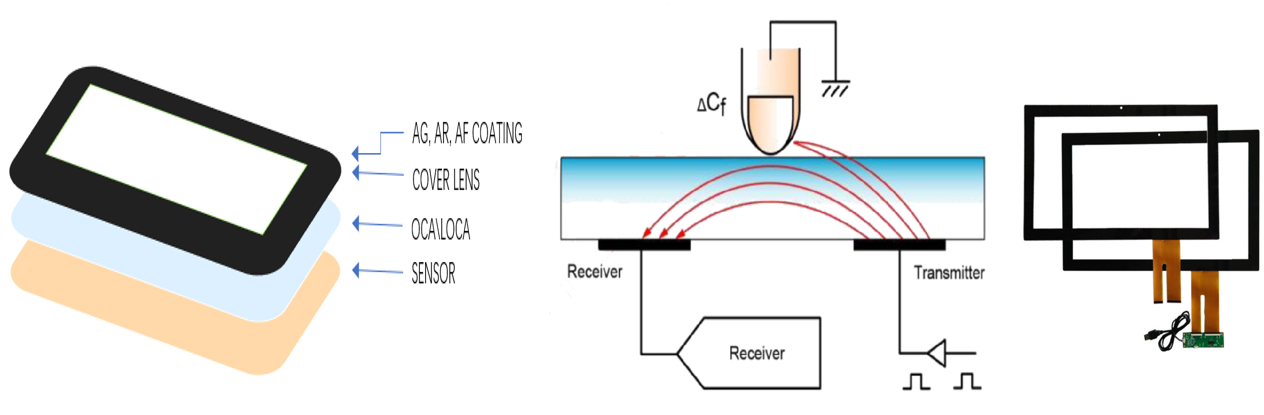
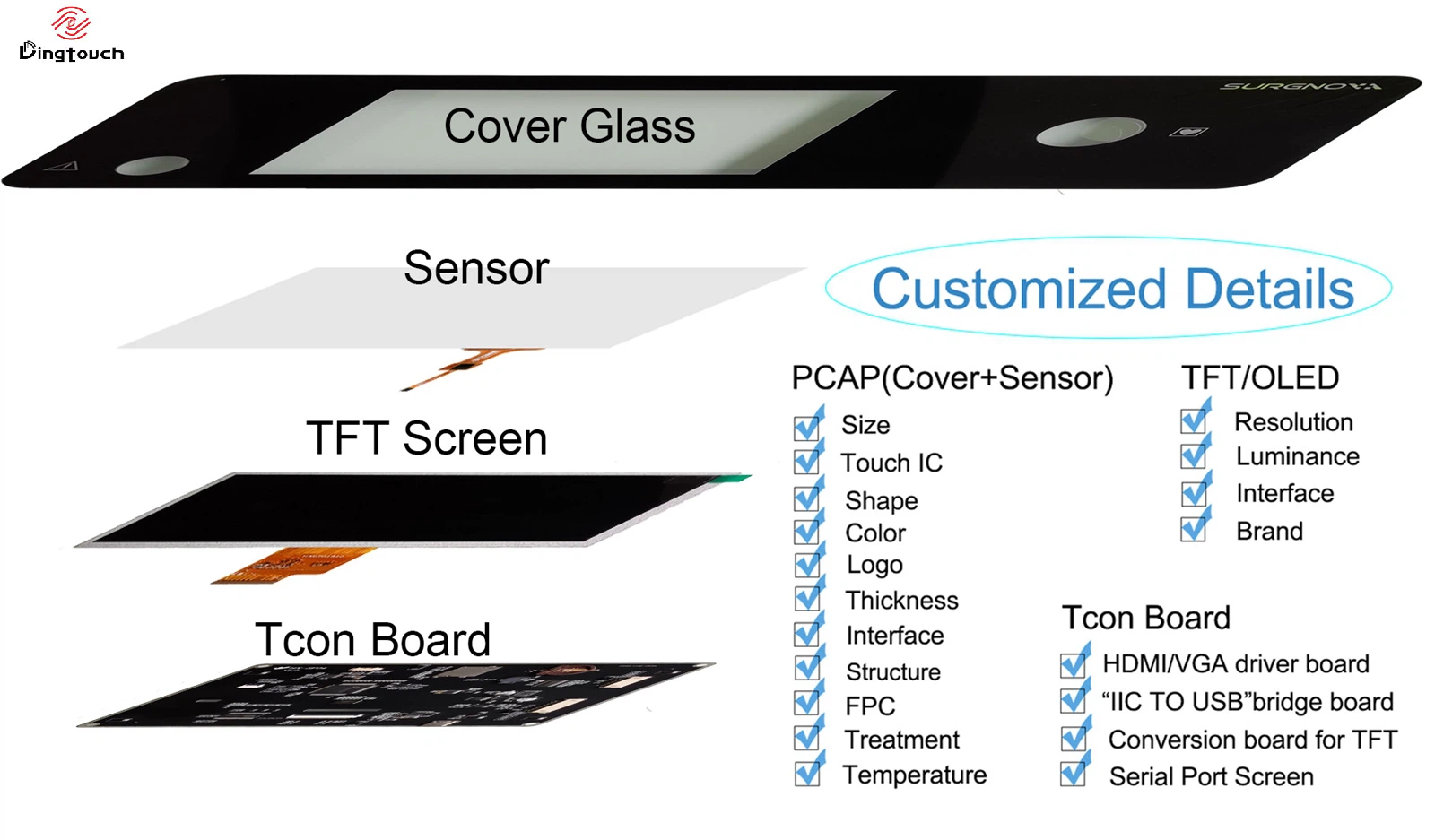
What DINGTOUCH can do:
• PCAP maximum size 65”
• Multi-touch (Touch screen can be customized to your needs.)
• Optical bonding service/air bonding
• LCD interface: HDMI/RGB/MIPI/LVDS/EDP, etc.
• PCAP interface: IIC/USB interface
• CTP can customize the cover glass surface treatment process AG (anti-glare), AR (anti-reflection), AF (anti-fingerprint), waterproof, and glove touch
• Supports 0.55 mm-12 mm coverslip touch.
• Support operating temperature: -40℃-90℃.
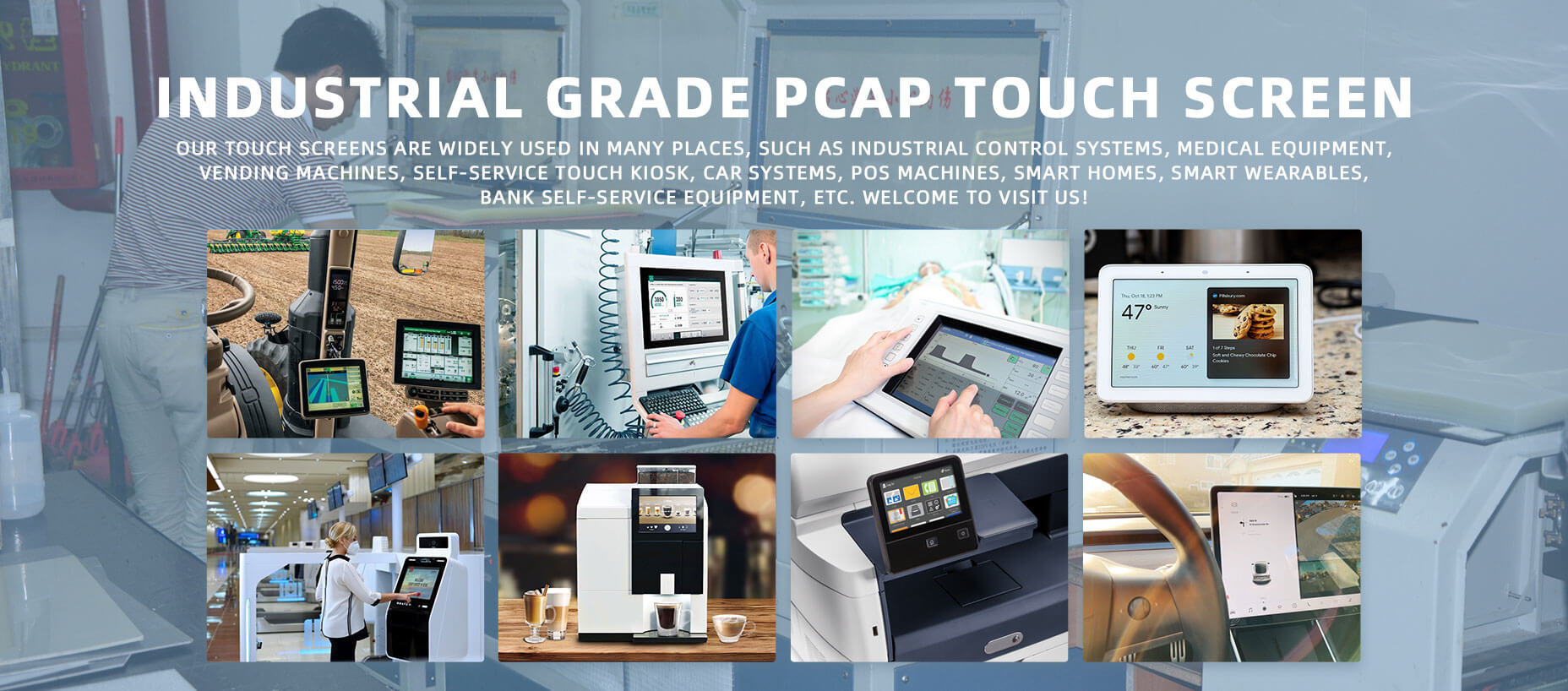
Dingtouch Industrial Capacitive Touch Screen Manufacturer
In conclusion, Dingtouch as a professional touch screen manufacturer with more than 10 years touch screen experience.We have many capacitive touch screen. Such as 5 inch touch screen,7 inch touch screen,10.1inch touch screen,15 inch touch screen,15.6 inch touch screen,17 inch touch screen,18.5 inch touch screen,19 inch touch screen,21.5 inch touch screen,32 inch touch screen, However, we also welcome to customize your own touch screen . Contact our team today to learn what capacitive touch screen are best for our retail business needs.
Contact us NOW! sales@szdingtouch.com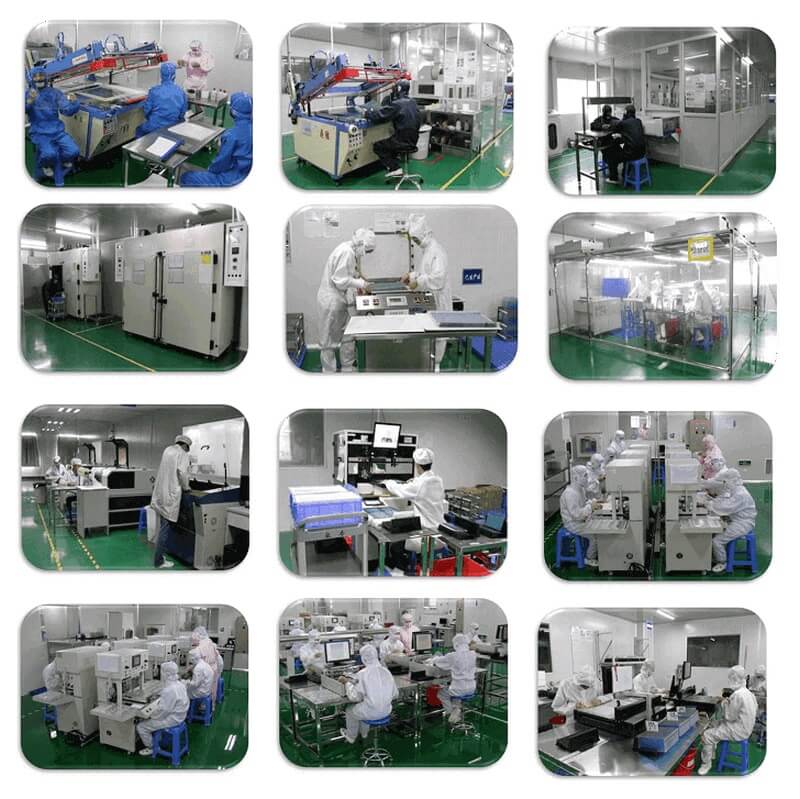
#Medicaltouchscreencalibration, #capacitivetouchcalibrationguide, #IEC60601touchscreen, #DINGTouchmedicaldisplay, #touchscreenaccuracy, #touchscreen driftfix, #medicalequipmenttouchsolutions, #IP65touchpanel, #IK10medicaltouchscreen, #glove touch medical monitor,#ILITEKTouchControllerICSelectionGuide ,#OCAtoOCR #GT911,#CustomizedWideTemperatureTouchScreenSolutions,#Waterproof Touchscreen,
#highbrightnessLCD, #sunlightreadabledisplay,#industrialLCDbacklight, #outdoor displaymodule, #customLCDsolution, #1000–2000nitsdisplay, #DINGTouchtouchscreen.
DINGTouch — Custom Touch Display Solutions Expert
Every touch, clear and precise, ready for any environment.
Every touch, clear and precise, ready for any environment.
CATEGORIES
CONTACT US
Contact: Dingtouch
Phone: +8615815536116
Tel: +8615815536116
Email: sales@szdingtouch.com
Add: Building A, Bailu Plaza, No. 48, Gonghe Industrial Road, Gongle Community, Xixiang Street, Baoan District, Shenzhen,China. 518126
 Dingtouch