News
How to Evaluate Touch Performance in Industrial IPS Displays: A Practical Engineering Checklist
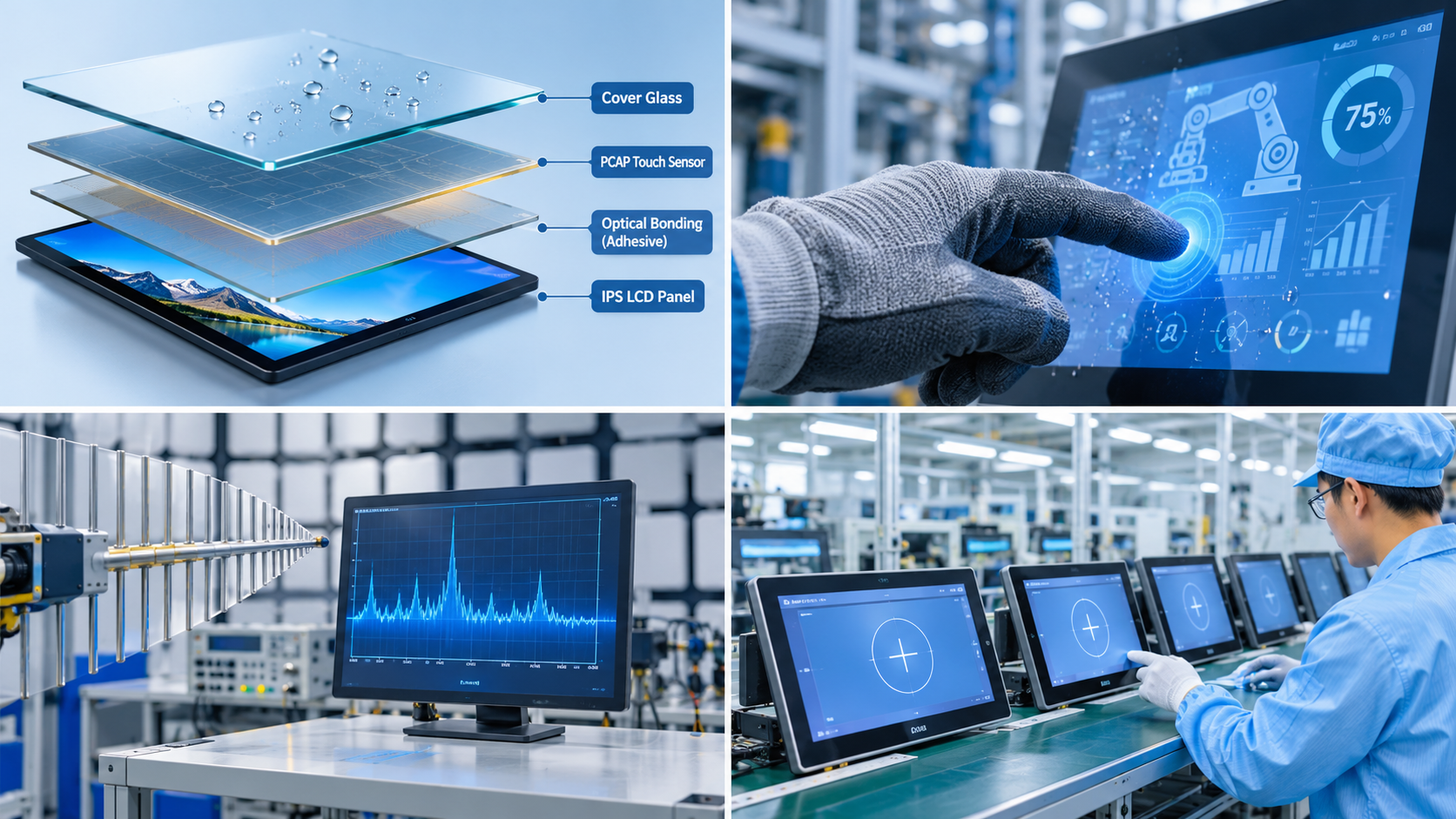 How to Evaluate Touch Performance in Industrial IPS Displays: A Practical Engineering Checklist
An industrial IPS display may deliver excellent image quality, wide viewing angles and high brightness. However, these specifications alone do not guarantee a reliable human-machine interface (HMI).
Touch performance is equally important.
A touchscreen that responds perfectly in an office environment may behave differently when installed behind thick protective cover glass, integrated into a metal enclosure, connected to a noisy power supply or operated by workers wearing industrial gloves.
For industrial applications, the real question is not simply whether the touchscreen works. It is whether it can maintain accurate, stable and consistent touch performance under the actual operating conditions of the finished product.
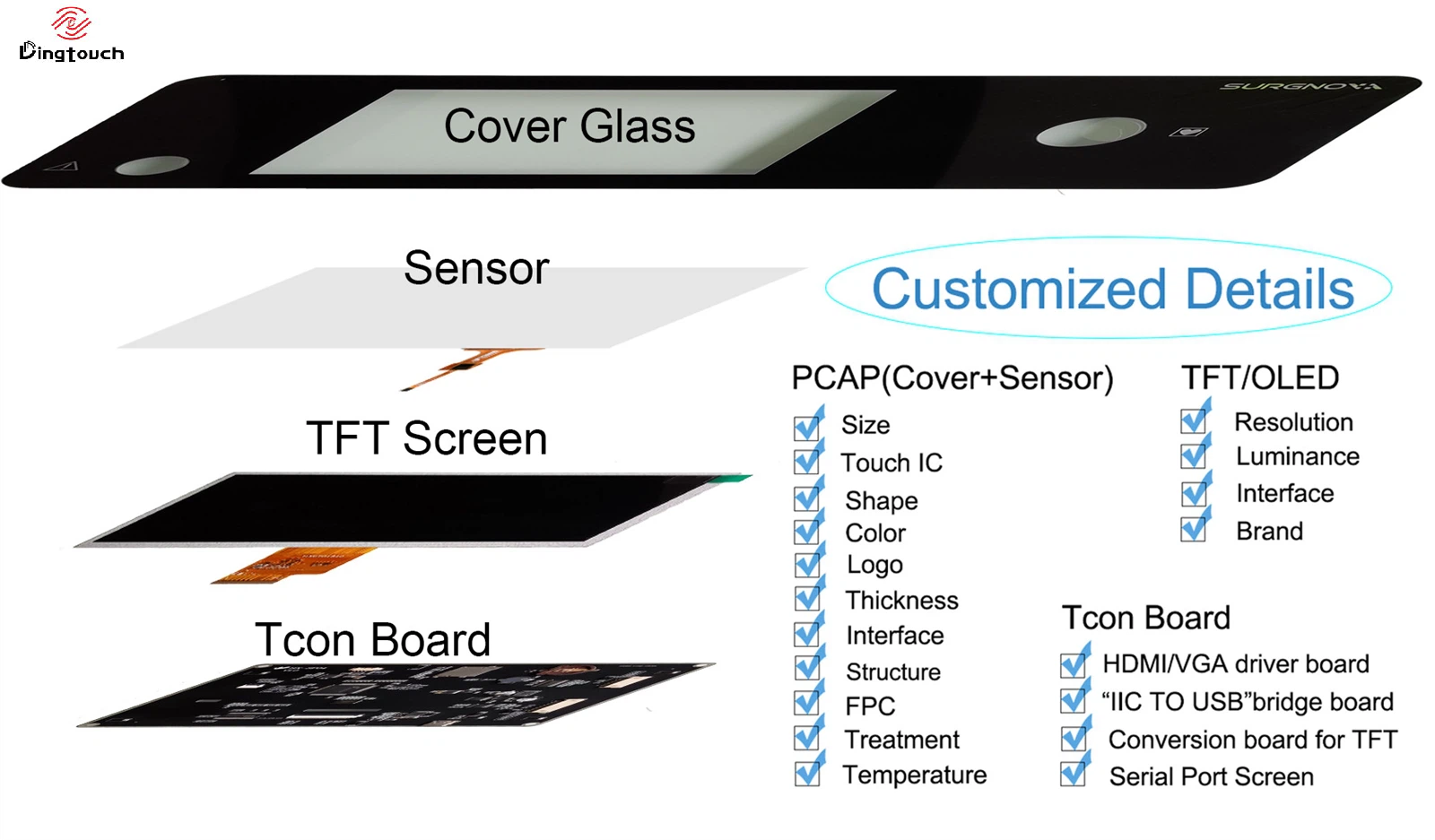
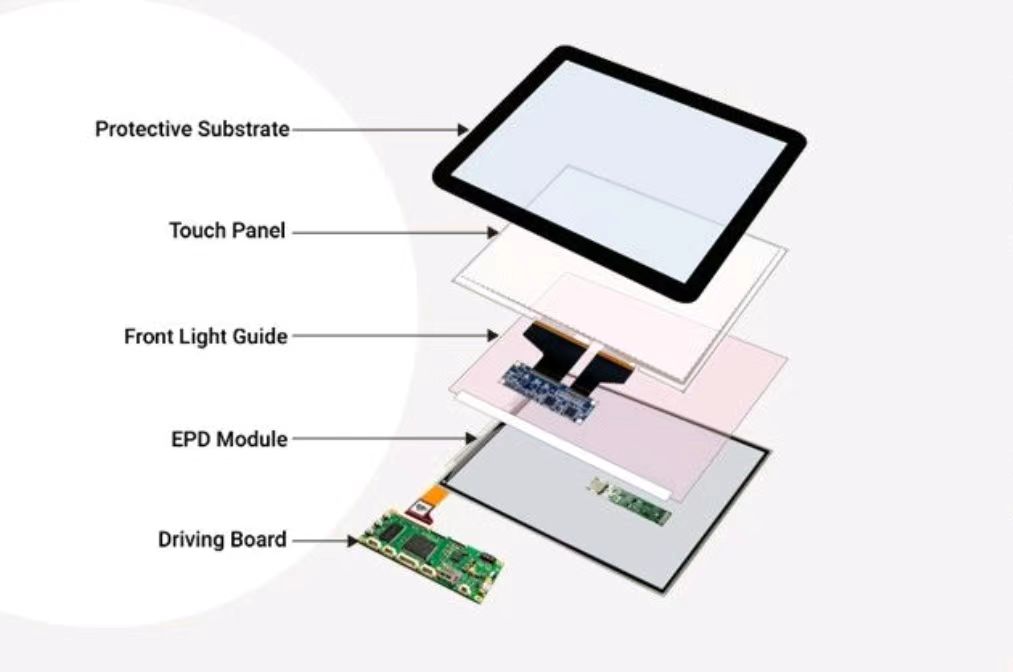
At DINGTouch, we believe touchscreen evaluation should go beyond basic finger-touch demonstrations. It should consider the complete display assembly, including the PCAP sensor, cover glass, bonding materials, touch controller, firmware, grounding and mechanical enclosure.
This guide focuses primarily on projected capacitive (PCAP) touch technology, which is widely used in modern industrial IPS displays and HMI systems. Many of the evaluation principles can also be adapted to other touchscreen technologies.
1. Test with the Final Cover Glass and Bonding Structure
Cover glass directly affects capacitive touch performance.
Its thickness, material, decorative ink, edge geometry, adhesive layer and distance from the touch sensor can all influence the electrical signal received by the controller.
A PCAP touchscreen that performs well with thin glass may become less sensitive when installed behind thicker protective glass designed for industrial or vandal-resistant applications.
For this reason, testing an exposed touch sensor alone is not sufficient.
The evaluation should use the intended production configuration, including:
-
Final cover glass thickness and material
-
Decorative printing and black borders
-
Adhesive thickness and bonding materials
-
Touch sensor geometry and alignment
-
LCD module and complete display stack
If the design uses optical bonding, test the fully bonded assembly. If an air-gap structure is planned, evaluate the actual air-gap configuration.
Pay particular attention to edge and corner performance. Wide printed borders, metal bezels and mechanical structures may influence touch sensitivity near the edges.
This is especially important when the user interface places frequently used buttons close to the corners.
For customized industrial projects, DINGTouch can evaluate the relationship between cover glass specifications, PCAP sensor design and bonding structures to help achieve a suitable balance between mechanical protection and touch sensitivity.
2. Define and Verify the Required Glove Touch Performance
"Glove support" is not a single technical specification.
Different glove materials and thicknesses produce different capacitive coupling characteristics. Thin nitrile gloves, leather work gloves, winter gloves and coated industrial gloves may result in significantly different touch responses.
Some PCAP controllers can detect thin gloves without major adjustments, while thicker gloves may require higher sensitivity, optimized sensor patterns or more advanced controller tuning.
Before evaluating glove performance, define the actual glove types used in the application.
Testing should include:
-
Bare-finger operation
-
Thin disposable gloves
-
Industrial work gloves
-
Thick protective gloves, where required
-
Repeated tapping and continuous sliding
Avoid approving a vague "glove-compatible" specification based on only one convenient test sample.
There are also trade-offs. Increasing touch sensitivity to support thicker gloves may make the system more vulnerable to electrical noise, water interference or unintended touches.
The appropriate tuning strategy depends on the application.
For example, a medical cart, outdoor self-service terminal and factory machine control panel may require different touch-response characteristics.
3. Evaluate Water Resistance and Wet-Touch Behavior
Water is one of the most challenging environmental conditions for PCAP touchscreens.
Water droplets can generate false touches, interfere with finger tracking or reduce touch sensitivity. These problems are particularly relevant to outdoor equipment, frequently cleaned devices and food-processing machinery.
Testing with a slightly wet finger is not enough to establish reliable wet-touch performance.
A more practical evaluation should include:
-
Water droplets on the display surface
-
Finger movement across a wet screen
-
Water near the display edges and bezel
-
Wet-glove operation
-
Screen wiping during operation
-
Approved cleaning solutions, where applicable
Observe whether the controller rejects unintended inputs, maintains accurate finger tracking or enters a water-rejection mode.
The expected behavior should be defined before testing.
Some products should ignore touch input when excessive water is present. Others may need to maintain limited operation during rain or regular cleaning.
There is no universal wet-touch setting suitable for every industrial application.
The objective is to achieve predictable touch behavior under the conditions that matter to the end user.
4. Test EMI, ESD and Grounding in the Actual Enclosure
PCAP controllers detect very small changes in capacitance. Consequently, electrical noise and grounding conditions can have a significant impact on touch stability.
A touchscreen that performs well on an engineering workbench may behave differently after installation inside the final enclosure.
Potential interference sources include:
-
Switching power supplies
-
Motors and industrial drives
-
Wireless communication modules
-
Long signal cables
-
Metal frames and enclosures
-
Poor grounding or floating electrical structures
Grounding conditions can also affect how the user interacts with the touchscreen. For example, touch behavior may change depending on whether the operator is standing on a conductive floor or handling grounded equipment.
For a meaningful evaluation, use the intended production configuration:
-
Final power supply
-
Actual LCD backlight operating level
-
Production enclosure and metal bezel
-
Final cable routing and connector arrangement
-
Intended grounding and shielding design
During EMI and ESD testing, continuously monitor touch behavior rather than checking only whether the display restarts or the controller remains powered.
Look for false touches, missed inputs, unstable tracking, controller resets and recovery problems.
The objective is to verify that the complete touch display assembly maintains reliable operation in its real electrical environment.
5. Evaluate the Complete User Interface, Not Just Touch Coordinates
Accurate touch coordinates do not automatically guarantee a good user experience.
A controller may report touch points correctly, but the finished product can still be difficult to operate if buttons are too small, targets are too close together or edge controls are difficult to reach.
Industrial operators often work under different conditions from ordinary consumer touchscreen users.
They may:
-
Wear protective gloves
-
Operate equipment while moving
-
View the display from different angles
-
Work in bright outdoor environments
-
Interact with the screen while handling tools
Therefore, touch performance should be evaluated together with the actual HMI layout.
Consider the following design factors:
-
Adequate button size and spacing
-
Sufficient distance between frequently used controls
-
Appropriate positioning of critical operating buttons
-
Reliable response near screen edges
-
Clear visual feedback after touch input
-
Suitable viewing angles and screen orientation
It is also valuable to involve people outside the engineering team in usability testing.
Operators, assembly workers and maintenance technicians may identify practical problems that are not obvious during laboratory testing.
6. Verify Startup, Sleep, Recovery and Firmware Stability
touchscreen evaluation should include different power and operating states.
A system may work perfectly after a clean startup but develop touch problems after repeated sleep and wake cycles.
Recommended test scenarios include:
-
Cold startup
-
Warm restart
-
Sleep and wake-up
-
Display dimming
-
Touch controller reset
-
Cable reconnection, where supported
Baseline tracking is another important consideration.
PCAP controllers continuously monitor environmental capacitance conditions. Changes in temperature, humidity, water exposure, gloves and grounding may affect the baseline.
If firmware does not manage these changes properly, touch performance may become less responsive or unstable over time.
For this reason, controller firmware and tuning configuration files should be version-controlled.
Even relatively small tuning changes can influence field performance. Each approved configuration should therefore be associated with a specific hardware stack and validated test result.
7. Check Production Consistency Across Multiple Samples
Passing a single engineering sample does not guarantee that every production unit will perform identically.
Manufacturing variations may occur in:
-
Cover glass thickness
-
Adhesive thickness and uniformity
-
Touch sensor alignment
-
FPC routing and connection
-
Grounding and shielding
-
Touch controller components
-
Firmware configuration
These variations may affect touch signal margins and overall performance.
For customized industrial touch displays, it is important to evaluate multiple samples rather than relying on a single approved unit.
Where relevant, conduct testing under different temperature and humidity conditions and across the intended operating modes.
Establish a golden sample and define incoming inspection and production acceptance criteria.
Any supplier change involving the touch controller, sensor pattern, bonding materials or firmware should trigger an appropriate engineering review before implementation.
This is where manufacturing experience becomes especially important. Some touch performance issues cannot be identified from datasheets alone. They only become visible through the interaction of materials, electronics, firmware, assembly processes and actual user behavior.
8. Establish Clear Engineering Acceptance Criteria
Before approving an industrial IPS touchscreen assembly, make sure the following requirements have been verified:
-
Touch sensitivity is acceptable through the final cover glass and bonding structure.
-
Supported glove types have been clearly defined and tested.
-
Wet-touch behavior meets application requirements.
-
EMI and ESD evaluations include continuous touch monitoring.
-
The complete HMI is comfortable and practical to operate.
-
Sleep, recovery, dimming and reset behavior remain stable.
-
Touch controller firmware and tuning files are controlled.
-
Production variations are covered by inspection and acceptance criteria.
-
Hardware and firmware changes are subject to engineering change control.
A clear acceptance standard helps prevent subjective decisions and makes supplier evaluation more consistent.
Industrial touchscreen Validation Matrix
| Test Condition | What to Check | Expected Pass Criteria |
|---|---|---|
| Bare finger | Normal tapping, dragging and edge response | No missed or unintended touches |
| Gloves | Touch accuracy, sliding and sensitivity | Meets the approved glove requirements |
| Water droplets | False-touch rejection and tracking | Behavior matches application requirements |
| Cleaning solution | Touch response during and after wiping | Stable operation after cleaning |
| EMI / ESD | False touches, controller resets and recovery | Stable response during and after testing |
| Sleep / Wake-up | Baseline recovery and first-touch response | No manual reset required |
| Multiple production samples | Performance variation between units | Consistent performance within acceptance limits |
All validation should be performed using the final display stack.
Testing only a standalone sensor or supplier demonstration module provides limited evidence of actual product reliability because grounding, cover glass, adhesive materials and enclosure structures can all influence touch performance.
How DINGTouch Supports Industrial Touch Display Projects
Reliable industrial touchscreen performance is not determined by the touch controller alone. It depends on how the sensor, cover glass, LCD module, bonding materials, electronics and mechanical structure work together.
DINGTouch specializes in customized industrial capacitive touchscreens and integrated touch display solutions, supporting OEM and ODM projects from engineering evaluation to production.
Our technical capabilities include:
-
Customized PCAP touch sensor design and integration
-
G+G, G+F and other capacitive touch structures
-
Customized cover glass thickness, dimensions and decorative printing
-
AG, AR and AF surface treatments
-
Optical bonding and full-lamination solutions
-
Touch controller selection and firmware tuning
-
Glove-touch and water-rejection optimization
-
EMI/ESD and environmental performance evaluation
-
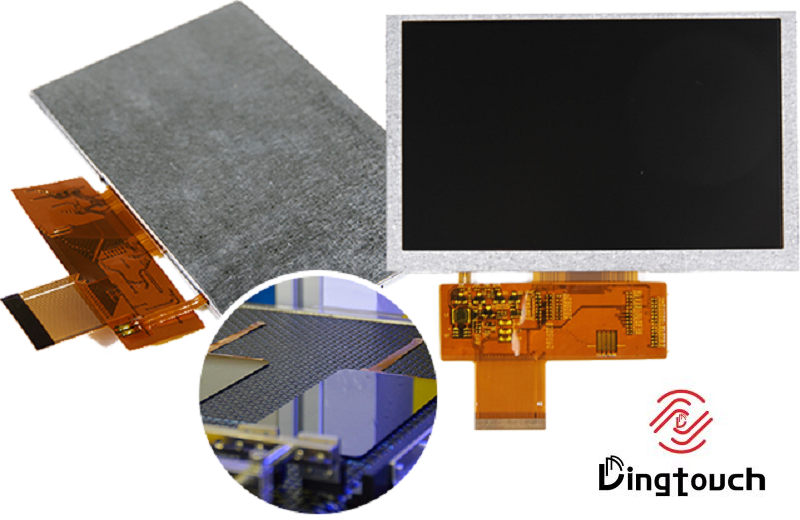
Integrated LCD and touchscreen assembly
With in-house touch display development and manufacturing capabilities, DINGTouch helps customers evaluate the complete touch display structure according to their mechanical, electrical and environmental requirements.
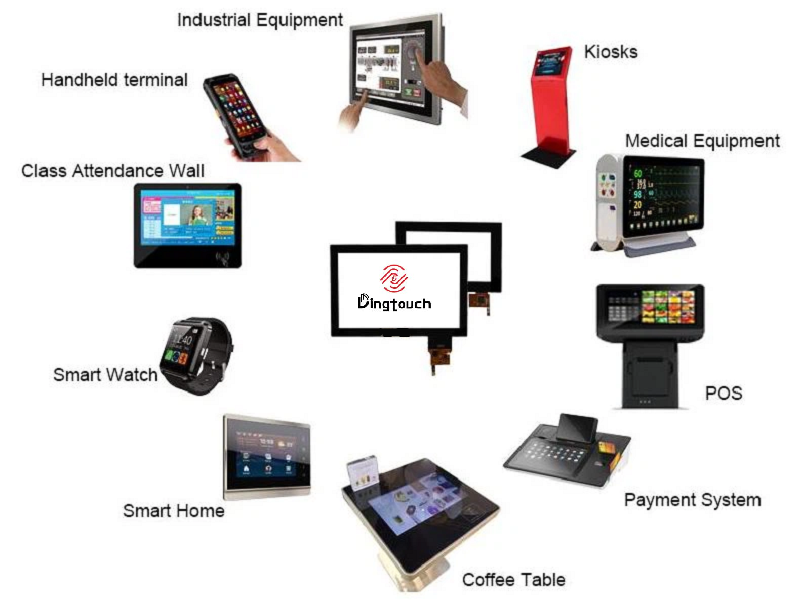
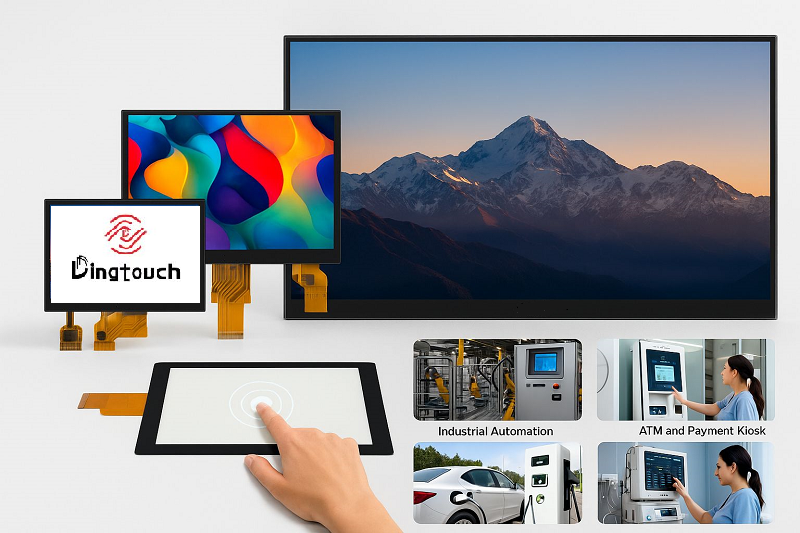
We support industrial HMI, medical equipment, outdoor terminals, marine systems, automation equipment and other demanding applications.
Need to evaluate an industrial IPS touchscreen for your project?
Contact DINGTouch to discuss your display size, cover glass specifications, touch interface, operating environment and required touch performance.
Website: www.szdingtouch.com
Email: sales@szdingtouch.com
Related Engineering Resources
For a deeper understanding of industrial PCAP touchscreen development, you may also explore:
-
PCAP Touch Panel Design Guide
-
Capacitive touchscreen vs. Resistive touchscreen: How to Choose
-
How Cover Glass Thickness Affects Capacitive Touch Performance
-
How Optical Bonding Improves Industrial Display Performance



Ready to Build Your Outdoor Display Solution?
Get in touch with us at sales@szdingtouch.com. Our expert engineers will help you design a cost-effective, tailored solution to meet your project’s exact specifications.
DINGTouch:Committed to continuous innovation and improvement of product quality to meet customers' high requirements and expectations.
DINGTouch is a manufacturer that provides high quality touch screen panels. Focus on the design, manufacturing and sales of touch screen panels, and are committed to providing customized solutions that satisfy customers.
DINGTouch: In the process of customizing touch screen panels, we focus on close cooperation and communication with customers. Understanding customers' needs and providing customized solutions will meet customers' individual needs. The company's products are favored by customers for their high quality and reliability, and provide them with the best touchscreen panel solutions.
At DINGTOUCH, we are the world's leading touchscreen manufacturer, helping businesses around the world take advantage of this exciting technology. For more information, please visit the home page now.

DINGTouch is a company specializing in the R&D and production of touch screen technology, headquartered in Shenzhen, China. As a professional touch screen supplier, DINGTouch is committed to providing high-quality, stable and reliable touch screen products to meet the diverse needs of customers. We continue to carry out technological innovation and product optimization to ensure that its touch screen products have good sensitivity, accuracy and durability.
In addition to the products themselves, we also focus on cooperation and communication with customers, and are committed to providing customized solutions and excellent after-sales services. Through continuous efforts to improve product quality and customer satisfaction, we have established a good reputation in the touchscreen industry and won widespread market recognition.
In addition to the products themselves, we also focus on cooperation and communication with customers, and are committed to providing customized solutions and excellent after-sales services. Through continuous efforts to improve product quality and customer satisfaction, we have established a good reputation in the touchscreen industry and won widespread market recognition.
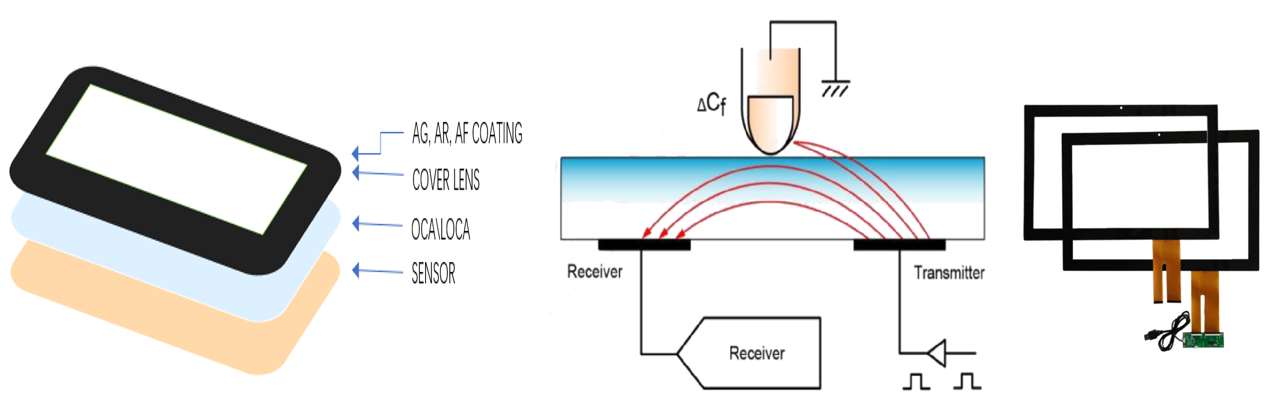
What DINGTOUCH can do:
• PCAP maximum size 65”
• Multi-touch (Touch screen can be customized to your needs.)
• Optical bonding service/air bonding
• LCD interface: HDMI/RGB/MIPI/LVDS/EDP, etc.
• PCAP interface: IIC/USB interface
• CTP can customize the cover glass surface treatment process AG (anti-glare), AR (anti-reflection), AF (anti-fingerprint), waterproof, and glove touch
• Supports 0.55 mm-12 mm coverslip touch.
• Support operating temperature: -40℃-90℃.
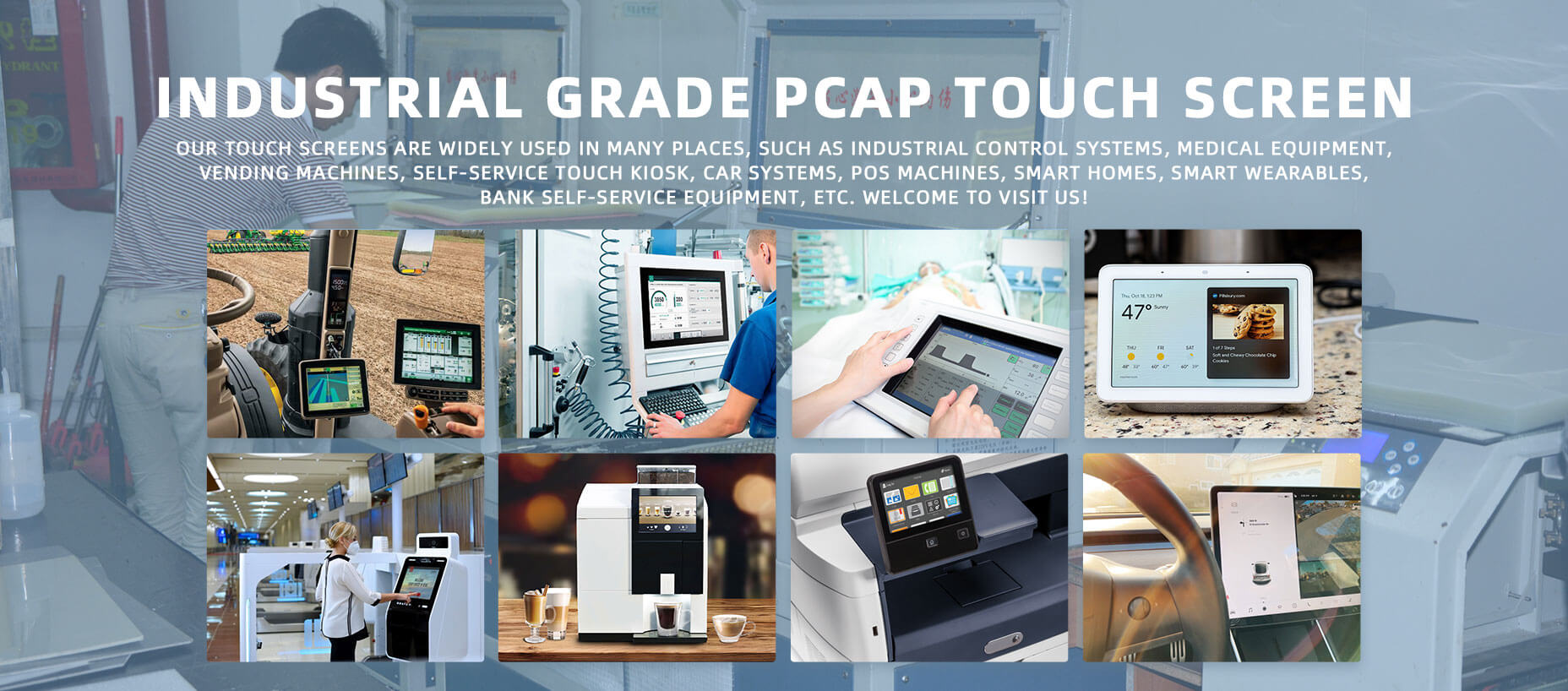
Dingtouch Industrial capacitive touch screen Manufacturer
In conclusion, Dingtouch as a professional touch screen manufacturer with more than 10 years touch screen experience.We have many capacitive touch screen. Such as 5 inch touch screen,7 inch touch screen,10.1inch touch screen,15 inch touch screen,15.6 inch touch screen,17 inch touch screen,18.5 inch touch screen,19 inch touch screen,21.5 inch touch screen,32 inch touch screen, However, we also welcome to customize your own touch screen . Contact our team today to learn what capacitive touch screen are best for our retail business needs.
Contact us NOW! sales@szdingtouch.com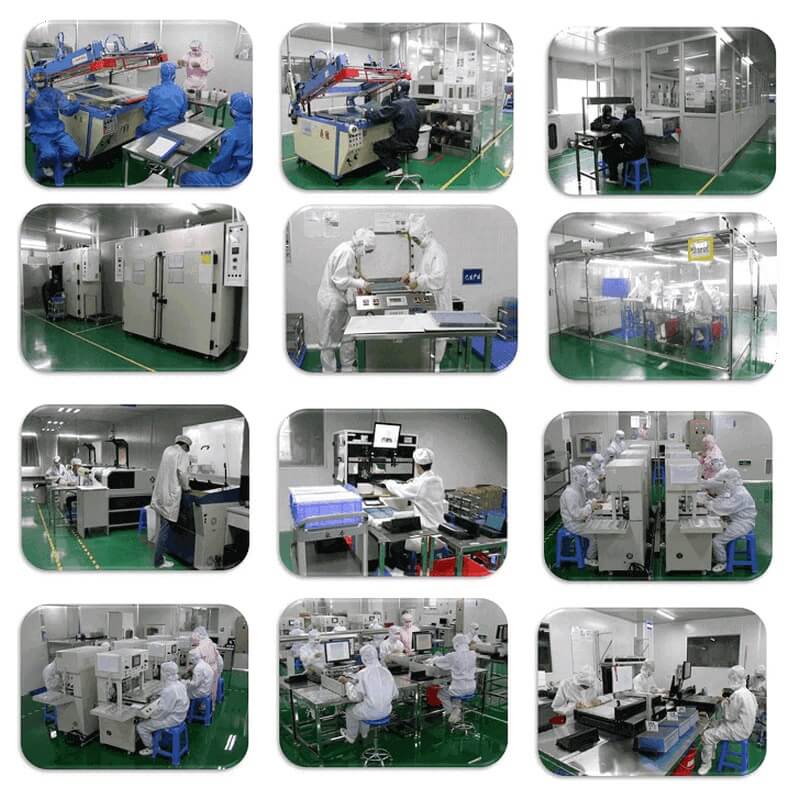
#Medicaltouchscreencalibration, #capacitivetouchcalibrationguide, #IEC60601touchscreen, #DINGTouchmedicaldisplay, #touchscreenaccuracy, #touchscreen driftfix, #medicalequipmenttouchsolutions, #IP65touchpanel, #IK10medicaltouchscreen, #glove touch medical monitor,#ILITEKTouchControllerICSelectionGuide ,#OCAtoOCR #GT911,#CustomizedWideTemperatureTouchScreenSolutions,#Waterproof Touchscreen,
#highbrightnessLCD, #sunlightreadabledisplay,#industrialLCDbacklight, #outdoor displaymodule, #customLCDsolution, #1000–2000nitsdisplay, #DINGTouchtouchscreen.
DINGTouch — Custom Touch Display Solutions Expert
Every touch, clear and precise, ready for any environment.
Every touch, clear and precise, ready for any environment.
CATEGORIES
CONTACT US
Contact: Dingtouch
Phone: +8615815536116
Tel: +8615815536116
Email: sales@szdingtouch.com
Add: Building A, Bailu Plaza, No. 48, Gonghe Industrial Road, Gongle Community, Xixiang Street, Baoan District, Shenzhen,China. 518126
 Dingtouch