News
MIPI DSI Display Driver Development for Embedded Linux: What Hardware Buyers Need to Confirm
 MIPI DSI Display Driver Development for Embedded Linux: What Hardware Buyers Need to Confirm
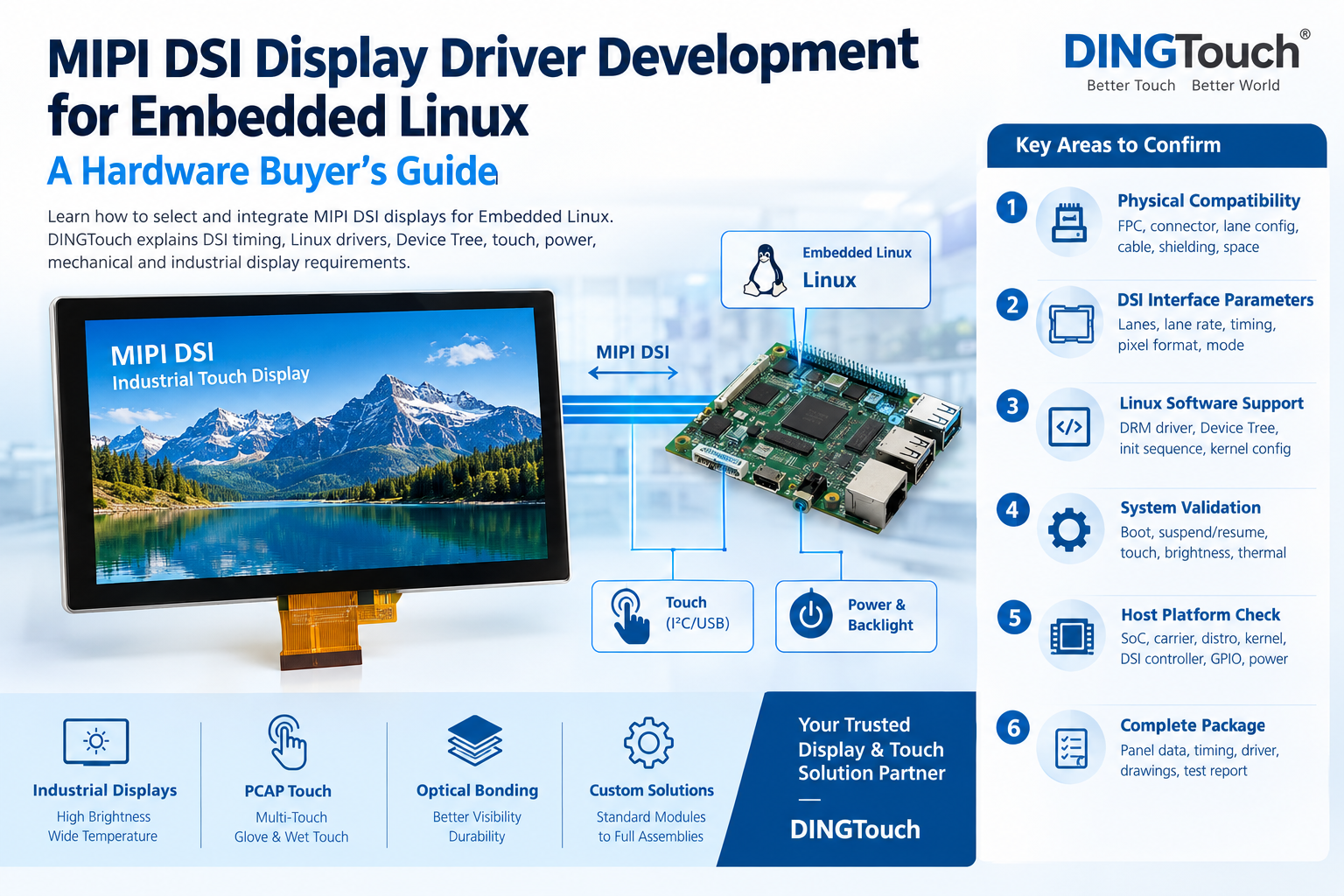
For embedded Linux products, selecting a MIPI DSI display is not simply a matter of matching the connector or resolution.
A display may be labeled MIPI DSI compatible, yet still require additional engineering work involving lane configuration, timing parameters, initialization commands, Device Tree settings, power sequencing, touch integration, backlight control, and mechanical validation.
For OEM and ODM projects, these details directly affect development time, sample approval, and production reliability.
DINGTouch provides customized industrial TFT LCD, PCAP touchscreens, touch display assemblies, optical bonding, high-brightness displays, and MIPI DSI display solutions for embedded applications. From standard modules to project-specific display assemblies, the key is to define the complete hardware and software integration boundary before sampling.
 1. MIPI DSI Compatibility Is More Than a Connector
A common mistake is to evaluate a MIPI DSI display only by checking:
- Display size
- Resolution
- MIPI interface
- Brightness
- Connector type
These specifications are important, but they do not guarantee successful Linux integration.
A more reliable evaluation should consider four compatibility layers.
1.1 Physical Compatibility
Check:
- FPC connector type and pitch
- Pin definition and pin numbering
- Number of DSI data lanes
- Lane polarity
- Ground and power pins
- FPC length
- Cable routing
- Bend radius
- EMI/EMC considerations
- Available mechanical space
A display that works with a short laboratory cable may behave differently after the FPC is routed through the final enclosure.
1.2 MIPI DSI Interface Compatibility
The host and panel must agree on key interface parameters, including:
- 1/2/4 DSI data lanes
- D-PHY capability
- Video mode or command mode
- RGB888/RGB666/RGB565
- Lane rate
- Pixel clock
- Horizontal and vertical timing
- Refresh rate
- DSI controller configuration
Two displays with the same 1024×600 or 1920×1200 resolution can still require completely different DSI configurations.
1.3 Linux Software Compatibility
The software layer may require:
- DRM panel driver
- MIPI DSI driver
- Bridge driver
- Device Tree configuration
- Initialization command sequence
- Reset GPIO
- Power regulator configuration
- Backlight configuration
- Kernel configuration
- BSP modifications
Therefore, “MIPI DSI supported” should not be treated as equivalent to “Linux plug-and-play.”
1.4 System-Level Validation
Finally, verify the display in the actual product environment:
- Cold boot
- Warm reboot
- Suspend/resume
- Repeated power cycles
- Brightness control
- Touch response
- Thermal operation
- EMI environment
- Final FPC routing
- Final enclosure
This is particularly important for industrial, medical, outdoor, automotive-related, and other embedded products.
2. Confirm the Host Platform Before Selecting the MIPI DSI Panel
The first question should not be:
“Which MIPI display do you have?”
Instead, start with:
“Which embedded Linux platform will drive the display?”
Provide the display supplier with the exact:
- SoC or processor
- SBC or compute module
- Carrier board
- Linux distribution
- Kernel version
- Bootloader
- Display controller
- Existing BSP
- DSI connector information
For example, a customer may use a Raspberry Pi Compute Module, an industrial ARM SBC, an NXP platform, Rockchip platform, Allwinner platform, or another embedded Linux controller.
Even when two platforms both provide MIPI DSI, their implementation can be different.
The supplier should verify:
- DSI controller instance
- Lane configuration
- Maximum lane rate
- Pixel format
- Timing requirements
- GPIO availability
- Power rails
- Backlight interface
- I2C touch interface
- Possible bridge IC requirements
DINGTouch Engineering Recommendation
For a new project, send the host board information together with the display requirement.
This allows DINGTouch engineers to evaluate the complete interface rather than recommending a panel based only on size and resolution.
3. Request a Complete MIPI DSI Panel and Timing Package
A professional RFQ should include more than:
7-inch / 1024×600 / MIPI DSI / 500 nits.
For Linux integration, request the complete display information.
Recommended panel information
- Active area
- Resolution
- Pixel format
- DSI lane count
- DSI mode
- Horizontal active pixels
- Horizontal front porch
- Horizontal back porch
- Horizontal sync width
- Vertical active lines
- Vertical front porch
- Vertical back porch
- Vertical sync width
- Pixel clock
- Refresh-rate range
- DSI lane rate
- Initialization commands
- Reset timing
- Power-on sequence
- Power-off sequence
- Sleep/wake commands
- Panel controller IC
These parameters should be consistent with the actual production panel.
4. Check MIPI DSI Bandwidth Before Finalizing the Display
MIPI DSI bandwidth is another important consideration that is often overlooked during purchasing.
For example, RGB888 requires more data bandwidth than RGB565.
The required bandwidth is also affected by:
- Resolution
- Refresh rate
- Pixel format
- Number of lanes
- Blank intervals
- Lane rate
- DSI protocol overhead
A simple resolution match does not prove that the host can reliably drive the panel.
For an industrial embedded display, the supplier and customer should confirm that the selected configuration provides sufficient link margin under the intended operating conditions.
If a bridge IC is used, clarify:
- Host-side interface
- Panel-side interface
- Bridge IC model
- Configuration method
- Driver ownership
- Device Tree requirements
- Validation responsibility
This prevents software and hardware responsibilities from becoming unclear during development.
5. Make Linux Driver and Device Tree Deliverables Explicit
For an Embedded Linux project, the software package should be clearly defined before the sample is approved.
Depending on the platform, the required package may include:
- Linux DRM panel driver
- MIPI DSI driver
- Bridge driver
- Kernel patch
- Device Tree source
- Device Tree overlay
- Kernel configuration
- Initialization command table
- Reset sequence
- Power sequence
- Backlight configuration
- Touch configuration
- Bring-up instructions
The customer should also confirm:
Which kernel version is supported?
A driver tested on one vendor BSP may require modification when the customer changes to another kernel branch.
A Practical Linux Bring-Up Package
A useful supplier package can include:
- Device Tree source or overlay
- Driver source or patch
- Panel initialization commands
- Display timing table
- FPC/pinout drawing
- Power and reset sequence
- Backlight configuration
- Touch configuration
- Recommended kernel configuration
- Basic bring-up and troubleshooting instructions
This gives engineers a reproducible integration path instead of relying on undocumented settings.
6. Keep Display, Touch, Backlight, and Power Validation Separate
Another common mistake is treating the entire touch display assembly as one interface.
In many products, the architecture is actually:
MIPI DSI → LCD display
while:
I2C / USB → Capacitive touch panel
and:
PWM / GPIO / Driver IC → Backlight
Each path should be validated independently.
Display validation
Check:
- Image output
- Resolution
- Refresh rate
- Color
- Stability
- DSI errors
- Boot behavior
Touch validation
Check:
- Touch controller
- I2C or USB
- Interrupt
- Reset
- I2C address
- Firmware
- Multi-touch
- Glove operation
- Water rejection, if required
Backlight validation
Check:
- Brightness
- PWM
- Enable signal
- Driver board
- Dimming range
- Thermal behavior
Power validation
Check:
- Supply voltage
- Current consumption
- Power-on sequence
- Reset timing
- Sleep mode
- Wake-up behavior
- Repeated power cycling
A display showing a stable image does not automatically prove that the touch and power systems are correctly integrated.
7. Validate the Mechanical and Environmental Design
The final product is not just an LCD panel.
It is a complete assembly involving:
LCD + Touch + Cover Glass + Bonding + FPC + Backlight + Mechanical Structure + Controller + Enclosure
For industrial applications, mechanical validation is especially important.
Confirm:
- Overall dimensions
- Active area
- Viewing area
- Mounting holes
- Bezel
- Cover glass thickness
- Touch sensor structure
- FPC exit position
- Connector access
- FPC bending path
- Bonding method
- Enclosure clearance
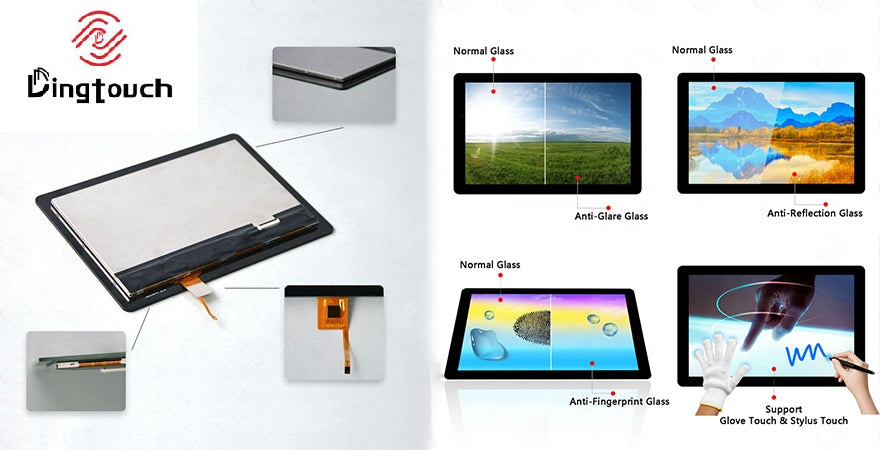
Environmental requirements should also be defined
Depending on the application, customers may require:
- Wide operating temperature
- High brightness
- Sunlight readability
- Optical bonding
- Anti-glare treatment
- Anti-reflection treatment
- Anti-fingerprint treatment
- Waterproof touch
- Glove touch
- EMI shielding
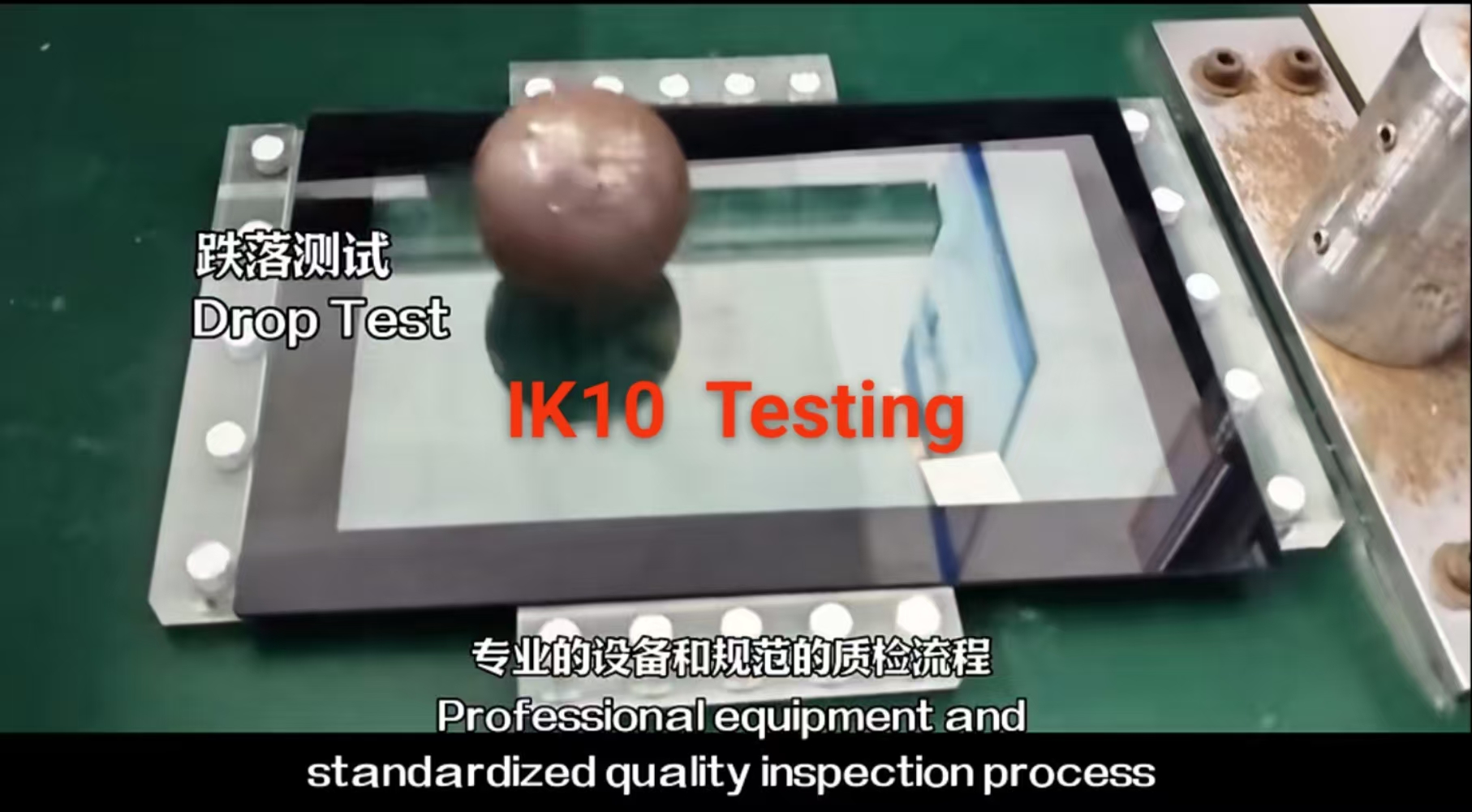
- IK protection
- IP protection
- Vibration resistance
DINGTouch can integrate these requirements into a customized display assembly instead of treating the LCD, touch panel, and mechanical design as completely separate components.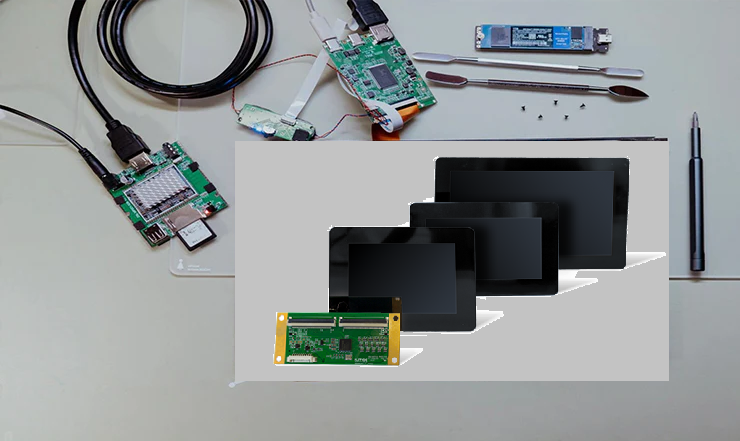

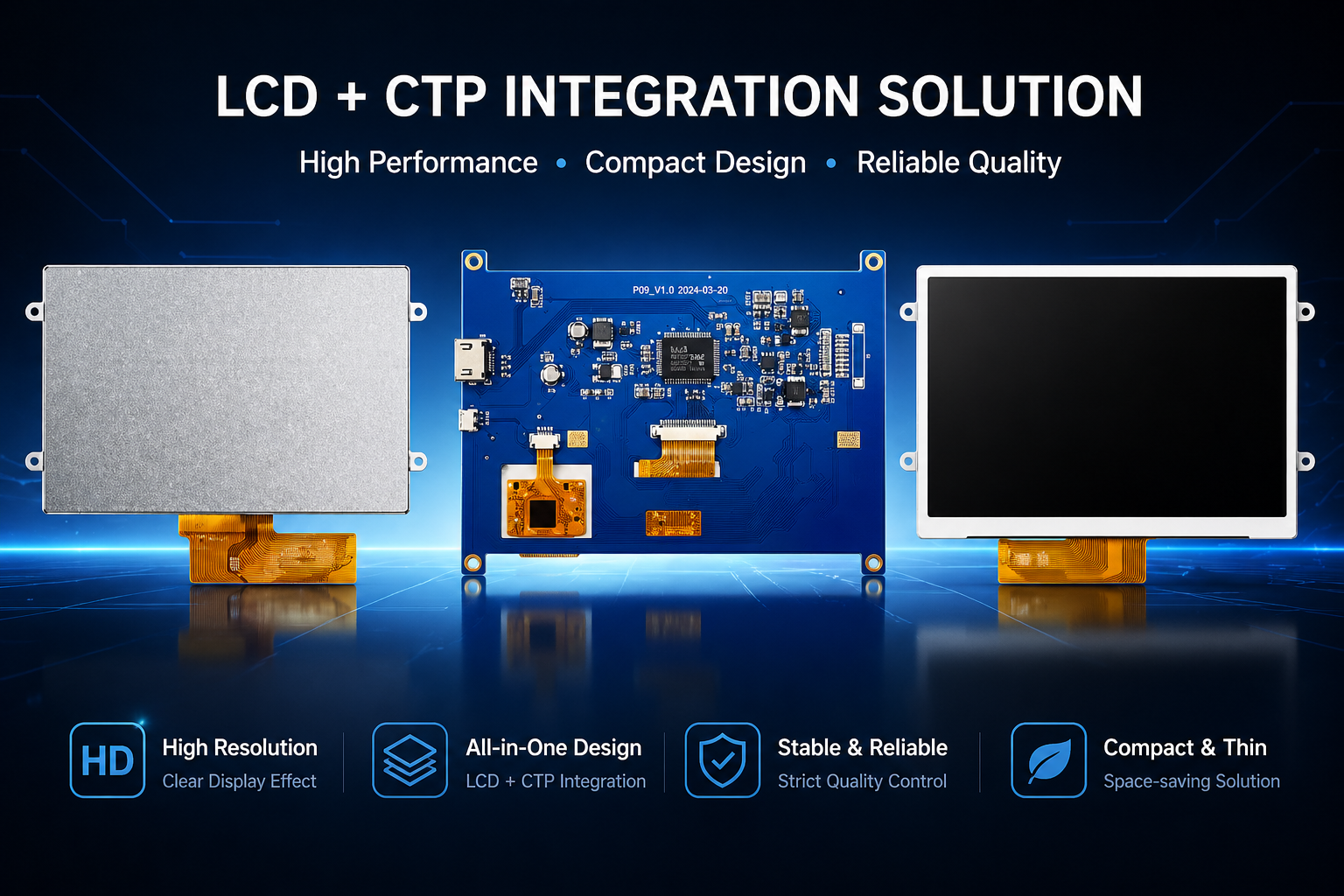
8. Example: 10.1-Inch MIPI DSI Industrial Touch Display
For example, an industrial project may require:
| Parameter | Example Requirement |
|---|---|
| Size | 10.1 inch |
| Resolution | 1280 × 800 |
| Interface | MIPI DSI |
| Brightness | 1000 nits |
| Touch | Projected capacitive |
| Touch Interface | I2C |
| Bonding | Optical bonding |
| Operating Temperature | -20°C to +70°C |
| Application | Industrial / Outdoor Embedded Equipment |
These specifications provide a useful starting point.
However, the final engineering package should additionally define:
- DSI lane configuration
- Timing parameters
- Panel controller IC
- Initialization commands
- Host platform
- Device Tree requirements
- Touch controller
- Power sequence
- Backlight control
- FPC drawing
- Mechanical drawing
- Final enclosure conditions
This is the difference between selecting a display component and developing a production-ready display solution.
9. Buyer-Ready MIPI DSI RFQ Checklist
Before requesting samples, hardware buyers can use the following checklist.
Host Platform
-
SoC / processor
-
SBC / compute module
-
Carrier board
-
Linux distribution
-
Kernel version
-
Bootloader
-
Existing BSP
Display Interface
-
MIPI DSI lane count
-
Lane rate
-
DSI mode
-
Pixel format
-
Timing parameters
-
Refresh rate
-
Controller IC
-
Initialization sequence
Electrical
-
Power rails
-
Voltage tolerance
-
Reset GPIO
-
Backlight enable
-
PWM
-
Power-on/off sequence
Touch
-
Touch controller
-
I2C / USB
-
Interrupt
-
Reset
-
I2C address
-
Firmware
-
Glove/wet-touch requirements
Mechanical
-
Outline drawing
-
Active area
-
Mounting holes
-
FPC position
-
Connector
-
Cable length
-
Bend radius
-
Cover glass
-
Bonding method
Environmental
-
Operating temperature
-
Storage temperature
-
Brightness
-
Outdoor requirement
-
EMI/EMC
-
Vibration
-
IP/IK requirements
Software
-
DRM driver
-
Device Tree
-
Kernel patch
-
Configuration symbols
-
Initialization commands
-
Bring-up procedure
-
Maintenance responsibility
10. How to Choose the Right DINGTouch Display Solution
Not every project needs a completely custom display.
DINGTouch can evaluate the project according to the required integration level.
Standard MIPI DSI Display Module
Suitable when:
- Host platform is already defined
- Mechanical dimensions are standard
- Existing timing is acceptable
- Standard touch interface is sufficient
- No major structural modification is required
Modified Display Solution
Suitable when the customer needs changes such as:
- Custom FPC
- Connector modification
- Brightness upgrade
- Cover glass modification
- Touch controller adjustment
- Cable modification
- Mounting adaptation
Custom Touch Display Assembly
For more demanding industrial projects, DINGTouch can coordinate:
TFT LCD + PCAP Touch + Cover Glass + Optical Bonding + FPC + Controller + Backlight + Mechanical Requirements
This approach is particularly useful when the customer needs a display solution optimized for the complete product rather than a standalone LCD panel.
DINGTouch supports customized industrial touch display solutions covering different sizes, interfaces, brightness levels, operating temperatures, touch requirements, and mechanical structures.
11. What to Send DINGTouch for a MIPI DSI Project
To speed up technical evaluation and quotation, customers are encouraged to provide:
- Host platform
- SoC / SBC model
- Linux version
- Kernel version
- Display size
- Resolution
- Brightness
- MIPI DSI lane requirement
- Touch requirement
- Operating temperature
- Mechanical drawing
- Application environment
- Sample quantity
- Estimated annual quantity
- Target schedule
- Existing display sample or datasheet
- Existing driver or Device Tree, if available
- Photos of any existing display problems
The more complete the information, the faster engineers can determine whether a standard module, modified module, or fully customized display assembly is the appropriate solution.
12. Conclusion: Evaluate MIPI DSI by Integration Risk, Not Just Interface Name
Successful MIPI DSI display integration on Embedded Linux is a chain of technical evidence.
It involves:
Host capability → DSI interface → Timing → Driver → Device Tree → Power → Touch → Backlight → Mechanical Design → Environmental Validation
A display should therefore not be selected simply because its datasheet says “MIPI DSI.”
For OEM and ODM buyers, the better question is:
Can this display be integrated reliably into our complete embedded Linux system and maintained throughout production?
DINGTouch works with industrial equipment manufacturers, embedded system developers, medical equipment companies, automation companies, and other OEM customers to develop customized LCD + PCAP touch display solutions.
From standard MIPI DSI modules to high-brightness, wide-temperature, optical-bonded, glove-touch, EMI-shielded, and mechanically customized assemblies, DINGTouch can evaluate the display, touch, mechanical, and integration requirements as one project.
FAQs
Is a MIPI DSI display plug-and-play on Linux?
Not necessarily.
Compatibility depends on the exact host platform, DSI controller, lane configuration, timing, power sequence, Device Tree, driver support, touch interface, and mechanical implementation.
What driver files should a display supplier provide?
Depending on the platform, the supplier should provide the applicable driver or patch, Device Tree information, initialization commands, timing parameters, power/reset sequence, wiring information, and bring-up instructions.
Can the same MIPI DSI display work on Raspberry Pi and another Linux SBC?
It may, but compatibility should be evaluated separately for each platform.
The DSI controller, lane mapping, timing, kernel/BSP, connector, power architecture, Device Tree configuration, and mechanical installation can all be different.
Should touch be included in the MIPI DSI driver scope?
Normally, touch should be treated as a separate interface unless the system architecture explicitly combines the responsibilities.
The touch controller, I2C/USB connection, interrupt, reset, firmware, and Linux input configuration should be confirmed separately.
What should be included in a reliable MIPI DSI RFQ?
A useful RFQ should include:
- Host platform
- SoC/SBC
- Linux distribution and kernel
- Display size and resolution
- Brightness
- DSI lane configuration
- Timing requirements
- Touch interface
- Mechanical drawing
- Operating temperature
- Application
- Sample quantity
- Production quantity
- Target schedule
- Existing display or driver information
Providing these details early allows the supplier to evaluate the project based on actual integration requirements rather than interface labels alone.


 PREVIOUS:What Surface Treatments Are Available for Capacitive Touchscreen Cover Glass? AF, AR and AG ExplainedNo next
CATEGORIES
CONTACT US
Contact: Dingtouch
Phone: +8615815536116
Tel: +8615815536116
Email: sales@szdingtouch.com
Add: Building A, Bailu Plaza, No. 48, Gonghe Industrial Road, Gongle Community, Xixiang Street, Baoan District, Shenzhen,China. 518126
 Dingtouch