News
What Is the Most Common Interface for a 4.0-Inch Touchscreen Display?
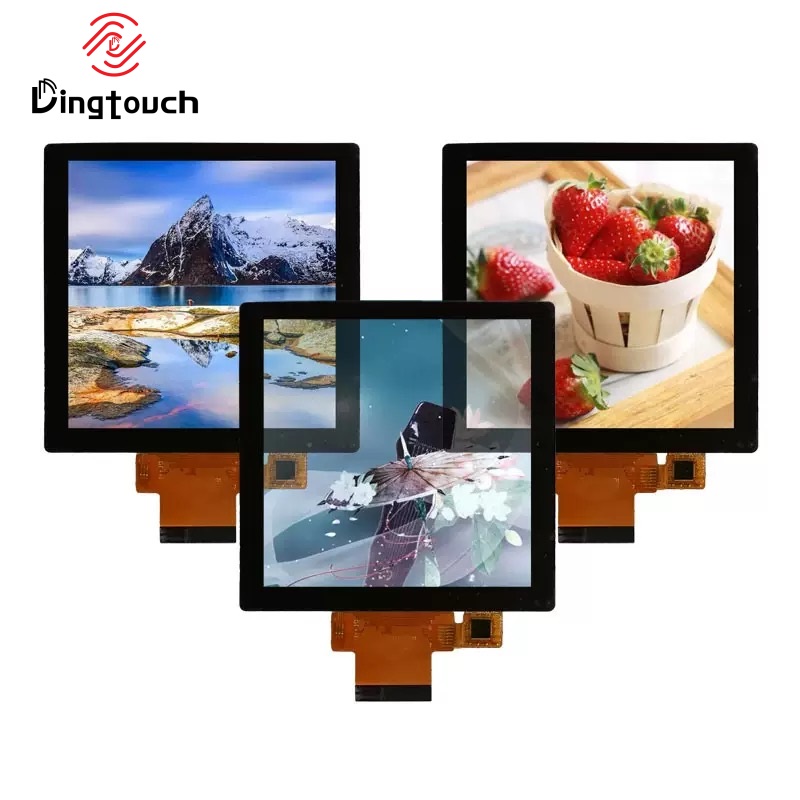
What Is the Most Common Interface for a 4.0-Inch touchscreen Display?
A Technical Guide to SPI, RGB, MIPI DSI, LVDS, and Touch Controller Interfaces
When selecting a 4.0-inch touchscreen display, interface compatibility is one of the first technical considerations for engineers, product developers, and OEM purchasing teams.
This compact display size is widely used in industrial handheld devices, medical equipment, smart controllers, embedded systems, and compact human-machine interfaces (HMIs). It provides a practical balance between available viewing area and limited installation space.
Unlike larger display panels, a 4.0-inch touchscreen is often selected after the product enclosure, mechanical dimensions, and user interface requirements have already been defined.
The next important decision is determining how the display will communicate with the host processor.
Common display interfaces include SPI, RGB, MIPI DSI, and LVDS, while the touchscreen controller typically communicates through I2C or USB.
So, what is the most common interface for a 4.0-inch touchscreen display?
There is no single interface that fits every application. The most suitable option depends on the processor platform, display resolution, refresh rate, available bandwidth, PCB design, and overall system architecture.
For many compact MCU-based products, SPI is a practical choice. RGB is widely used in embedded HMI applications, while MIPI DSI is increasingly relevant for systems built around supported Linux or Android processors.
For OEM projects, understanding these differences before selecting a display module can help reduce integration risks and avoid unnecessary hardware redesign.


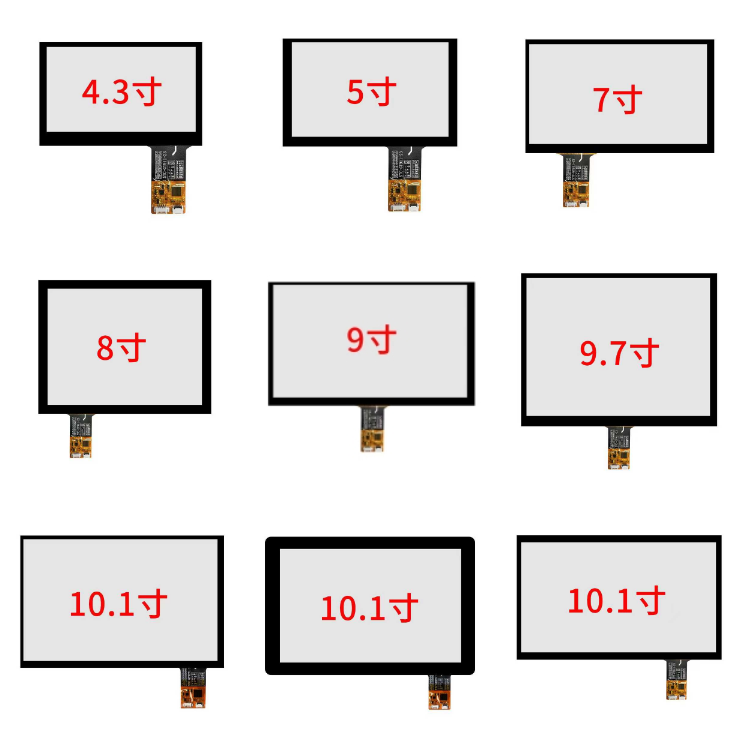
1. Why Is the 4.0-Inch touchscreen Still a Popular Choice?
A 4.0-inch touchscreen display offers a useful combination of compact dimensions, readable interface elements, and flexible mechanical integration.
It provides enough space for menus, status indicators, operating parameters, graphical controls, and interactive functions without requiring a large front panel.
Typical applications include:
-
Industrial handheld instruments and portable control devices
-
Medical monitoring and diagnostic equipment
-
Access control terminals
-
Compact industrial HMI panels
-
Smart home controllers
-
Embedded Linux and MCU-based products
-
Portable measurement and testing equipment
For these applications, engineers are not simply looking for a touchscreen.
They are evaluating a complete display solution that must fit the mechanical structure, communicate with the host processor, support the required touch functionality, and operate reliably under the intended environmental conditions.
This is why interface selection should be considered together with resolution, brightness, touch technology, FPC design, and installation requirements.
DINGTouch supports OEM/ODM touch display projects by evaluating display interfaces, touch controller compatibility, and mechanical integration requirements according to the customer's application.
2. What Are the Most Common Display Interfaces for a 4.0-Inch touchscreen?
The most frequently considered interfaces for compact TFT touchscreen projects are SPI, RGB, MIPI DSI, and LVDS.
However, their popularity depends on the processor platform and display specifications rather than screen size alone.
2.1 Display Interface Comparison
| Display Interface | Typical Applications | Main Advantages | Key Considerations |
|---|---|---|---|
| SPI | MCU-based devices, simple embedded products | Low pin count, simple PCB integration | Limited bandwidth for high-resolution graphics |
| RGB / TTL | Industrial HMI, embedded controllers | Direct pixel data transmission, suitable for continuous refresh | Requires more signal pins and PCB routing |
| MIPI DSI | Supported Linux/Android SoCs, advanced embedded systems | High bandwidth, compact interface, efficient display integration | Requires compatible processor hardware and driver support |
| LVDS | Industrial display systems, selected longer-distance internal connections | Differential signaling, suitable for certain noise-sensitive designs | Requires compatible display and processor interface hardware |
The table provides a general engineering comparison.
Actual interface availability depends on the selected LCD panel, timing requirements, controller architecture, and display module design.
A 4.0-inch panel may support one interface, several interface options, or a specific interface configuration determined by its native display architecture.
3. SPI Interface: A Practical Choice for MCU-Based touchscreen Projects
SPI is a common interface for compact displays connected to microcontrollers.
It is frequently considered in projects using STM32, ESP32, and other MCU platforms, particularly when the display resolution and graphical workload are relatively modest.
Why Do Engineers Choose SPI?
SPI offers several practical advantages:
-
Relatively low signal pin requirements
-
Simplified PCB routing
-
Convenient integration with MCU firmware
-
Suitable for compact embedded devices
-
Practical for cost-sensitive product designs
SPI can be a good solution for products that display menus, icons, operating parameters, and simple graphical interfaces.
Typical Applications
-
Industrial handheld instruments
-
Portable testing equipment
-
Battery-powered devices
-
Compact embedded controllers
-
Simple graphical user interfaces
What Are the Limitations of SPI?
SPI bandwidth can become a limitation when the application requires:
-
High-resolution image updates
-
Frequent full-screen refreshes
-
Complex animations
-
Large graphical elements
-
Higher frame rates
The actual performance depends on the SPI clock, bus configuration, controller architecture, frame buffer, and software implementation.
For this reason, engineers should evaluate the expected display workload instead of selecting SPI based only on its low pin count.
DINGTouch engineering recommendation: SPI is worth considering when the system prioritizes simple integration and moderate display performance. For more demanding graphical interfaces, RGB or MIPI DSI may provide a more suitable architecture.
4. RGB / TTL Interface: A Common Option for Embedded HMI Displays
RGB / TTL is widely used in embedded TFT display systems, particularly when the processor provides a suitable parallel display interface.
Unlike SPI, RGB typically transfers pixel data through multiple parallel data lines together with synchronization and timing signals.
This architecture is suitable for applications requiring continuous display refresh and responsive graphical interfaces.
Why Is RGB Used in Industrial Display Projects?
RGB offers several advantages:
-
Continuous pixel data transmission
-
Suitable bandwidth for many embedded HMI applications
-
Compatibility with supported MCU and SoC display controllers
-
Flexible integration with graphical interface software
-
Practical support for industrial control interfaces
Typical Applications
-
Industrial control panels
-
Factory automation equipment
-
Medical equipment interfaces
-
Embedded HMI systems
-
Smart control terminals
For many OEM projects, RGB provides a practical balance between display performance and system complexity.
However, the interface requires additional signal connections compared with SPI.
Engineers should also consider PCB routing, connector pin assignments, signal integrity, and the available display timing configuration.
Is RGB Always Better Than SPI?
Not necessarily.
RGB is often more suitable for applications requiring continuous refresh, while SPI may be sufficient for simpler interfaces.
The correct choice depends on the actual resolution, graphical workload, processor capability, and product cost target.
5. MIPI DSI: A Suitable Interface for Advanced Embedded Display Systems
MIPI DSI is increasingly relevant for compact displays used with supported Linux and Android processors.
It is commonly considered in embedded systems built around compatible Rockchip, NXP, Allwinner, Qualcomm, and other SoC platforms.
However, processor compatibility must be verified at the hardware and software level.
A processor supporting MIPI DSI does not automatically support every MIPI DSI display.
Main Advantages of MIPI DSI
-
High-speed display data transmission
-
Reduced signal pin count compared with many parallel RGB configurations
-
Suitable for higher-resolution display architectures
-
Integration with supported embedded SoC platforms
-
Practical for compact products requiring advanced graphical interfaces
Typical Applications
-
Smart industrial terminals
-
Android-based devices
-
Embedded Linux products
-
IoT gateways
-
Advanced control interfaces
-
Compact computing platforms
What Should Engineers Verify?
Before selecting a MIPI DSI touchscreen, engineers should confirm:
-
The processor supports the required MIPI DSI configuration
-
The number of lanes is sufficient
-
The display resolution and refresh rate are supported
-
The processor and display timing requirements are compatible
-
The operating system has the required display driver support
-
The touch controller can communicate with the host processor
For OEM projects, interface compatibility should be evaluated together with the display module, processor board, and software platform.
6. LVDS Interface: When Is It Appropriate for a 4.0-Inch Display?
LVDS is another interface used in industrial display systems.
It uses differential signaling and can be suitable for display architectures requiring specific signal transmission characteristics.
However, LVDS is not automatically the best choice for every compact touchscreen project.
Its suitability depends on the native interface of the LCD panel, the processor or display controller, the connection requirements, and the available hardware architecture.
Potential Advantages
-
Differential signaling
-
Suitable for selected industrial display architectures
-
Useful when the system already supports LVDS
-
Can be appropriate for certain internal display connections
Engineering Considerations
-
Processor interface compatibility
-
Display timing requirements
-
Connector and FPC design
-
Cable characteristics
-
Signal integrity
-
Board-level integration
LVDS should be evaluated when the display and host system are designed around this interface.
For a compact MCU-based product, SPI or RGB may be more straightforward.
For an advanced embedded platform, MIPI DSI may be more appropriate if supported by the processor and display.
7. Display Interface vs. Touch Interface: What Is the Difference?
One of the most important considerations when selecting a 4.0-inch capacitive touchscreen display is understanding that the display interface and touch communication interface are separate.
A complete touchscreen module generally contains two functional systems:
-
The LCD display system
-
The touch sensor and touch controller system
The LCD interface transfers image data from the host processor to the display.
The touch interface transfers touch coordinates and related information from the touch controller to the host processor.
These two interfaces do not need to use the same communication protocol.
Common Touch Controller Interfaces
| Touch Interface | Typical Applications | Main Considerations |
|---|---|---|
| I2C | PCAP touchscreen modules, MCU and embedded systems | Low pin count, common touch controller communication |
| USB | Linux, Windows, and systems supporting USB HID | Convenient integration when the host supports USB touch |
| UART | Selected customized touch controller solutions | Depends on controller firmware and communication protocol |
Typical Interface Combinations
A touchscreen module may use:
-
RGB display + I2C touch
-
SPI display + I2C touch
-
MIPI DSI display + I2C touch
-
MIPI DSI display + USB touch
-
LVDS display + I2C touch
These are examples of possible configurations, not guaranteed combinations for every display module.
The available interface depends on the LCD panel, touch controller, module design, and host platform.
Why Does This Matter for OEM Projects?
A display may be electrically compatible with the processor while the touch controller requires a different communication interface.
For example, a processor may support MIPI DSI for the LCD but require a separate I2C connection for touch input.
Therefore, engineers should confirm both display and touch interfaces before finalizing the display module.
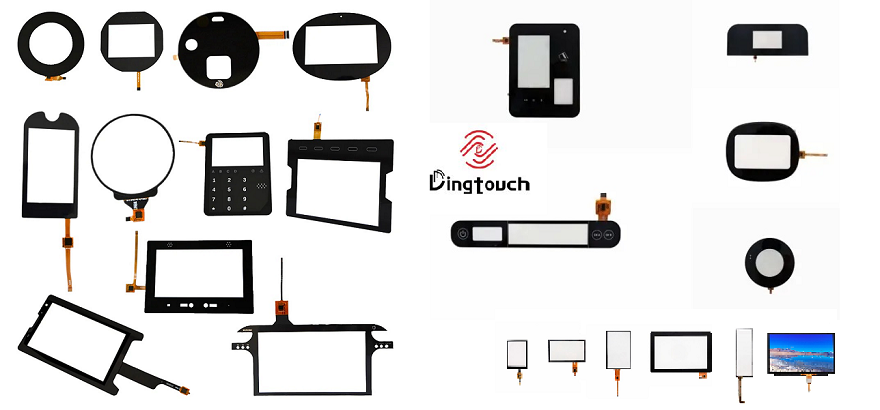
8. How to Select the Right Interface for Your 4.0-Inch touchscreen
The most suitable interface depends on the processor platform and the product's performance requirements.
If Your Product Uses an MCU
Consider SPI or RGB.
SPI may be suitable for simple graphical interfaces, low-cost products, and compact PCB designs.
RGB may be more appropriate when the application requires continuous refresh and a more responsive graphical interface.
If Your Product Uses an Embedded Linux or Android SoC
Consider MIPI DSI or another interface supported by the processor.
Check the processor's display controller, available lanes, resolution support, operating system drivers, and touch communication options.
If Your System Already Uses LVDS
LVDS may be appropriate when the selected display panel and processor architecture support it.
Avoid adding unnecessary interface conversion unless it is required by the project.
If System Cost Is a Priority
SPI may be worth evaluating for simpler applications.
However, the total system cost should include the processor, display controller, PCB, connector, firmware development, and integration work.
A low-cost display interface does not necessarily result in the lowest overall project cost.
If Graphical Performance Is Important
RGB or MIPI DSI may be more suitable, depending on processor support and display requirements.
The required resolution, refresh rate, image complexity, and graphical software should be evaluated together.
9. Common Applications of 4.0-Inch touchscreen Displays
The 4.0-inch display format is suitable for products requiring a compact but functional user interface.
Typical applications include:
Industrial Equipment
Industrial handheld terminals, portable instruments, control devices, and compact HMI systems.
Medical Devices
Portable diagnostic equipment, monitoring instruments, and medical device control interfaces.
Access Control
Compact access terminals, identification systems, and smart entry devices.
Smart Home and Building Automation
Thermostats, environmental controllers, and compact control panels.
Embedded Systems
MCU-based products, Linux systems, IoT devices, and specialized electronic equipment.
For these applications, display selection should consider more than interface compatibility.
Brightness, viewing angle, operating temperature, touch performance, cover glass, and mechanical integration may also affect the final product design.
10. Can DINGTouch Customize a 4.0-Inch touchscreen Display?
Yes.
DINGTouch provides customized touchscreen and display solutions for industrial, medical, and embedded OEM applications.
Depending on the selected display platform and project requirements, customization may include:
Display Specifications
-
Resolution and display technology evaluation
-
Brightness selection
-
IPS display options
-
Operating temperature requirements
-
Display interface configuration
touchscreen Integration
-
Projected capacitive touch (PCAP)
-
Touch controller selection
-
I2C or USB touch communication
-
Multi-touch functionality
-
Glove-touch evaluation
-
Water-related touch performance evaluation
Mechanical and Optical Customization
-
Cover glass dimensions
-
Glass thickness
-
Custom shape and edge design
-
AG, AR, or AF surface treatment evaluation
-
Optical bonding or other bonding configurations
-
Custom FPC design
-
Connector and cable positioning
OEM/ODM Engineering Support
For customized projects, DINGTouch can evaluate:
-
Processor and display interface compatibility
-
LCD and touch controller integration
-
Mechanical drawing requirements
-
FPC and connector specifications
-
Optical bonding requirements
-
Environmental and application conditions
The final configuration depends on the selected display platform and project requirements.
For industrial applications, it is particularly important to evaluate the complete display assembly rather than selecting the LCD based only on its diagonal size.
11. What Should Engineers Confirm Before Ordering a 4.0-Inch touchscreen?
Before selecting a display module, OEM engineers should confirm the following specifications.
| Specification | What to Check |
|---|---|
| Display size | 4.0-inch diagonal and mechanical dimensions |
| Resolution | Native resolution and graphical requirements |
| Display interface | SPI, RGB, MIPI DSI, LVDS, or another supported interface |
| Processor compatibility | Display controller and interface support |
| Touch technology | PCAP or another required touch technology |
| Touch interface | I2C, USB, UART, or supported configuration |
| Brightness | Indoor, industrial, or outdoor application requirements |
| Operating temperature | Required operating environment |
| Cover glass | Thickness, shape, surface treatment, and mechanical requirements |
| Bonding | Air bonding, optical bonding, or other suitable structure |
| FPC and connector | Pin assignment, cable length, connector type, and routing |
| Mechanical integration | Mounting dimensions and enclosure compatibility |
This information helps determine whether a standard display module is suitable or whether a customized solution is required.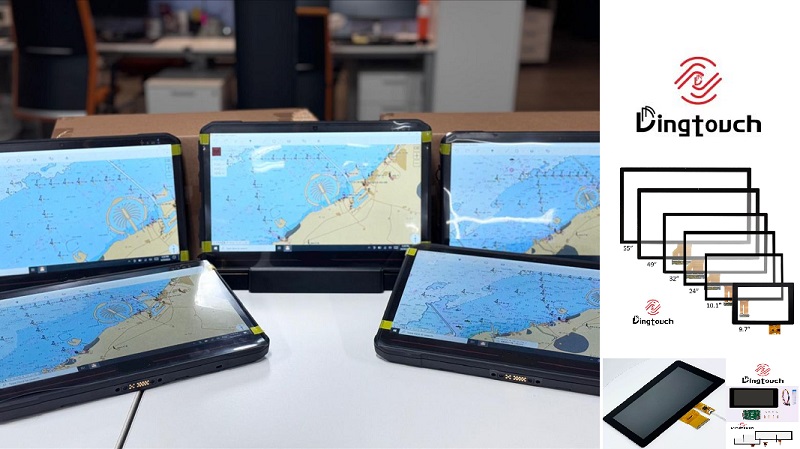
12. Final Answer: Which Interface Is Most Common for a 4.0-Inch touchscreen?
There is no universal interface that is most common across every 4.0-inch touchscreen application.
The practical answer depends on the system architecture.
-
SPI: A common choice for compact MCU-based products and simpler graphical interfaces.
-
RGB / TTL: A practical option for embedded HMI systems requiring continuous display refresh.
-
MIPI DSI: Suitable for supported Linux, Android, and advanced embedded SoC platforms.
-
LVDS: Appropriate for selected industrial display systems with compatible hardware.
-
I2C: A common communication interface for capacitive touch controllers.
-
USB: Useful for touch integration when the host supports USB HID or the required USB touch protocol.
For many industrial embedded projects, RGB + I2C is a typical display-and-touch combination, while SPI + I2C is frequently considered for simpler MCU-based designs.
For advanced embedded platforms, MIPI DSI + I2C or another supported touch configuration may be more appropriate.
The most important point is that the display interface and touch interface must be evaluated separately.
A suitable 4.0-inch touchscreen should match the processor, display performance requirements, touch communication architecture, mechanical structure, and operating environment.
Looking for a Customized 4.0-Inch Touchscreen Display?
DINGTouch provides industrial touchscreen and display integration solutions for OEM/ODM projects.
If your application requires a specific display interface, PCAP touch functionality, customized cover glass, optical bonding, or a tailored FPC configuration, our engineering team can evaluate the requirements and recommend a suitable display platform.
Contact DINGTouch to discuss your 4.0-inch touchscreen project.
Website: www.szdingtouch.com
Email: sales@szdingtouch.com
DINGTouch — Industrial Touchscreen and Display Solutions for OEM/ODM Applications
What DINGTOUCH can do:
• PCAP maximum size 65”
• Multi-touch (Touch screen can be customized to your needs.)
• Optical bonding service/air bonding
• LCD interface: HDMI/RGB/MIPI/LVDS/EDP, etc.
• PCAP interface: IIC/USB interface
• CTP can customize the cover glass surface treatment process AG (anti-glare), AR (anti-reflection), AF (anti-fingerprint), waterproof, and glove touch
• Supports 0.55 mm-12 mm coverslip touch.
• Support operating temperature: -40℃-90℃.
CATEGORIES
CONTACT US
Contact: Dingtouch
Phone: +8615815536116
Tel: +8615815536116
Email: sales@szdingtouch.com
Add: Building A, Bailu Plaza, No. 48, Gonghe Industrial Road, Gongle Community, Xixiang Street, Baoan District, Shenzhen,China. 518126
 Dingtouch